AI Template: Linkedin. How to Write a LinkedIn Profile Summary? Examples
To write a LinkedIn profile summary, enter your name, your title and a short summary in the Linkedin template in Qyx and get a profile text for your About section. The Linkedin template is a Qyx Smart Template that turns your name, title and notes into a LinkedIn summary in the language you pick.
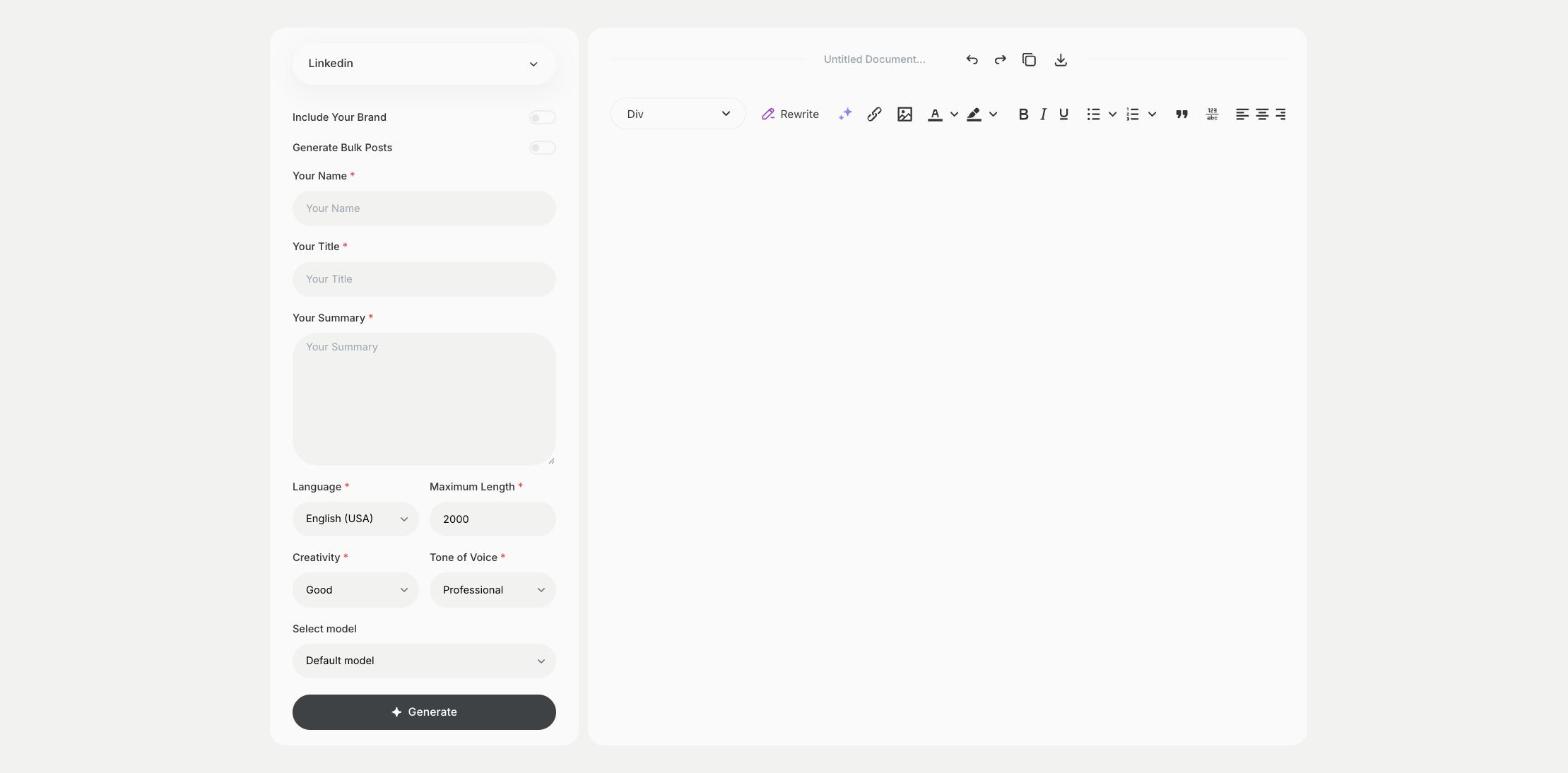
What is the Linkedin template?
The Linkedin template is a ready-made template in Qyx for the About section of your LinkedIn profile. You enter your name, your current title and a few notes about what you do and what you are looking for, and Qyx writes the summary. Recruiters and clients read the first lines before they click to see more, so start with what you do and for whom. Update the summary when your role or goals change.
-
An About section from notes
Write a few lines in Your Summary and get a full profile text.
-
Your title in context
Your Title helps the summary explain what you do.
-
Profiles in other languages
Pick the output language to add a second language version of your profile.
How does it work?
- Open the Linkedin template in Qyx.
- Fill in your name in Your Name, your job title in Your Title and notes about your work in Your Summary, then choose the language, tone of voice, creativity and maximum length.
- Click Generate, pick the best result and edit it right in the editor.
Who is it for?
-
Job seekers
Make your profile clear to recruiters.
-
Freelancers and consultants
Explain your services to potential clients.
-
Founders
Present your company and your role.
-
Graduates
Write a first profile summary.
Practical example
What you enter
Your Name: your full name. Your Title: your current role or headline. Your Summary: what you do, for whom, your main skills and what you are looking for.
What you get
A LinkedIn summary for your About section. Check that it sounds like you, paste it into your profile and add a link to your work.
Conclusion
The Linkedin template gives you the summary for your LinkedIn profile. Write posts for your feed with the Linkedin Post template in Qyx.