Marketing Bot · Inbox
All campaign chats in one inbox
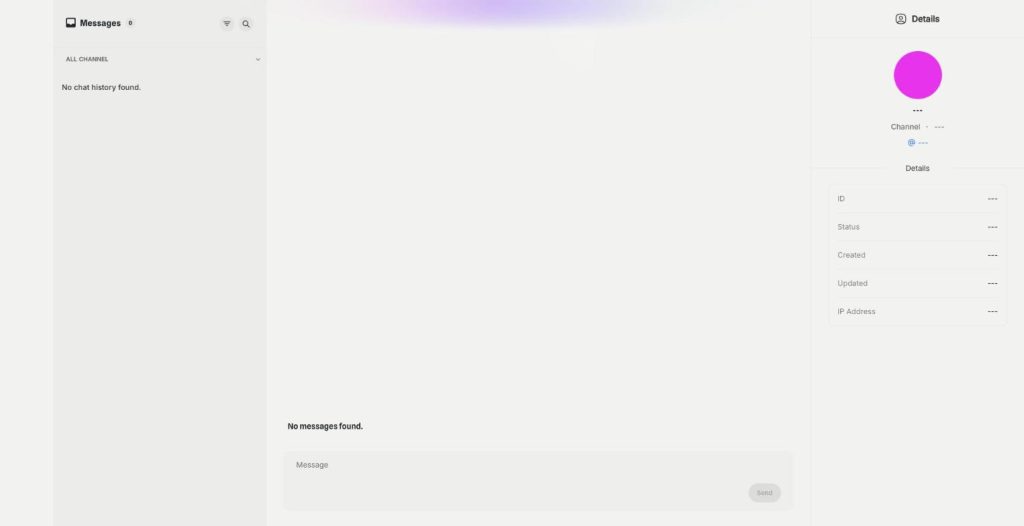
The Marketing Bot Inbox is a WhatsApp inbox and Telegram inbox in one place. Read every reply to your campaigns, filter by channel, search the messages and answer customers yourself.
- WhatsApp and Telegram chats together
- Filter by channel
- Search chats and messages
- Images and files in replies
Open the Inbox in Marketing Bot.
- No phone needed at your desk
- AI and people in the same chat
- Cancel anytime
Replies get lost on one phone
The campaign went out from the business number, and now the answers sit on a phone in someone's pocket.
Customer replies hide on one phone.
I can't find what a customer wrote last week.
I switch between WhatsApp and Telegram all day.
One inbox for every reply:
- All channels view
- WhatsApp filter
- Telegram filter
- Message search
- Files and images
- Contact details
How It Works
A simple three-step process, start to finish.
-
Send a campaign
Replies from WhatsApp and Telegram arrive in the Inbox.
-
Find the chat
Filter by channel or search chats and messages.
-
Answer
Write a reply, attach an image or a file, and send.
Why teams use a WhatsApp inbox on the web
Every reply in one list, on a big screen.
Old conversations found in seconds.
AI answers and human answers side by side.
Good to know before you start
The Inbox in Marketing Bot is a WhatsApp inbox and Telegram inbox in your browser. Every customer who replies to a campaign shows up there, so you read and answer conversations at your desk instead of on one phone.
What the WhatsApp inbox shows
The left column lists the chats. A channel switch shows all of them, or only Telegram, or only WhatsApp. Search for chats finds a conversation by name, and Search in messages finds a word inside the texts. Load More brings older chats into the list.
Answering customers
Open a chat and type into the message field. You can attach images, videos or other files from your media library or upload new ones. When AI bot replies are on, you see the bot’s answers in the same thread and can write yourself whenever a customer needs a person.
Contact details
The details panel shows the channel, the chat ID, its status, when it was created and last updated, and the IP address. You can edit the user details, so the name in the chat matches your contact list. The Actions menu lets you delete a conversation you no longer need.
Who works in the Inbox
A small shop owner answers orders between packing parcels, on a laptop instead of a phone. Customer care staff handle the replies to a weekend promotion without borrowing the business phone. A marketer reads the reactions to a new offer and spots which wording made people ask for more.
Using a WhatsApp inbox after a campaign
Check the Inbox in the first hour after a campaign goes out, when most replies arrive. Answer buying questions first, then the rest. Note the questions that keep coming back, and add the answers to the AI Instruction or to the next message. For chats from your website, Messenger or Instagram, External Chatbot has its own inbox.
Questions, answered
It is the Qyx WhatsApp inbox and Telegram inbox where replies to your campaigns arrive.
Yes. Switch the channel filter between all, Telegram and WhatsApp.
Yes. Search chats by name, or search for words inside the messages.
Yes. Attach images, videos or other files from your media library.
Yes. AI replies appear in the same chat, and you can write to the customer yourself.
More Marketing Bot features
-
WhatsApp and Telegram campaigns
Reach thousands on WhatsApp and Telegram
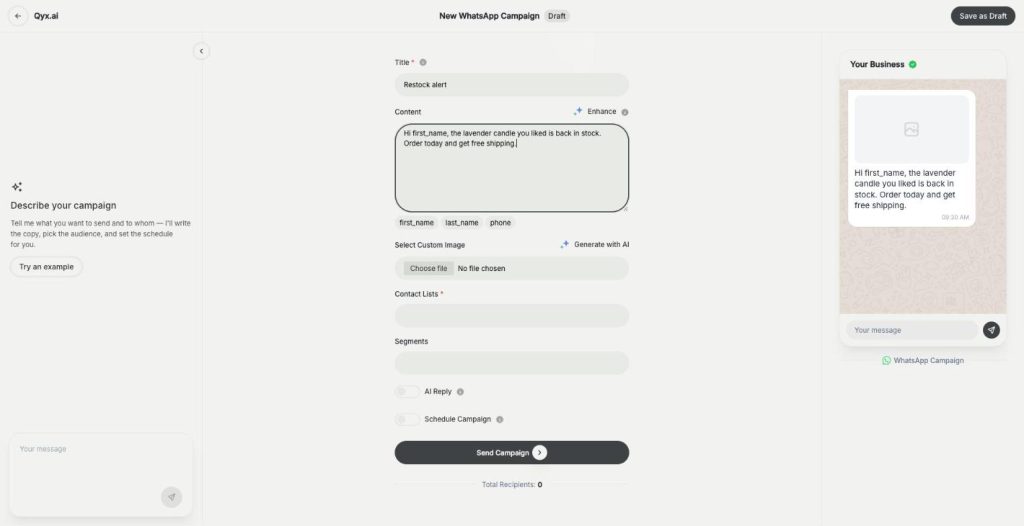
Marketing Bot campaigns are a WhatsApp broadcast and Telegram messaging tool in Qyx. Write the message or let the Marketing Agent draft it, pick your contacts and send it now or at a set time.
-
AI bot replies
Let AI answer when customers reply
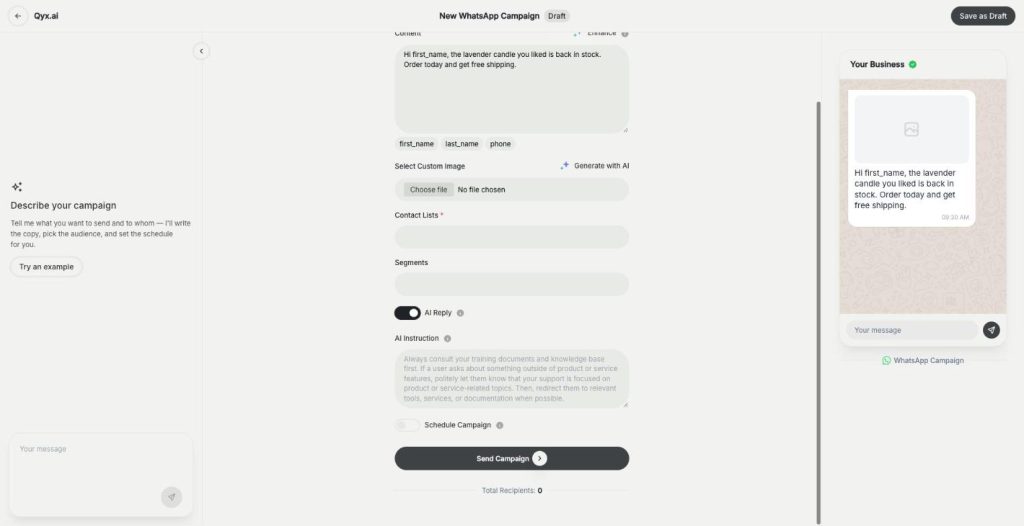
AI bot replies add a WhatsApp auto reply to your Marketing Bot campaigns. Turn on AI Reply, tell the bot how to answer, and it responds to every customer who writes back.
Answer every campaign reply from one inbox
From $29/month · 7-day money-back guarantee · Cancel anytime