External Chatbot · Smart inbox
Every conversation in one inbox
The smart inbox is the live chat inbox of External Chatbot. Read and answer conversations from your website and your messaging apps in one place, with tags and notes, plus canned responses.
- Live chat, Telegram, WhatsApp, Messenger and Instagram
- Reply or leave an internal note
- Customer tags and visited pages
- Canned responses and analytics
Open the inbox in Support and Sales Agents.
- AI and people in the same thread
- Works in your browser
- Cancel anytime
Chats are everywhere
Website chat in one tab, Instagram on a phone, WhatsApp on another phone, and nobody knows who answered what.
I switch between five apps to answer customers.
Two people answer the same customer.
I don't know which page the visitor was on.
One inbox for every channel:
- Channel filter
- Reply and Note
- Customer tags
- Contact details
- Canned responses
- Analytics
How It Works
A simple three-step process, start to finish.
-
Connect the channels
Add your website and messaging apps to the chatbot.
-
Work the inbox
Filter by channel, newest or unread, and open a chat.
-
Reply or note
Answer the customer or leave a note for your team.
Why teams use a live chat inbox
Every customer question in one list.
Context before you reply.
Faster answers with saved responses.
Good to know before you start
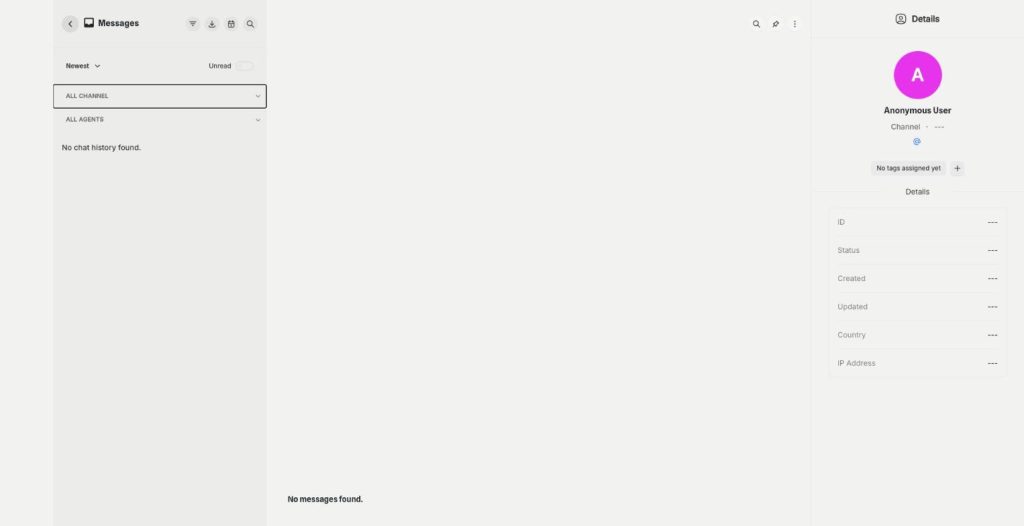
The smart inbox is the live chat inbox of External Chatbot. Conversations from your website chat and your connected messaging apps land in one list, where you read what the AI answered and step in yourself when needed.
What the live chat inbox shows
Sort chats by newest or unread, and filter by a channel: Livechat, Telegram, WhatsApp, Messenger or Instagram. A second filter shows chats by agent. Open a chat to see the full thread with AI and human replies together.
Reply, note and details
Under each chat you choose Reply to write to the customer or Note to leave a private comment for your team. The details panel shows the channel, status, country, IP address and the pages the visitor viewed, and Logs show what happened in the conversation. You can edit the customer details and add a tag.
Contacts and saved replies
Contacts keeps every person who wrote to the bot, with a name, email, phone and channel. Customer Tags organise them with reusable labels, for example VIP or wholesale. Canned Responses store your ready-made answers, so a reply to a common question takes one click.
Analytics
The analytics page counts total conversations, the average time to the first human reply, the average conversation length, new conversations by channel and agent replies per month, with top agents and top channels.
A day in the inbox
In the morning, open Unread and handle what came in overnight, starting with chats the AI handed over. During the day, keep the inbox open next to your other work and answer within a few minutes. Before closing, tag customers who need a follow-up and leave notes, so a colleague can pick up tomorrow.
Tips for a live chat inbox that stays clean
Check unread chats on a fixed rhythm, for example every two hours. Use notes instead of separate messages when you pass a case to a colleague. Save an answer you write twice as a canned response. Decide when the bot hands over in the human agent settings. For replies to your WhatsApp and Telegram campaigns, Marketing Bot has its own inbox.
Questions, answered
It is the live chat inbox of Qyx External Chatbot, with conversations from your website and messaging apps in one place.
Livechat, Telegram, WhatsApp, Messenger and Instagram.
Yes. Choose Note instead of Reply to leave a comment the customer does not see.
Yes. The details panel lists the visited pages, the country and the channel.
Yes. Canned Responses store ready-made answers for common questions.
More External Chatbot features
-
Website chatbot
A custom AI chatbot for your website
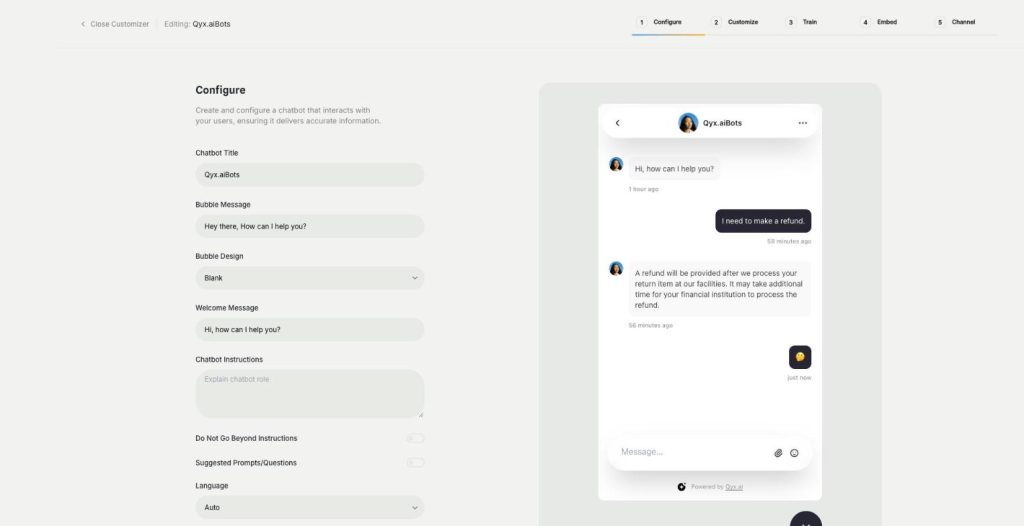
The website chatbot in Qyx is a custom AI chatbot trained on your pages, files and FAQs. It answers visitors in seconds, day and night, in your brand colours and on your rules.
-
Sales agent
Sell directly inside the chat
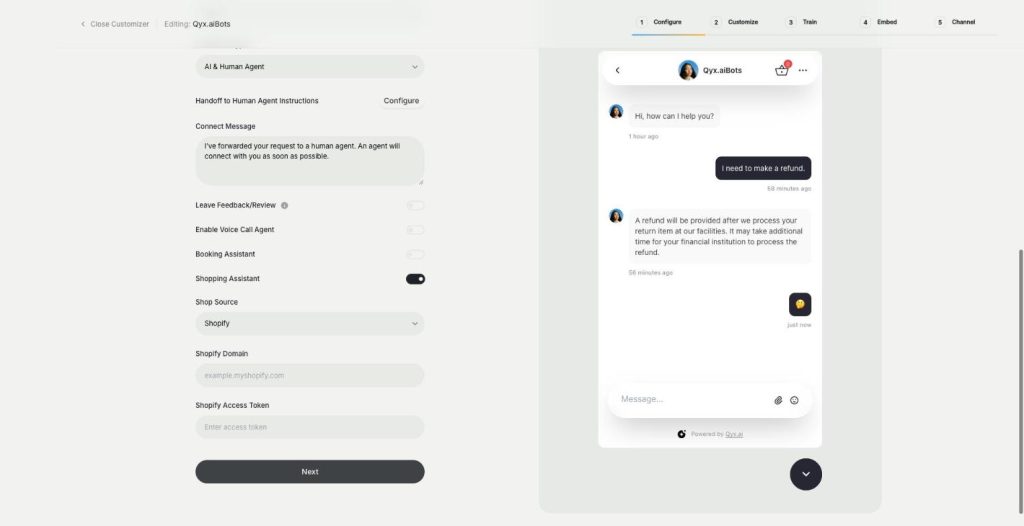
The sales agent turns External Chatbot into an AI shopping assistant for Shopify and WooCommerce. It recommends products, shows variants and prices, and sends buyers to checkout without leaving the chat.
-
Booking agent
Let customers book in the chat
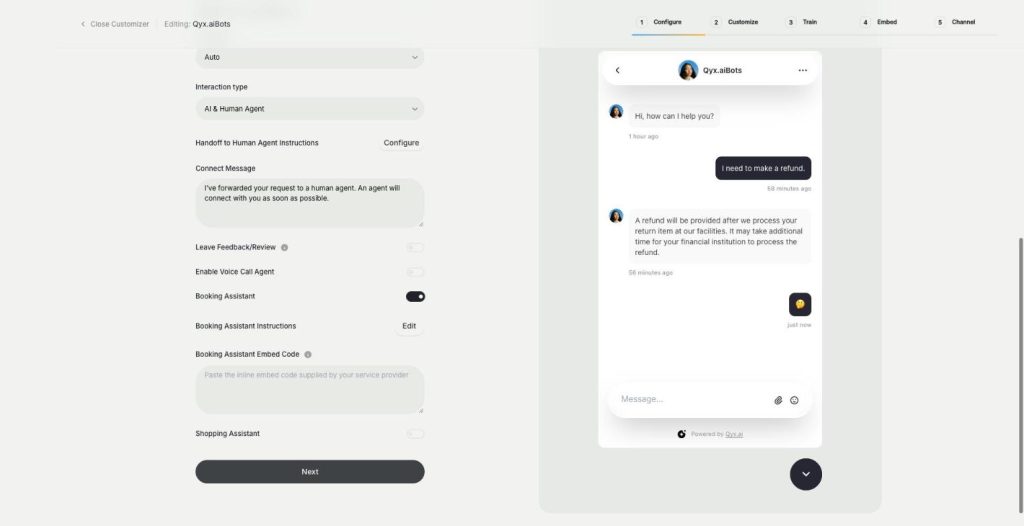
The booking agent is an AI booking assistant for your website chatbot. Add your Calendly or Cal.com embed, and the bot offers a meeting when a visitor is ready and lets them book without leaving the chat.
-
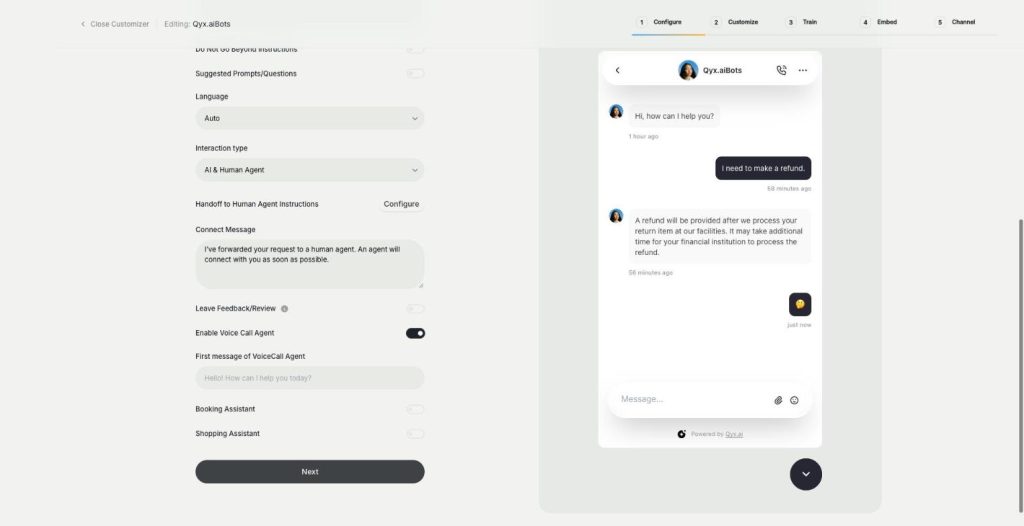
Voice chat
Talk to visitors with real voice
Voice chat makes your website bot an AI voice chatbot. Turn on the Voice Call Agent, and visitors can talk to your assistant out loud and switch back to text at any time.
-
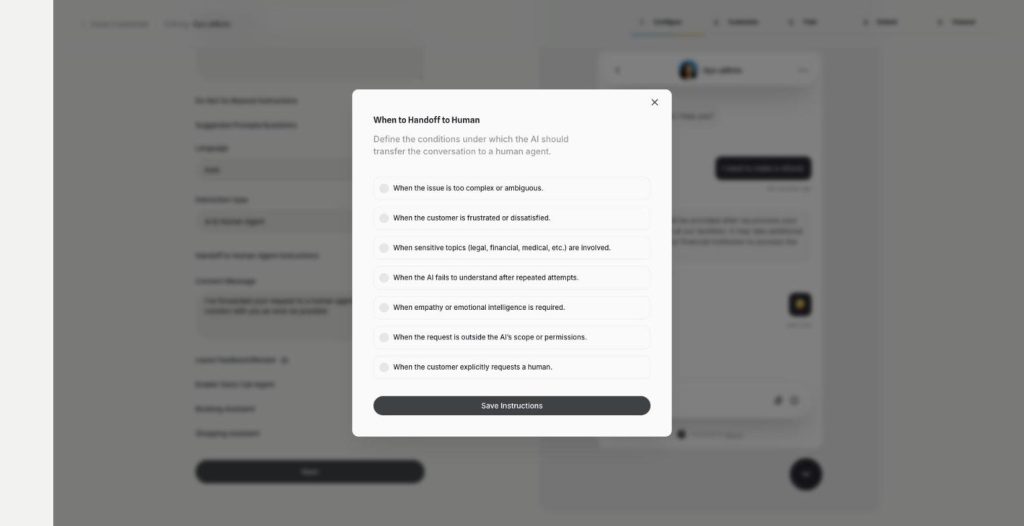
Human agent
Hand over to a person when it matters
Human agent adds chatbot human handoff to External Chatbot. Choose when the AI passes the conversation to your team, and the customer gets a person exactly when they need one.
-
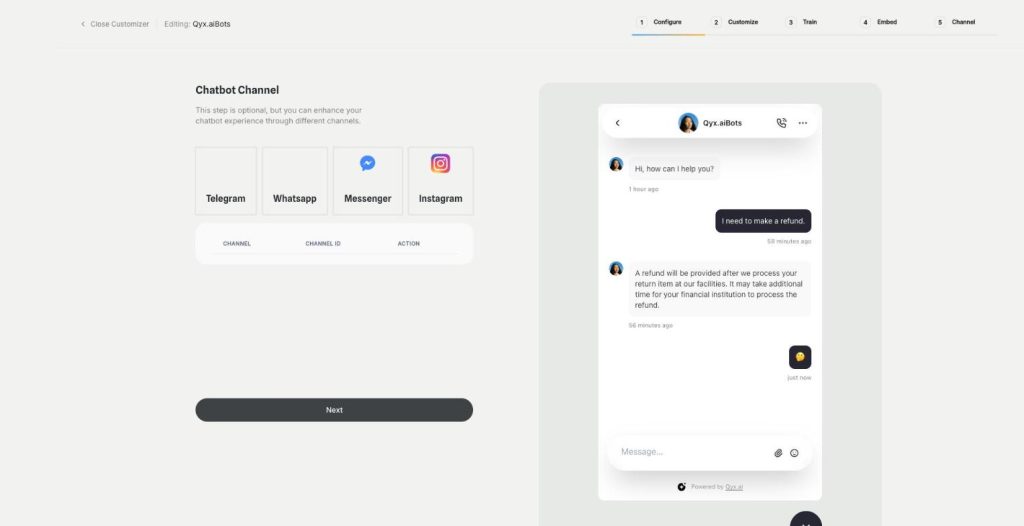
Instagram
Answer Instagram DMs with your AI bot
Connect External Chatbot to Instagram and get an Instagram chatbot that answers direct messages with your trained knowledge. Customers ask in the app they use every day, and the bot replies in seconds.
-
Facebook Messenger
Your AI bot in Messenger
Connect External Chatbot to your Facebook Page and get a Messenger chatbot that answers customers with your trained knowledge, around the clock, with a person ready when needed.
-
WhatsApp and Telegram
The same bot in WhatsApp and Telegram
Connect External Chatbot to WhatsApp and Telegram and get a WhatsApp chatbot that answers customers with your trained knowledge, in the messaging app they already use.
-
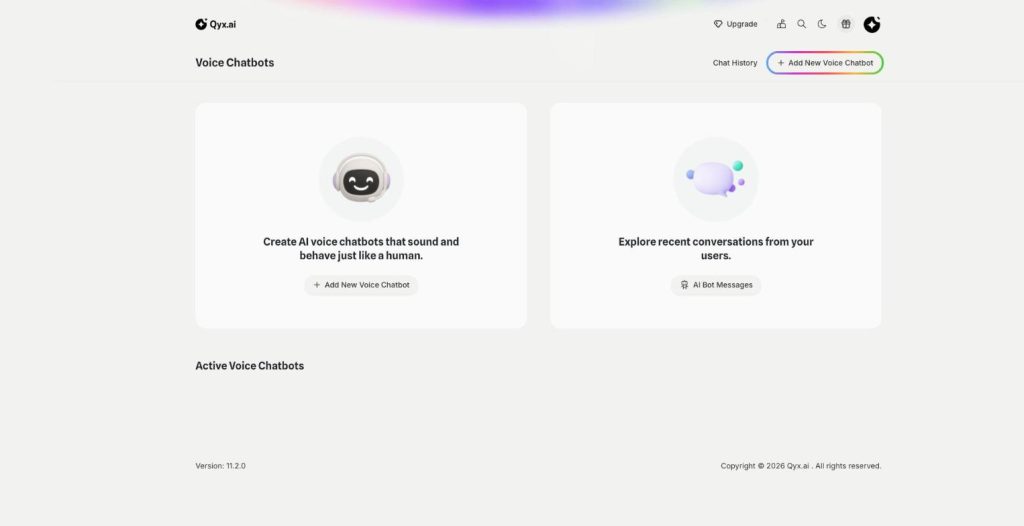
Phone call agent
An AI agent that answers your phone
The phone call agent is an AI phone agent for your business. It picks up real phone calls, answers questions, books appointments and qualifies leads around the clock.
Answer every customer from one inbox
From $29/month · 7-day money-back guarantee · Cancel anytime