Creative Suite · AI Designer
Describe a design and get it editable
AI Designer in Qyx is an AI graphic designer for marketing creatives. Describe the post or ad you need, and get a finished design with layout, text and images that you can still edit.
- Full design from a text prompt
- Headline, text and call to action written for you
- Square, wide, vertical or 5:4
- Every element stays editable
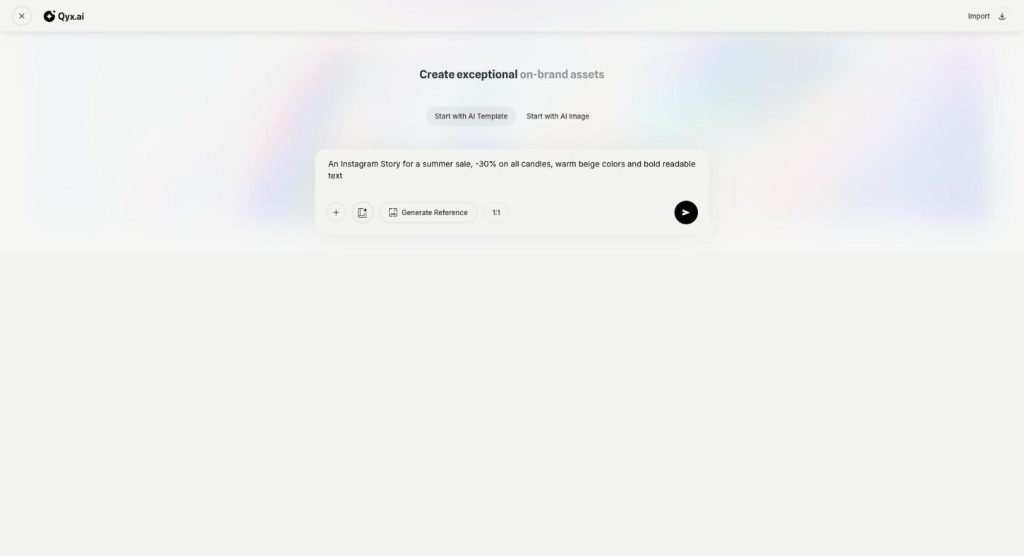
Describe the design in one prompt.
- No design skills needed
- Works in your browser
- Cancel anytime
A blank canvas slows you down
You know what the promotion is about, and still the first layout takes the longest.
I stare at an empty canvas before every campaign.
AI images look nice but I can't change the text in them.
Writing the headline and the layout at once is too much.
One prompt, one editable design:
- Layout from a prompt
- Headline and copy
- Images and icons placed
- Typography and hierarchy
- Four aspect ratios
- Editing on the canvas
How It Works
A simple three-step process, start to finish.
-
Describe the design
Write the format, the offer and the style in Start with AI Template.
-
Pick the ratio
Choose 1:1, 16:9, 9:16 or 5:4 and send the prompt.
-
Edit and export
Change any text, image or element on the canvas, then download.
Why teams use an AI graphic designer
A first draft of every creative in one step.
Copy and layout created together.
A design you can still change, not a flat image.
Good to know before you start
AI Designer is the AI graphic designer inside Creative Suite. You describe the creative you need, and it builds a complete design: layout, headline, body text, call to action, images, icons and typography. The result opens on the canvas, where every element stays editable.
How the AI graphic designer works
Open Creative Suite and choose Start with AI Template. The example in the app reads: a clean, cozy Instagram Story for a coffee shop promotion with „Buy 1 Get 1 Free“, cozy coffee visuals and bold readable text. Pick the aspect ratio, 1:1 square, 16:9 or 5:4 wide, or 9:16 portrait, and send the prompt. Generate Reference adds a reference image step, and the plus button lets you add your own files.
What you can make
Social media posts and stories, ads, banners, promotions, flyers, presentation slides and other marketing creatives. AI Designer writes the copy for the design and places images, symbols and icons where they fit the layout. It adapts the style to your industry and to the goal of the campaign.
Editing after generation
Because the design is built from separate elements, you can replace the headline, swap a photo for your product shot, change colours or move blocks around. Resize it to other formats with Adaptive Resize in Canvas. To fix one area of an image, switch to Annotation Mode.
Who it helps
Small shops that need a weekly promo without hiring a designer. Social media managers who have to deliver many posts per client every month. Founders who want a launch announcement before lunch, then hand the editable file to a colleague for polish.
Prompts for an AI graphic designer
Name the format, the offer, the audience and the style in one prompt, for example „Instagram post for a 20% weekend sale on running shoes, energetic, black and neon green“. Put the exact text you want in quotes. Then check every word, price and date before you download, because AI can misspell text.
Questions, answered
AI Designer is the Qyx AI graphic designer. It turns a prompt into a complete, editable marketing design in Creative Suite.
It is an editable design. You can change the text, images and elements on the canvas.
1:1 square, 16:9 or 5:4 wide, or 9:16 portrait.
Yes. AI Designer writes the headline, the description and the call to action for the design.
Social posts, stories, ads, banners, flyers or slides for a promotion.
More Creative Suite features
-
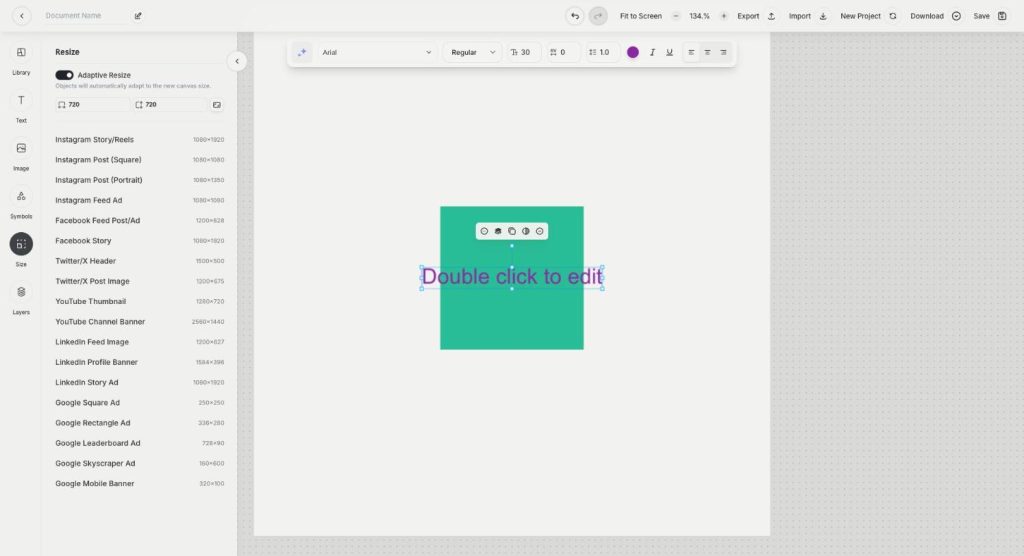
Canvas
Design ads and creatives on one canvas
Canvas in Qyx Creative Suite is an online ad maker for social posts, banners and ads. Pick a template or a preset size, add text, images and symbols, arrange layers and export.
-
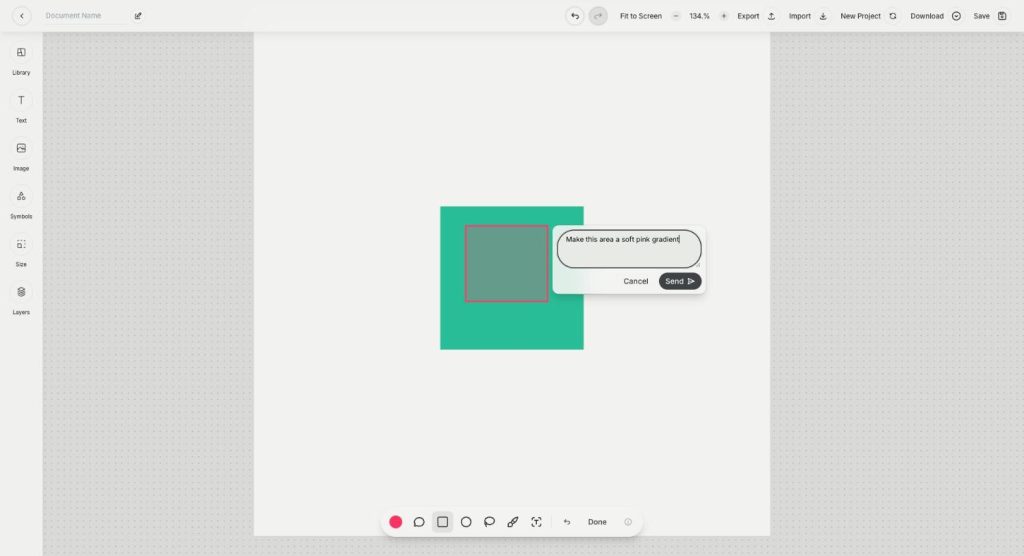
Annotation Mode
Point at an image, tell AI what to fix
Annotation Mode is the AI inpainting tool in Qyx Creative Suite. Mark an area of the image, write what should change there, and the AI edits only that region.
Describe your next creative and get it designed
From $29/month · 7-day money-back guarantee · Cancel anytime