Creative Suite · Annotation Mode
Point at an image, tell AI what to fix
Annotation Mode is the AI inpainting tool in Qyx Creative Suite. Mark an area of the image, write what should change there, and the AI edits only that region.
- Shape and lasso selections
- Brush for free masks
- Comments tied to a point or region
- Text replacement in AI images
Mark the area and describe the change.
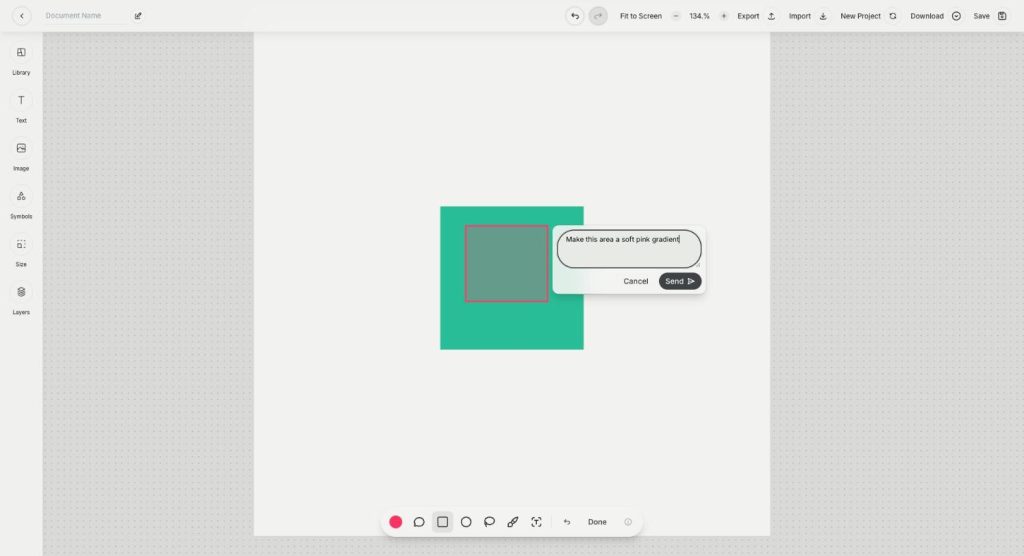
- The rest of the image stays as it is
- Works on the canvas
- Cancel anytime
One wrong detail ruins the image
The image is almost perfect, and regenerating it to fix one corner changes everything else too.
I regenerate the whole image to fix one small thing.
The text inside my AI image is misspelled.
I can't explain to the AI which part I mean.
One mark, one precise edit:
- Shape selections
- Brush masks
- Comments on regions
- Text replacement
- Edit only the marked area
- Done on the canvas
How It Works
A simple three-step process, start to finish.
-
Select the image
Click an image on the canvas and choose Annotate.
-
Mark the area
Draw a rectangle, circle, lasso or brush mask over the part to change.
-
Describe and send
Type the change for that region and click Send.
Why designers use AI inpainting
Fix one detail without losing the rest.
Correct text inside AI images.
Clear instructions, tied to the exact spot.
Good to know before you start
Annotation Mode is the AI inpainting tool in Creative Suite. Inpainting means the AI edits only a part of an image you mark, and leaves the rest as it is. You select an area, write what should change, and the edit happens only inside that region.
Tools for AI inpainting
Click an image on the canvas and choose Annotate. A toolbar appears with a colour picker, a comment tool, a rectangle, a circle, a speech bubble, a brush for free masks and a lasso. After you mark an area, a box asks you to describe the change you want for this region, and Send starts the edit. Done closes the mode.
Replacing text in AI images
AI-generated images often contain misspelled words. Annotation Mode detects text in the image, so you can mark a wrong word and write the correct one. This saves you from generating the whole image again to fix one label or headline.
What to fix with annotations
Swap the colour of a product, remove a stray object, change a background corner, add a prop on the table, fix a hand or replace the text on a sign. Each annotation sends one edit request, so make one change at a time and check the result before the next.
Who uses annotations
An online seller fixes a product shot when the label on a bottle came out blurred. A social media manager changes the season in a campaign image, for example snow on the window instead of sunshine. A designer leaves a note on a region and lets the AI apply it, instead of opening a separate photo editor and masking by hand.
Tips for precise AI inpainting
Mark a little more than the object, so the AI can blend the edge. Describe the result, not the problem: „plain white wall“ works better than „remove the mess“. For quick background removal or upscaling of a whole photo, use AI Image Editor. To build the layout around the image, use Canvas.
Questions, answered
Annotation Mode is the AI inpainting tool in Qyx Creative Suite. You mark an area of an image and the AI edits only that part.
Shapes, a lasso and a brush for free masks, plus comments and a speech bubble.
No. The AI processes only the region you marked.
Yes. It detects text in AI-generated images, so you can replace a wrong word.
Each annotation is one edit request, so make one change at a time.
More Creative Suite features
-
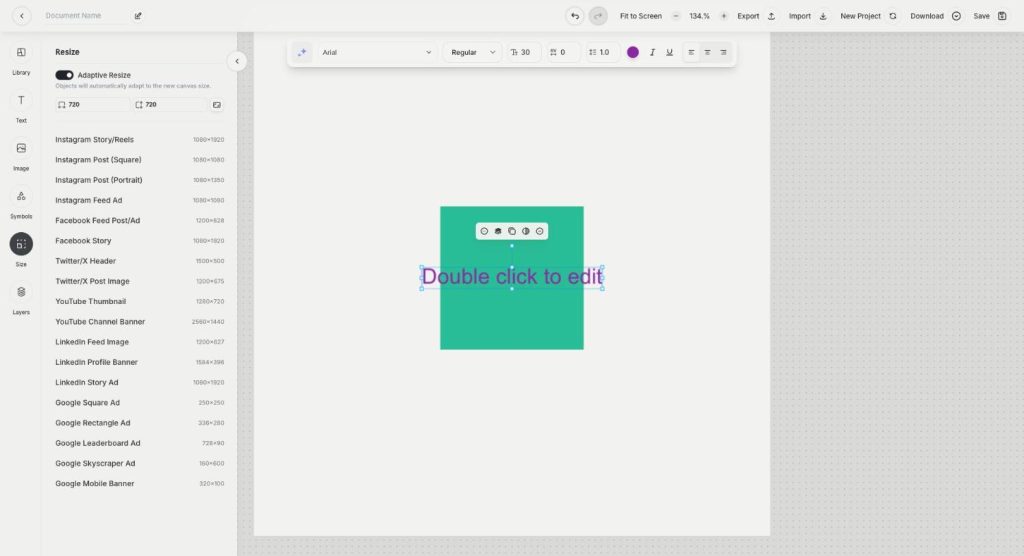
Canvas
Design ads and creatives on one canvas
Canvas in Qyx Creative Suite is an online ad maker for social posts, banners and ads. Pick a template or a preset size, add text, images and symbols, arrange layers and export.
-
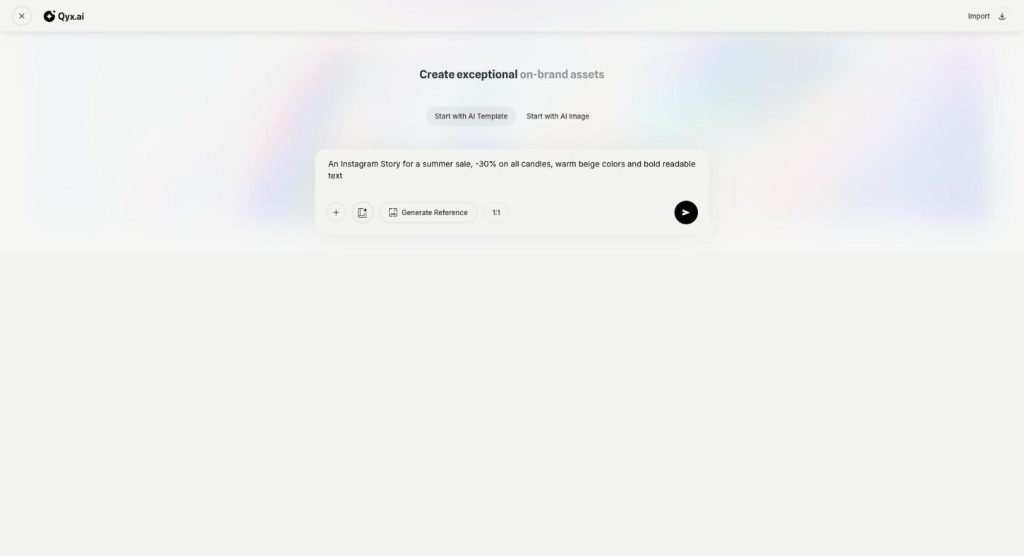
AI Designer
Describe a design and get it editable
AI Designer in Qyx is an AI graphic designer for marketing creatives. Describe the post or ad you need, and get a finished design with layout, text and images that you can still edit.
Fix your next image exactly where it needs it
From $29/month · 7-day money-back guarantee · Cancel anytime