AI Social Media Suite · YouTube and Shorts
Generate and post YouTube and Shorts
AI Social Media Suite lets you schedule YouTube Shorts and regular YouTube videos. Upload your own video or generate one with AI from the post text, preview it and publish it now or later.
- YouTube and YouTube Shorts tabs
- Your own video or an AI video
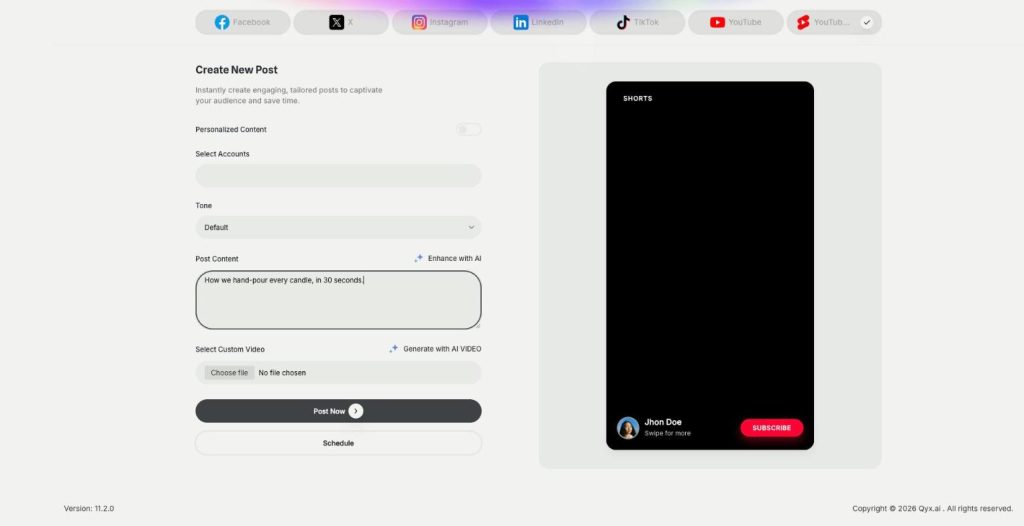
- Shorts and YouTube preview
- TikTok video from the same place
Pick YouTube or YouTube Shorts and add the video.
- Seven platforms from one login
- Works in your browser
- Cancel anytime
Shorts need a steady pace
The algorithm rewards regular uploads, and every upload means a new video, a title and the right time.
I don't have a video for every week.
Uploading to YouTube Studio takes too many clicks.
My Shorts go out whenever I find time.
One place for YouTube publishing:
- YouTube Shorts
- Regular YouTube videos
- AI video from text
- Own uploads
- Preview
- Scheduling
How It Works
A simple three-step process, start to finish.
-
Connect YouTube
Add your channel in Connect Accounts.
-
Add the video
Upload a file or click Generate with AI to make one from the post text.
-
Publish or schedule
Check the preview and post now or at a set time.
Why creators schedule YouTube Shorts
Regular uploads without daily effort.
Videos even when you have none ready.
YouTube planned together with other channels.
Good to know before you start
In AI Social Media Suite you schedule YouTube Shorts and regular YouTube videos from the same form as your other posts. YouTube and YouTube Shorts have their own tabs, and both take video.
How to schedule YouTube Shorts
Open Create New Post and pick the YouTube Shorts tab. Write the text, then under the video field click Select Custom Video to upload your own file or Generate with AI to create one. The preview shows a Shorts screen with your title, so you see the result before it goes live. Then click Post Now or Schedule and pick a date and time.
AI video from your post
Generate with AI builds the video from the text you wrote. Qyx asks the video model for a short vertical clip that matches the message and the tone of the post, with smooth transitions and no text on screen, because captions are added later. You need to write the post text first, otherwise the button asks for it.
TikTok from the same place
TikTok also takes video in AI Social Media Suite, so the same clip can go to TikTok and to Shorts. Stories on TikTok are published as vertical 9:16 videos. Read more in posts and stories.
Ideas for Shorts
Show the product in use within the first second. Answer one customer question per video. Film an unboxing, a before and after, or a quick tip that saves time. Turn a popular blog article into a short summary with a link in the description. Series work well, because viewers come back for the next part.
What to check before publishing
Watch the whole clip once on a phone. Make sure the first frame looks good as a thumbnail, the title says what the video is about, and nothing in the AI video shows details that do not match your real product.
Tips to schedule YouTube Shorts that grow a channel
Pick a fixed day and time and keep it. Hook people in the first second, because viewers swipe fast. Add captions with AI Captions before you upload, since the generated video has no text. For clips cut from a long video, try Viral Clips, and for more control over the AI video, use AI Video Pro.
Questions, answered
Yes. Pick the YouTube Shorts tab in AI Social Media Suite, add the video and schedule it.
Yes. Generate with AI creates a short vertical video from the post text.
No. It is made without text on screen, so you add captions separately.
Yes. Click Select Custom Video and upload the file.
Yes. The YouTube tab publishes regular videos, and TikTok also takes video.
More AI Social Media Suite features
-
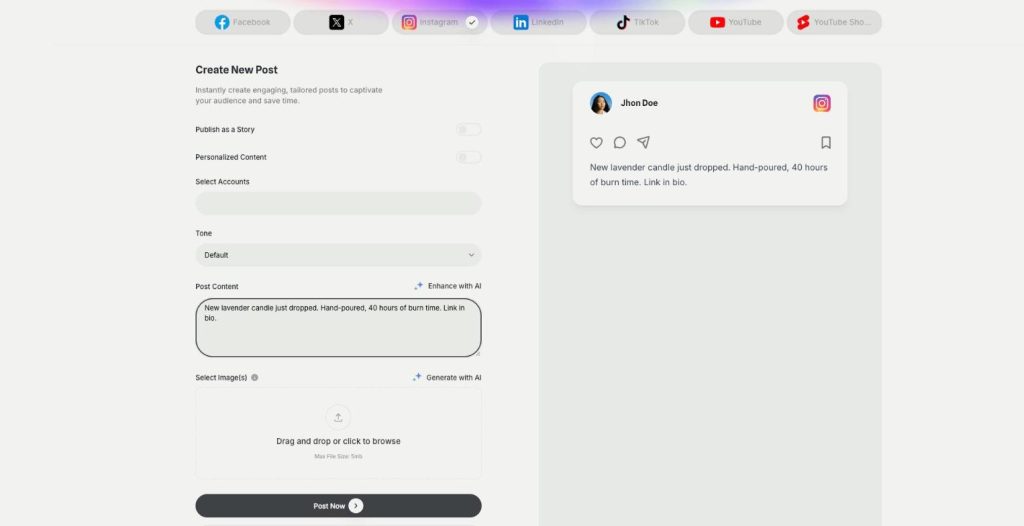
Publishing
Post everywhere from one place
Publishing in AI Social Media Suite is a social media scheduler with AI writing built in. Connect Facebook, Instagram, X, LinkedIn, TikTok and YouTube, write the post with AI and publish it now or on a schedule.
-
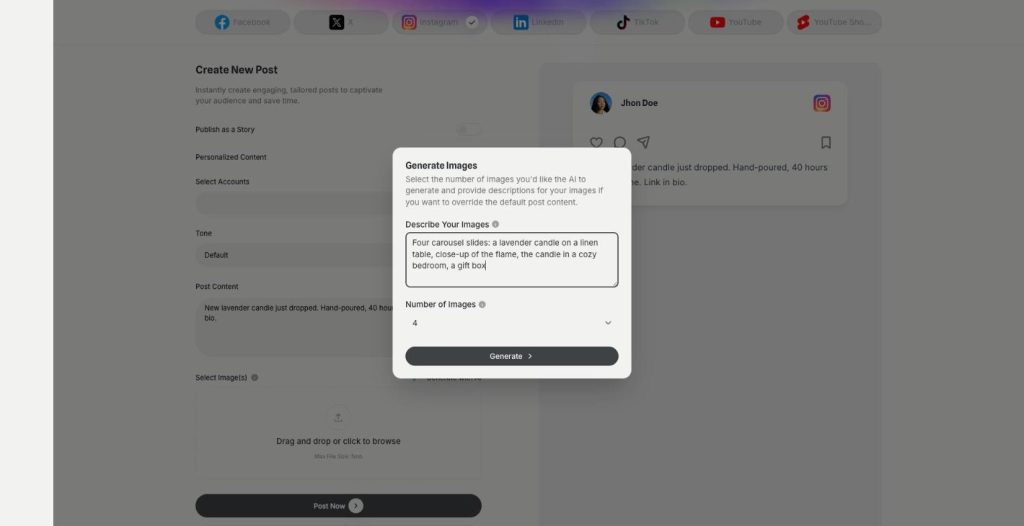
Carousels
Eye catching carousels in seconds
Carousels in AI Social Media Suite are an AI carousel generator for Instagram, Facebook and LinkedIn. Describe the images or let the post text guide them, choose how many, and publish them as one swipeable post.
-
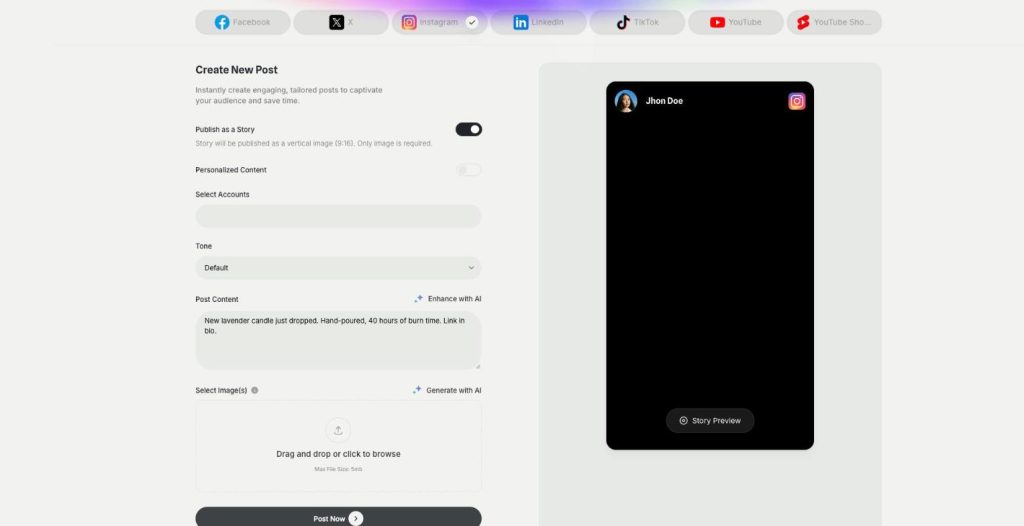
Posts and stories
Publish posts or stories
AI Social Media Suite lets you schedule Instagram stories, Facebook stories and TikTok stories next to regular posts. Switch on Publish as a Story, add a vertical image or video and send it now or later.
-
DM and comment agent
Reply to every comment and DM
The DM and comment agent brings Instagram DM automation and comment replies to AI Social Media Suite. Build the agent in a visual workflow, and it answers comments and messages on Instagram, Facebook and X.
-
YouTube comment automation
Answer YouTube comments automatically
YouTube comment automation in AI Social Media Suite lets you auto reply to YouTube comments. The agent watches new comments on your channel and answers the common questions in your tone.
-
Analytics
See which posts work
Analytics in AI Social Media Suite is social media analytics for every connected platform. See which posts went out or failed, compare platforms and find the posts worth repeating.
Schedule your next Short today
From $29/month · 7-day money-back guarantee · Cancel anytime