AI Social Media Suite · Publishing
Post everywhere from one place
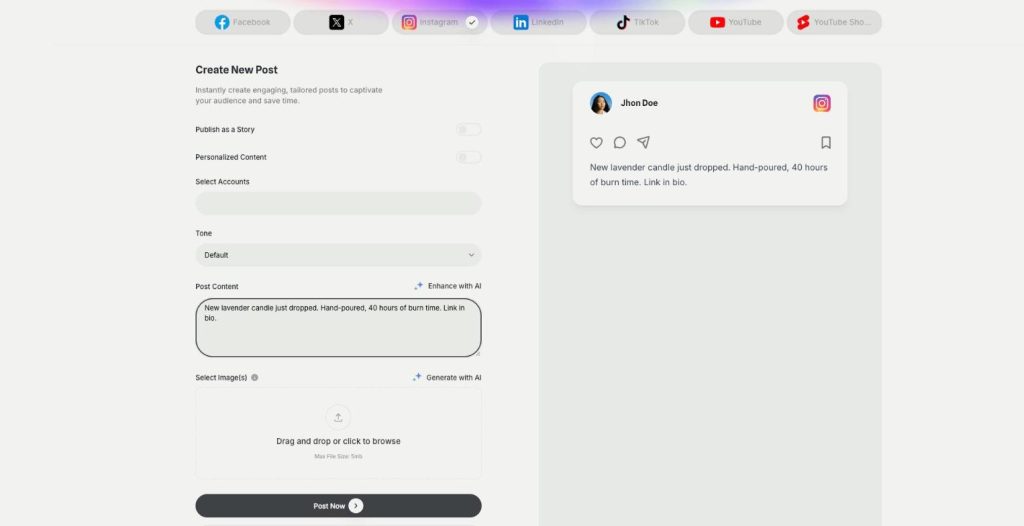
Publishing in AI Social Media Suite is a social media scheduler with AI writing built in. Connect Facebook, Instagram, X, LinkedIn, TikTok and YouTube, write the post with AI and publish it now or on a schedule.
- Seven platforms, several accounts each
- AI text in 10 tones plus your own
- Post now, schedule or repeat
- Calendar and campaigns
Connect an account and write the first post.
- Seven platforms from one login
- Works in your browser
- Cancel anytime
Seven apps, seven logins
Every network has its own app, its own editor and its own posting time, and the week disappears in copy and paste.
I copy the same post into every app by hand.
I forget to post when the day gets busy.
Writing captions takes longer than making the product.
One scheduler for every network:
- Seven platforms
- Several accounts per platform
- AI captions
- Scheduling with repeat
- Calendar
- Campaigns
How It Works
A simple three-step process, start to finish.
-
Connect your accounts
Add Facebook, Instagram, X, LinkedIn, TikTok or YouTube in Connect Accounts.
-
Write the post
Pick the accounts and a tone, then write or enhance the text with AI.
-
Publish or schedule
Post now or choose a date, a time and an optional repeat.
Why small brands use a social media scheduler
A week of posts prepared in one sitting.
Captions written in the tone you choose.
Posts go out even when you are busy.
Good to know before you start
Publishing is the social media scheduler inside AI Social Media Suite. You connect your accounts once, write a post with AI and send it to the selected accounts now, at a set time or on a repeating schedule.
Platforms in the social media scheduler
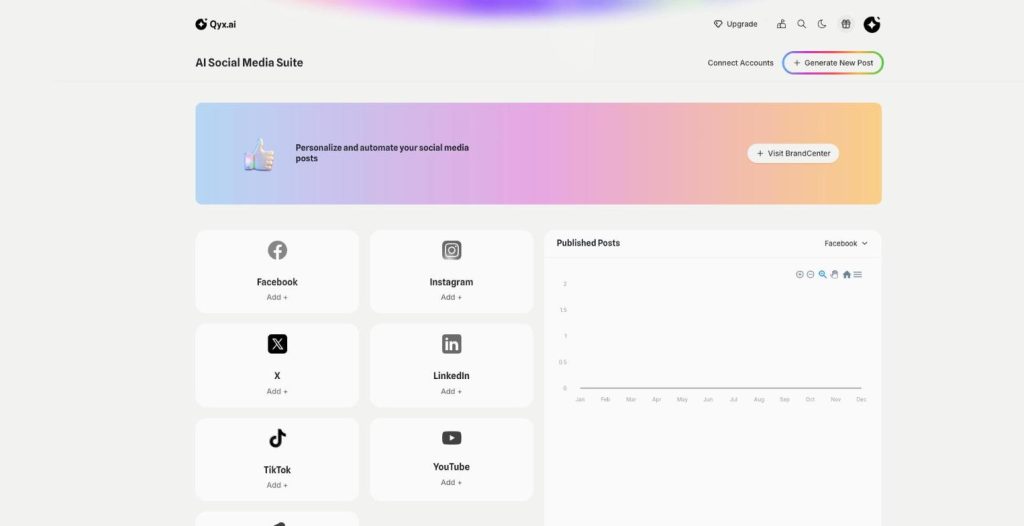
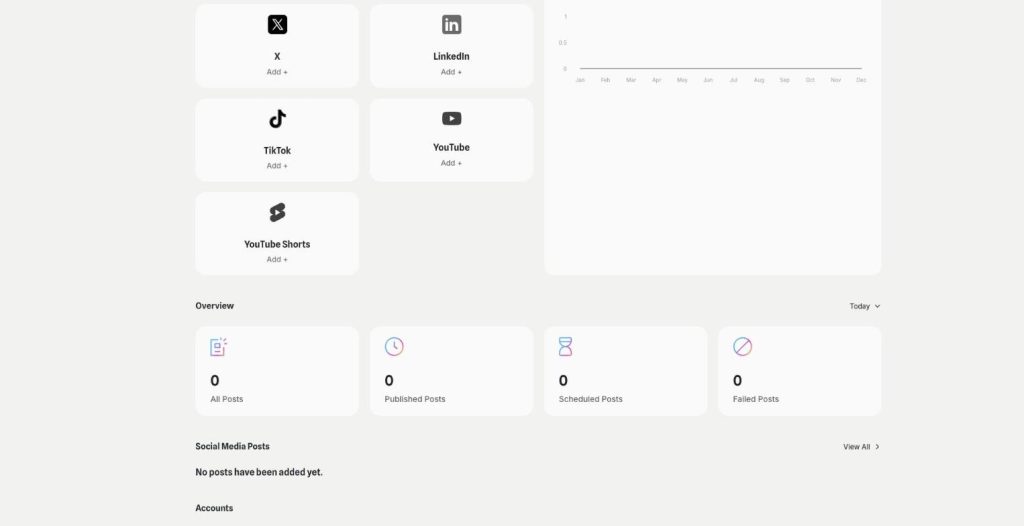
The suite connects seven platforms: Facebook, Instagram, X and LinkedIn for images, plus TikTok and YouTube with its own Shorts tab for video. You can add several accounts per platform and choose in each post which of them it goes to. The dashboard shows whether each account is active and how many posts are published, scheduled or failed.
Writing the post with AI
Create New Post has a tone menu with ten tones besides Default, from Informative and Educational to Humorous, Promotional or Urgent. Write a draft and click Enhance with AI, or let AI write the text from your idea. Personalized Content pulls the company and the campaign from BrandCenter, so the text knows your brand and your offer. A live preview on the right shows how the post will look.
Scheduling and repeating
Post Now publishes right away. Schedule opens a calendar with a time picker, and Repeat sends the same post every day, every week or every month. Scheduled posts show up in the Calendar, and Campaigns group posts with a target audience, for example everything for a spring sale.
What each platform accepts
Facebook, Instagram, X and LinkedIn take images, up to ten on Facebook and Instagram, nine on LinkedIn and one on X. TikTok takes video, and so do both YouTube tabs. Images can be up to 5 MB each. Read more about carousels or stories, and see how video works in YouTube and Shorts.
Who it is for
A shop owner who wants product posts out every week without opening each app. Or a freelancer who manages accounts for a few local clients and keeps them apart. A founder who writes one announcement and needs it on LinkedIn for partners and on Instagram for customers, each in the right tone.
Tips for a social media scheduler routine
Batch your posts once a week instead of every morning. Adjust the text per network: short for X, a bit more formal for LinkedIn, and a clear call to action for Instagram. Keep one repeating post for evergreen offers, and check failed posts on the dashboard after each publishing day.
Questions, answered
It is the Qyx social media scheduler. You write a post with AI and publish it to your connected accounts now or later.
Facebook, Instagram, X and LinkedIn for images, plus TikTok and YouTube with its own Shorts tab for video.
Yes. Add several accounts and pick the ones each post goes to.
Yes. Turn on Repeat in Schedule and choose every day, every week or every month.
Yes. Pick a tone and use Enhance with AI, or let AI write the post from your idea.
More AI Social Media Suite features
-
Carousels
Eye catching carousels in seconds
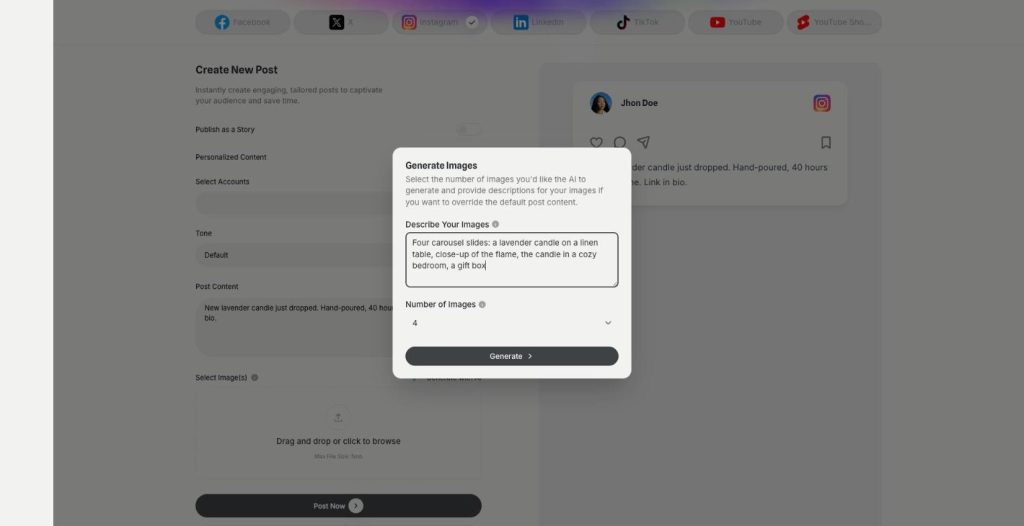
Carousels in AI Social Media Suite are an AI carousel generator for Instagram, Facebook and LinkedIn. Describe the images or let the post text guide them, choose how many, and publish them as one swipeable post.
-
Posts and stories
Publish posts or stories
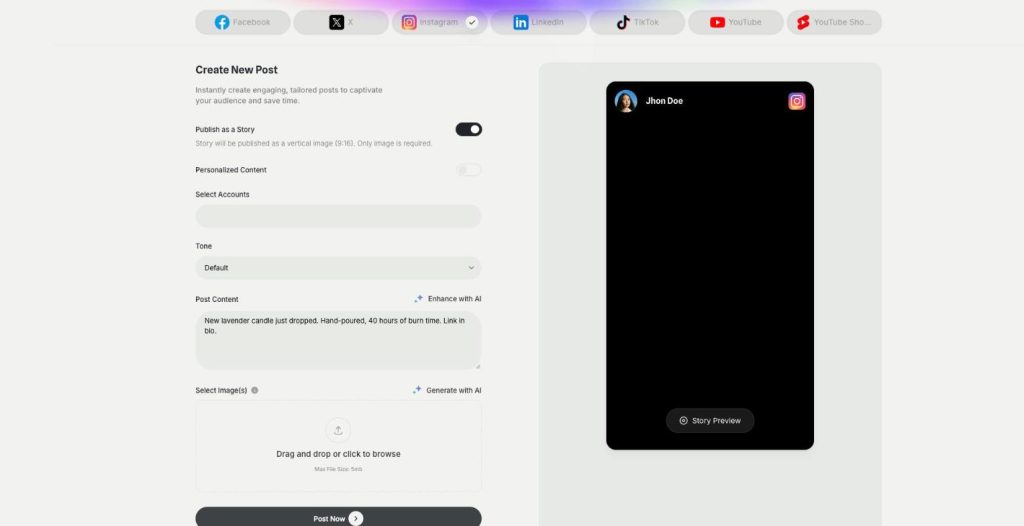
AI Social Media Suite lets you schedule Instagram stories, Facebook stories and TikTok stories next to regular posts. Switch on Publish as a Story, add a vertical image or video and send it now or later.
-
YouTube and Shorts
Generate and post YouTube and Shorts
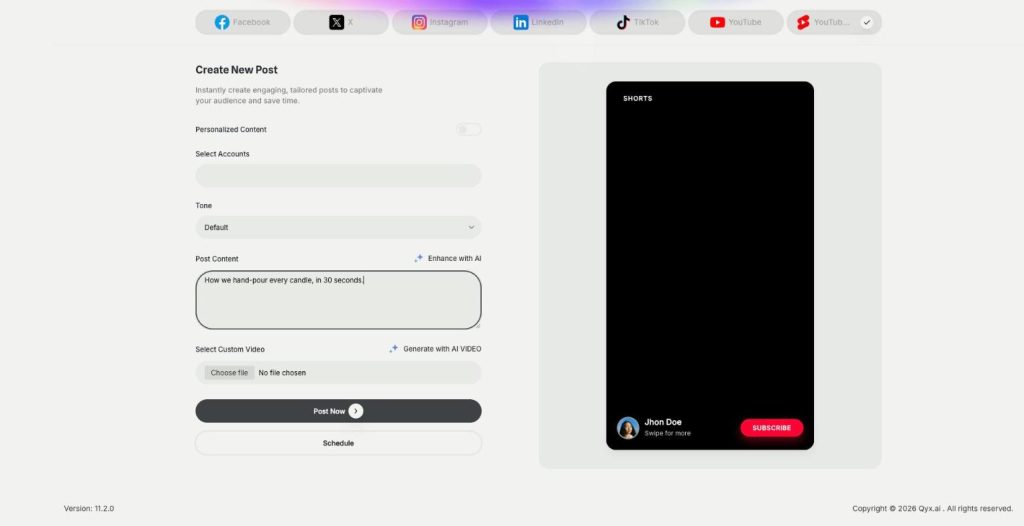
AI Social Media Suite lets you schedule YouTube Shorts and regular YouTube videos. Upload your own video or generate one with AI from the post text, preview it and publish it now or later.
-
DM and comment agent
Reply to every comment and DM
The DM and comment agent brings Instagram DM automation and comment replies to AI Social Media Suite. Build the agent in a visual workflow, and it answers comments and messages on Instagram, Facebook and X.
-
YouTube comment automation
Answer YouTube comments automatically
YouTube comment automation in AI Social Media Suite lets you auto reply to YouTube comments. The agent watches new comments on your channel and answers the common questions in your tone.
-
Analytics
See which posts work
Analytics in AI Social Media Suite is social media analytics for every connected platform. See which posts went out or failed, compare platforms and find the posts worth repeating.
Plan your next week of posts in one place
From $29/month · 7-day money-back guarantee · Cancel anytime