AI Social Media Suite · Posts and stories
Publish posts or stories
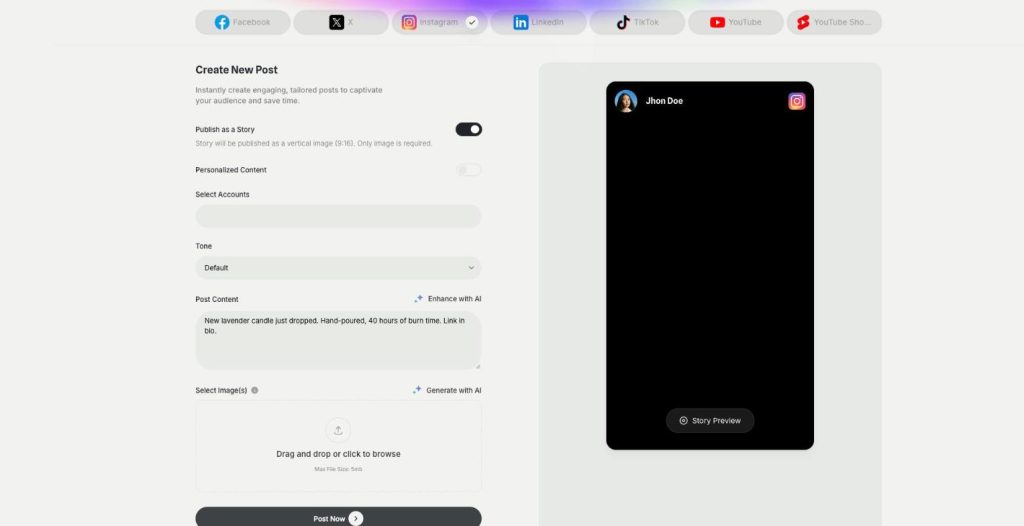
AI Social Media Suite lets you schedule Instagram stories, Facebook stories and TikTok stories next to regular posts. Switch on Publish as a Story, add a vertical image or video and send it now or later.
- Stories on Instagram, Facebook and TikTok
- Vertical 9:16 images or videos
- Story preview before publishing
- Scheduling like any post
Switch on Publish as a Story.
- Seven platforms from one login
- Works in your browser
- Cancel anytime
Stories need you every day
Stories disappear after a day, so they only work when you post them often, and that is hard to keep up.
I post stories only when I remember.
I can't schedule stories from my phone app.
Every story is made in a rush.
One switch for stories:
- Publish as a Story
- Instagram stories
- Facebook stories
- TikTok stories
- Story preview
- Scheduling
How It Works
A simple three-step process, start to finish.
-
Pick the platform
Choose Instagram, Facebook or TikTok and the accounts.
-
Switch on Publish as a Story
Add a vertical image, or a vertical video for TikTok.
-
Post or schedule
Check the story preview and send it now or later.
Why brands schedule Instagram stories
A steady stream of stories without daily effort.
Stories planned together with the posts.
Time to make them well, not in a rush.
Good to know before you start
In AI Social Media Suite you schedule Instagram stories the same way as regular posts. The Publish as a Story switch at the top of Create New Post turns any post into a story, and the preview on the right changes to a story view.
Platforms where you schedule Instagram stories and more
The story switch works for Instagram, Facebook and TikTok. On Instagram and Facebook, a story is published as a vertical image in 9:16, and only the image is required. On TikTok, it is published as a vertical video in 9:16. For X, LinkedIn and YouTube, the switch turns off, because those channels get regular posts.
Posts or stories
Use a regular post for content that should stay on your profile: a product launch, a carousel with tips or a customer review. Use a story for things that matter today: a flash discount, a behind-the-scenes look or a reminder that a sale ends tonight. With both in one tool, you can plan the post and the matching story together.
Making the story image
Upload your own vertical image, up to 5 MB, or generate one with AI from the post text. When several images are generated, you click the one that should be published, because a story uses only the selected image. For product shots in a new scene, AI Photoshoot works well.
Story ideas that work
Count down the last hours of a promotion with a fresh story each morning. Show the packing table on a busy day, so followers see real people behind the brand. Repost a happy customer with permission. Ask a simple question in the caption and answer the replies personally. Announce a new blog article or video and tell people where to find it.
Tips to schedule Instagram stories that get seen
Post stories regularly, because people check them daily. Keep the key message in the middle of the image, away from the top and bottom where the app shows its own buttons. Schedule a story to go out right after a new post, so followers see the post twice. For a whole week at once, use publishing and scheduling.
Questions, answered
Yes. Switch on Publish as a Story in AI Social Media Suite and schedule it like any post.
Instagram, Facebook and TikTok.
A vertical 9:16 image for Instagram and Facebook, or a vertical 9:16 video for TikTok.
Yes. Generate it with AI from the post text, then click the image you want to publish.
Yes. The preview switches to a story view.
More AI Social Media Suite features
-
Publishing
Post everywhere from one place
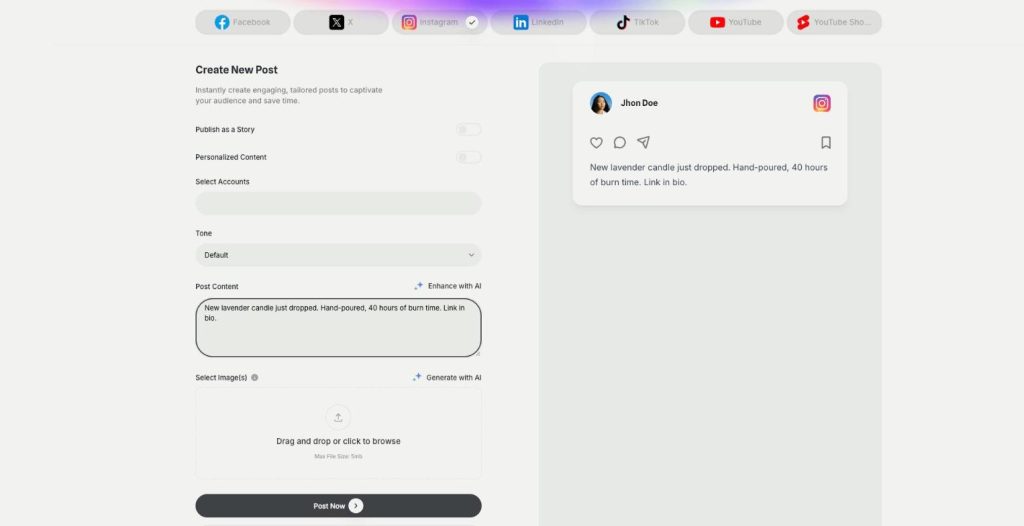
Publishing in AI Social Media Suite is a social media scheduler with AI writing built in. Connect Facebook, Instagram, X, LinkedIn, TikTok and YouTube, write the post with AI and publish it now or on a schedule.
-
Carousels
Eye catching carousels in seconds
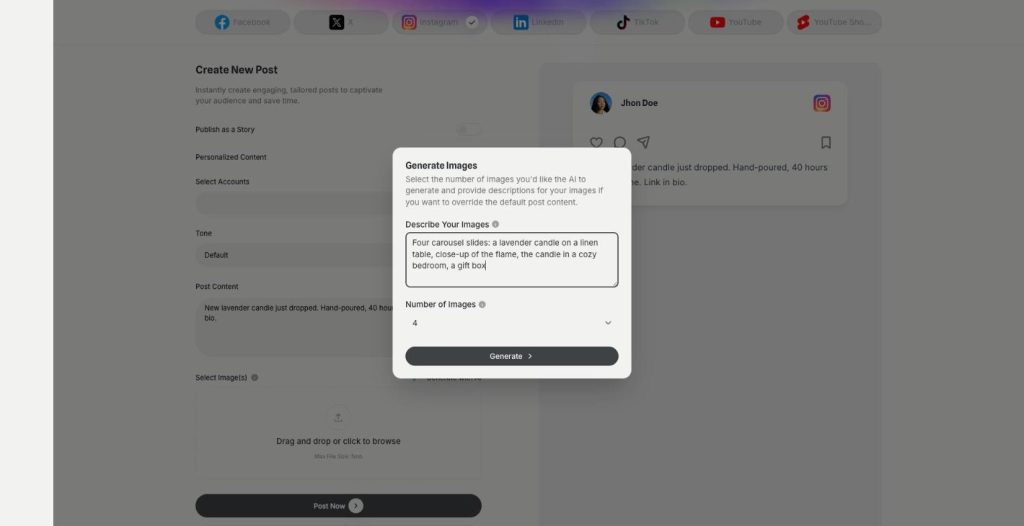
Carousels in AI Social Media Suite are an AI carousel generator for Instagram, Facebook and LinkedIn. Describe the images or let the post text guide them, choose how many, and publish them as one swipeable post.
-
YouTube and Shorts
Generate and post YouTube and Shorts
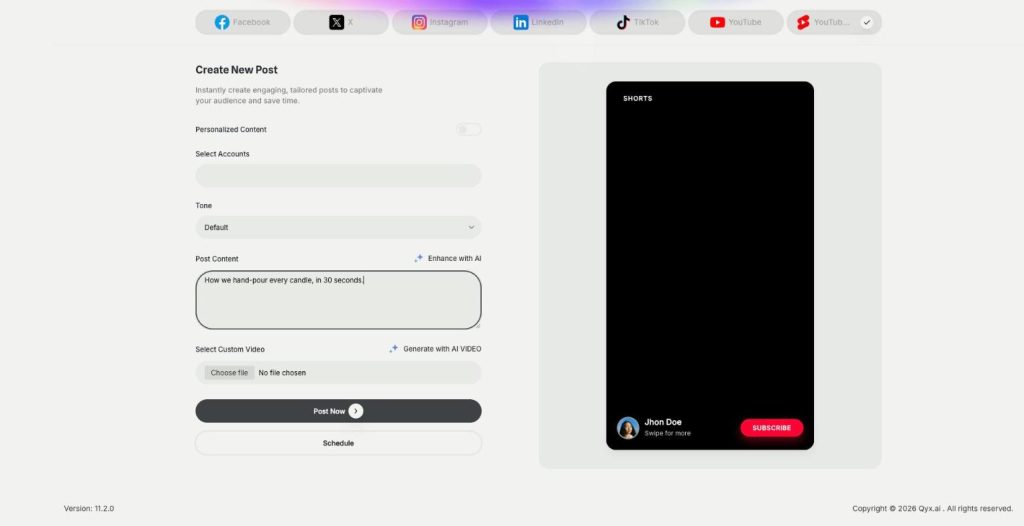
AI Social Media Suite lets you schedule YouTube Shorts and regular YouTube videos. Upload your own video or generate one with AI from the post text, preview it and publish it now or later.
-
DM and comment agent
Reply to every comment and DM
The DM and comment agent brings Instagram DM automation and comment replies to AI Social Media Suite. Build the agent in a visual workflow, and it answers comments and messages on Instagram, Facebook and X.
-
YouTube comment automation
Answer YouTube comments automatically
YouTube comment automation in AI Social Media Suite lets you auto reply to YouTube comments. The agent watches new comments on your channel and answers the common questions in your tone.
-
Analytics
See which posts work
Analytics in AI Social Media Suite is social media analytics for every connected platform. See which posts went out or failed, compare platforms and find the posts worth repeating.
Plan your next story with your posts
From $29/month · 7-day money-back guarantee · Cancel anytime