AI Social Media Suite · Analytics
See which posts work
Analytics in AI Social Media Suite is social media analytics for every connected platform. See which posts went out or failed, compare platforms and find the posts worth repeating.
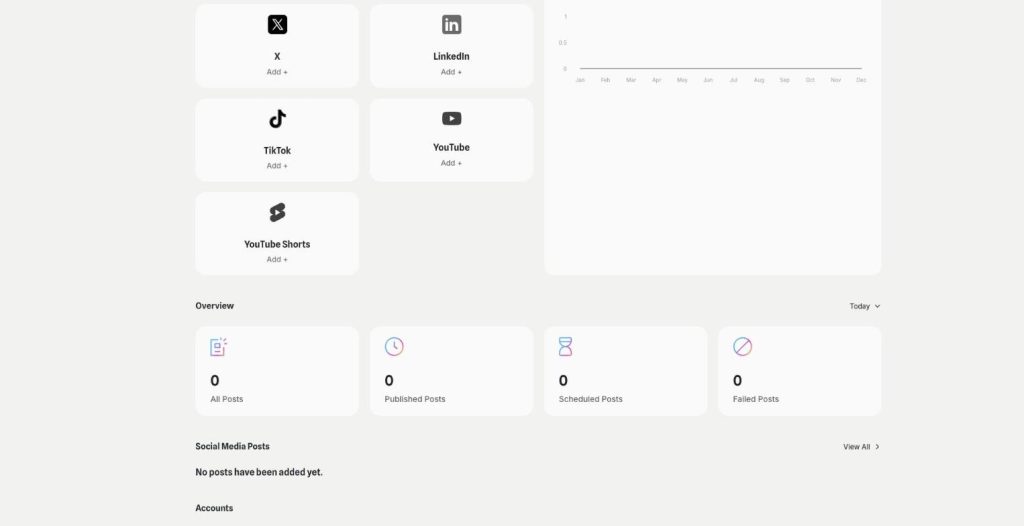
- Post counts by status
- Published posts per platform chart
- Post list filtered by platform
- Account status at a glance
Connect an account and publish your first post.
- Seven platforms in one dashboard
- Works in your browser
- Cancel anytime
Seven apps, no overview
Each network has its own statistics in its own app, and nobody has time to compare them every week.
I check five apps to see how last week went.
I don't notice when a scheduled post fails.
I post more of what I like, not what works.
One dashboard for your posts:
- Post status overview
- Chart per platform
- Filter by platform
- Failed post counter
- Account status
- Calendar view
How It Works
A simple three-step process, start to finish.
-
Connect your accounts
Add the platforms you post to.
-
Publish through the suite
Posts and their status show up in the dashboard.
-
Compare and repeat
See which platforms and posts work and plan more of them.
Why teams use social media analytics in one place
One overview instead of seven apps.
Failed posts noticed the same day.
Decisions based on numbers, not on feeling.
Good to know before you start
Analytics is the social media analytics part of AI Social Media Suite. Because you publish to all your platforms from one place, you also see the results in one place, instead of opening each network’s own statistics.
What the social media analytics dashboard shows
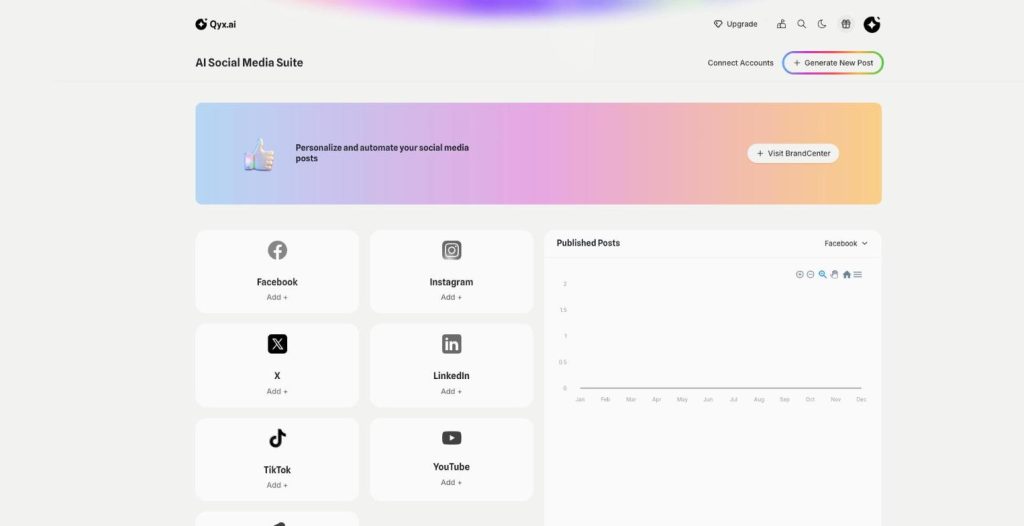
The overview counts all posts and splits them by status: published, scheduled or failed. A chart shows published posts per platform, so you see where you are active and where you are quiet. The account list shows whether each connected account is active, and Social Media Posts lists every post with a filter per platform.
Using the numbers
Look at the dashboard once a week, on a fixed day. Compare platforms: where do you post most, and where is it quiet? Open the posts that did well and note what they have in common, such as the format, the time or the type of image. Then plan more of those in the scheduler and fewer of the rest.
Failed and scheduled posts
A failed post usually means an expired connection or a file the platform did not accept. The failed counter shows it right away, so you can reconnect the account or fix the post before the moment passes. Scheduled posts show what is already planned, and the Calendar shows them as a plan by day.
Questions the dashboard helps answer
Did we post as often as planned this month? Which network gets most of our effort, and does it deserve it? Are posts failing on one account more than on others? Is LinkedIn quiet because nobody posts there, or because the audience is small? Short, honest answers to these keep a social plan realistic.
Tips for turning the numbers into action
Track a few things consistently instead of everything at once. Change one thing at a time, such as the posting hour or the caption length, and compare the next weeks. Share the overview with your team or client, so everyone sees the same numbers. For a fully planned calendar with its own analytics, see Social Media Agent.
Questions, answered
It is the Qyx dashboard for all platforms you post to from the suite, with post counts by status and a chart per platform.
All posts, split by status into published, scheduled or failed, plus a chart of published posts per platform.
Yes. Social Media Posts has a filter for each platform.
The failed counter on the dashboard shows them, so you can fix the post or the connection.
Facebook, Instagram, X and LinkedIn, plus TikTok and YouTube including Shorts.
More AI Social Media Suite features
-
Publishing
Post everywhere from one place
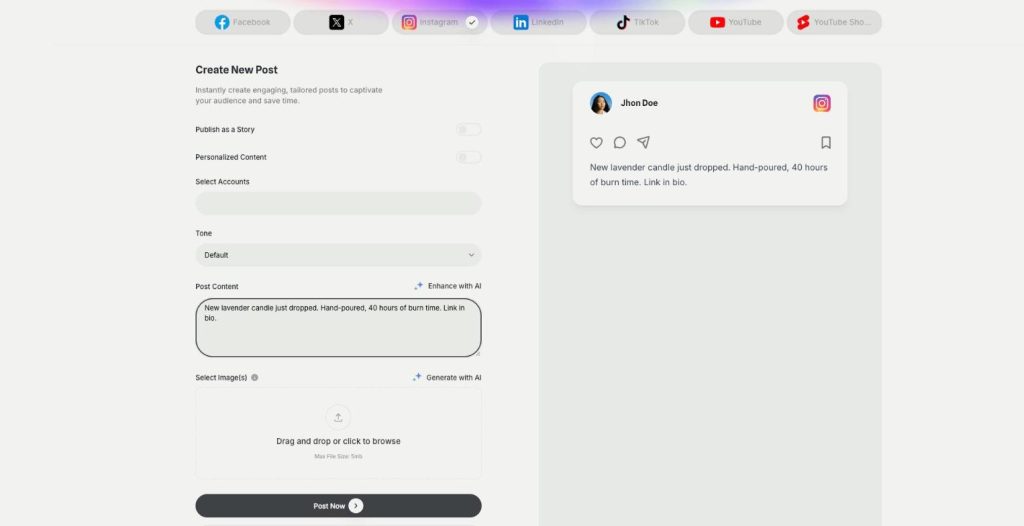
Publishing in AI Social Media Suite is a social media scheduler with AI writing built in. Connect Facebook, Instagram, X, LinkedIn, TikTok and YouTube, write the post with AI and publish it now or on a schedule.
-
Carousels
Eye catching carousels in seconds
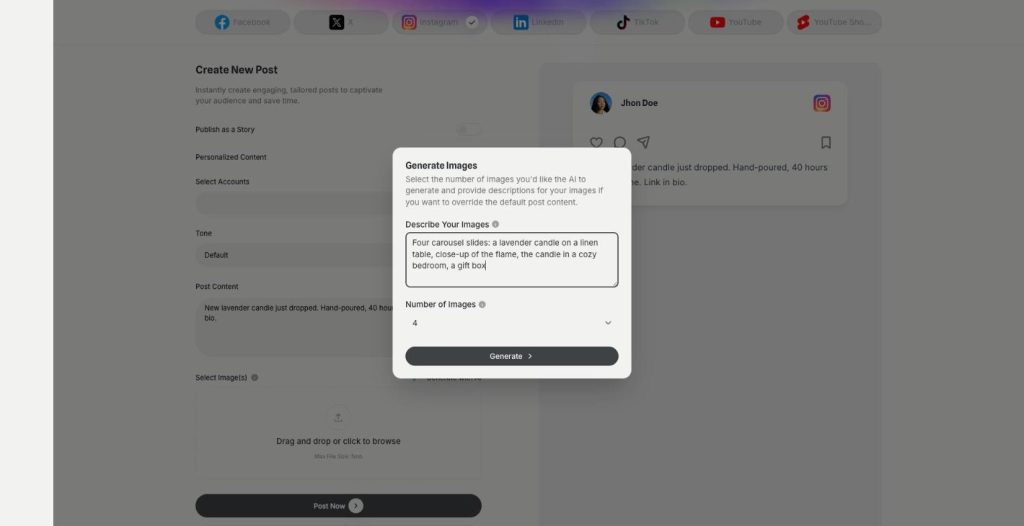
Carousels in AI Social Media Suite are an AI carousel generator for Instagram, Facebook and LinkedIn. Describe the images or let the post text guide them, choose how many, and publish them as one swipeable post.
-
Posts and stories
Publish posts or stories
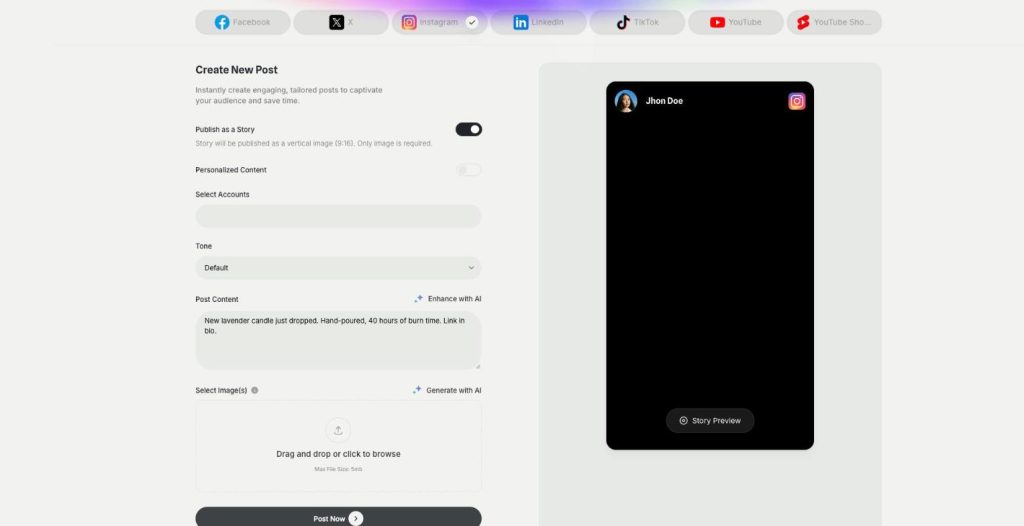
AI Social Media Suite lets you schedule Instagram stories, Facebook stories and TikTok stories next to regular posts. Switch on Publish as a Story, add a vertical image or video and send it now or later.
-
YouTube and Shorts
Generate and post YouTube and Shorts
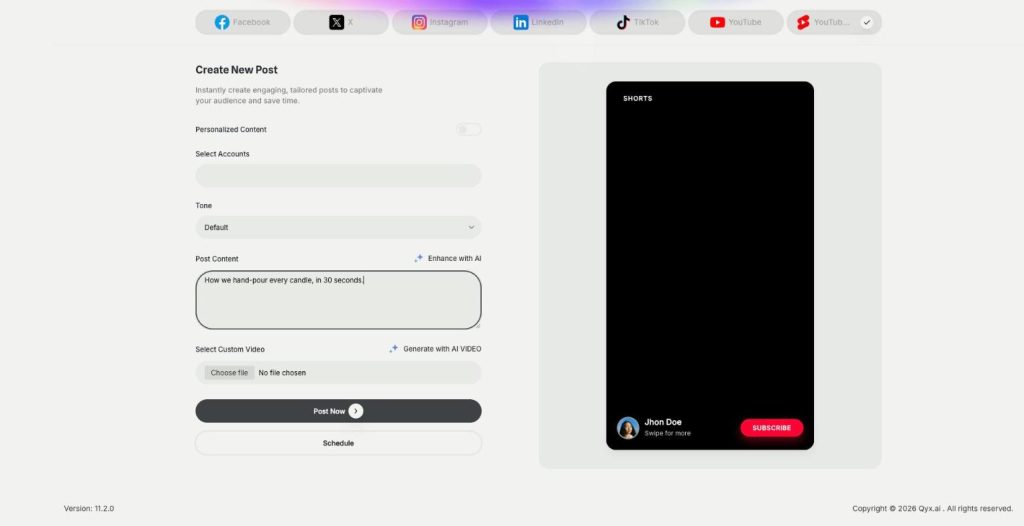
AI Social Media Suite lets you schedule YouTube Shorts and regular YouTube videos. Upload your own video or generate one with AI from the post text, preview it and publish it now or later.
-
DM and comment agent
Reply to every comment and DM
The DM and comment agent brings Instagram DM automation and comment replies to AI Social Media Suite. Build the agent in a visual workflow, and it answers comments and messages on Instagram, Facebook and X.
-
YouTube comment automation
Answer YouTube comments automatically
YouTube comment automation in AI Social Media Suite lets you auto reply to YouTube comments. The agent watches new comments on your channel and answers the common questions in your tone.
See how your posts perform in one place
From $29/month · 7-day money-back guarantee · Cancel anytime