AI Template: Youtube Video to Blog Post. How to Turn a YouTube Video Into a Blog Post? Examples
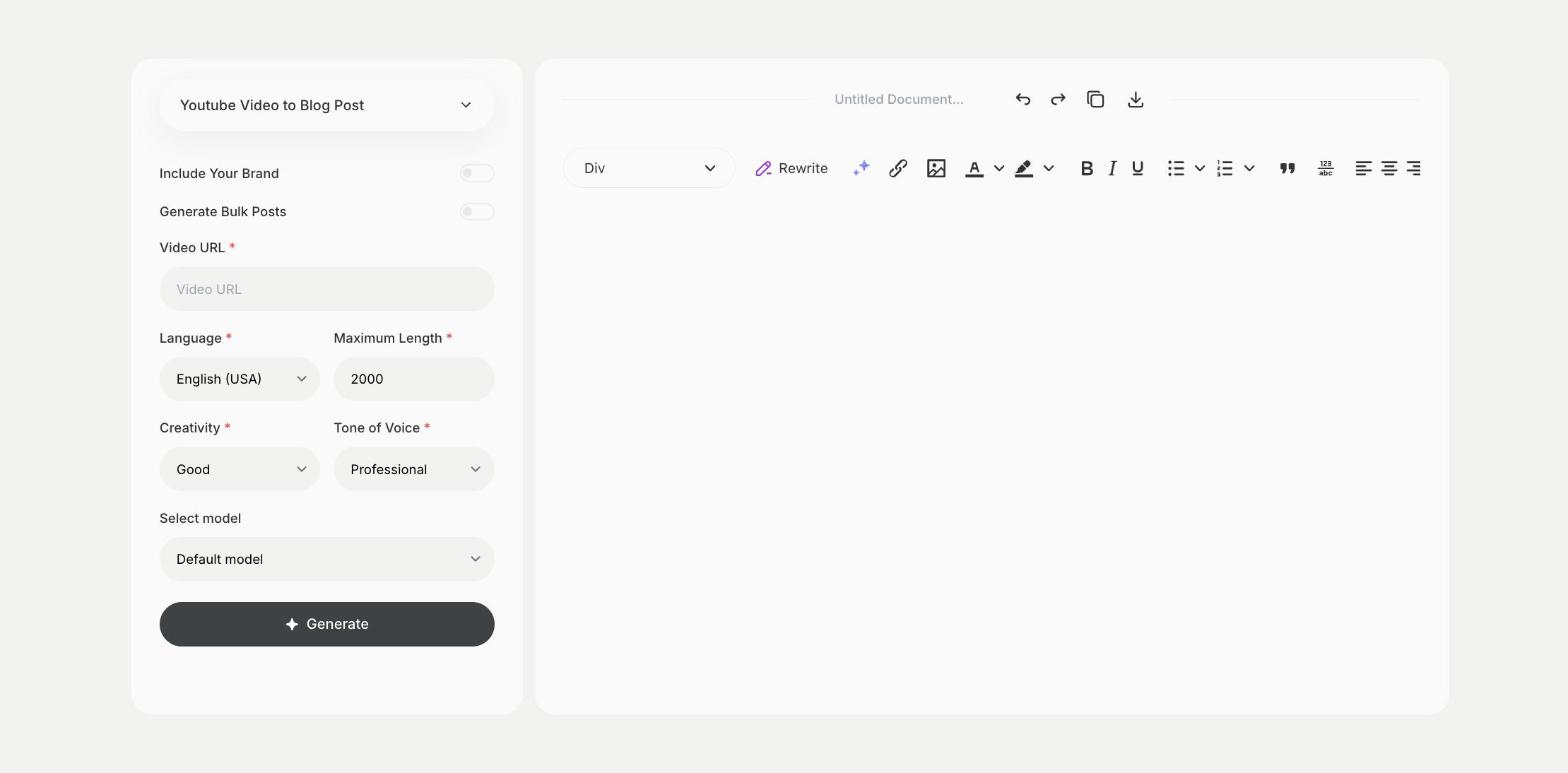
To turn a YouTube video into a blog post, paste the video URL into the Youtube Video to Blog Post template in Qyx and get a blog post based on the video. The Youtube Video to Blog Post template is a Qyx Smart Template that turns a YouTube video into a blog post in the language you pick.
What is the Youtube Video to Blog Post template?
The Youtube Video to Blog Post template is a ready-made template in Qyx for creators who want more from each video. You paste the link to the video, and Qyx writes a blog post on the same topic. One video can then bring visitors from YouTube and from search. Check the post against what the video says, add screenshots and embed the video in the post. Repurpose your own videos, or get permission before you use someone else's. Add a summary at the top for readers who want the key points.
-
One video, two formats
Publish the same content as a video and as a post.
-
Traffic from search
Reach readers who search for the topic in Google.
-
Posts in other languages
Pick the output language to reach readers abroad.
How does it work?
- Open the Youtube Video to Blog Post template in Qyx.
- Fill in the link to the video in Video URL, then choose the language, tone of voice, creativity and maximum length.
- Click Generate, pick the best result and edit it right in the editor.
Who is it for?
-
YouTubers
Turn each video into a post on your website.
-
Course creators
Turn lessons into written guides.
-
Brands with a channel
Publish tutorials as blog posts.
-
Podcasters with video
Turn episodes into articles.
Practical example
What you enter
Video URL: the link to your YouTube video.
What you get
A blog post based on your video. Check it against the video, add headings and the embedded video, then publish it on your blog.
Conclusion
The Youtube Video to Blog Post template turns your videos into blog posts. Write the meta description for the post with the Meta Description template in Qyx.