AI Template: Meta Description. How to Write a Meta Description? Examples
To write a meta description, enter a short description of the page, its title and keywords in the Meta Description template in Qyx and get meta descriptions for search results. The Meta Description template is a Qyx Smart Template that turns a page title, description and keywords into meta descriptions in the language you pick.
What is the Meta Description template?
The Meta Description template is a ready-made template in Qyx for the short text under your page title in Google. You describe the page, add its title and keywords, and Qyx writes meta descriptions. Google often shows about 150 to 160 characters, so check the length before you paste it into your SEO plugin. A meta description that matches the page content gets more clicks than a generic one. Write a different one for each page, because duplicate snippets make pages look alike in search.
-
Snippets for many pages
Write meta descriptions for product, category and blog pages one after another.
-
Keywords where they count
Add the keywords, so the snippet matches what people search for.
-
Versions to pick from
Turn on Generate Bulk Posts and choose the snippet you like best.
How does it work?
- Open the Meta Description template in Qyx.
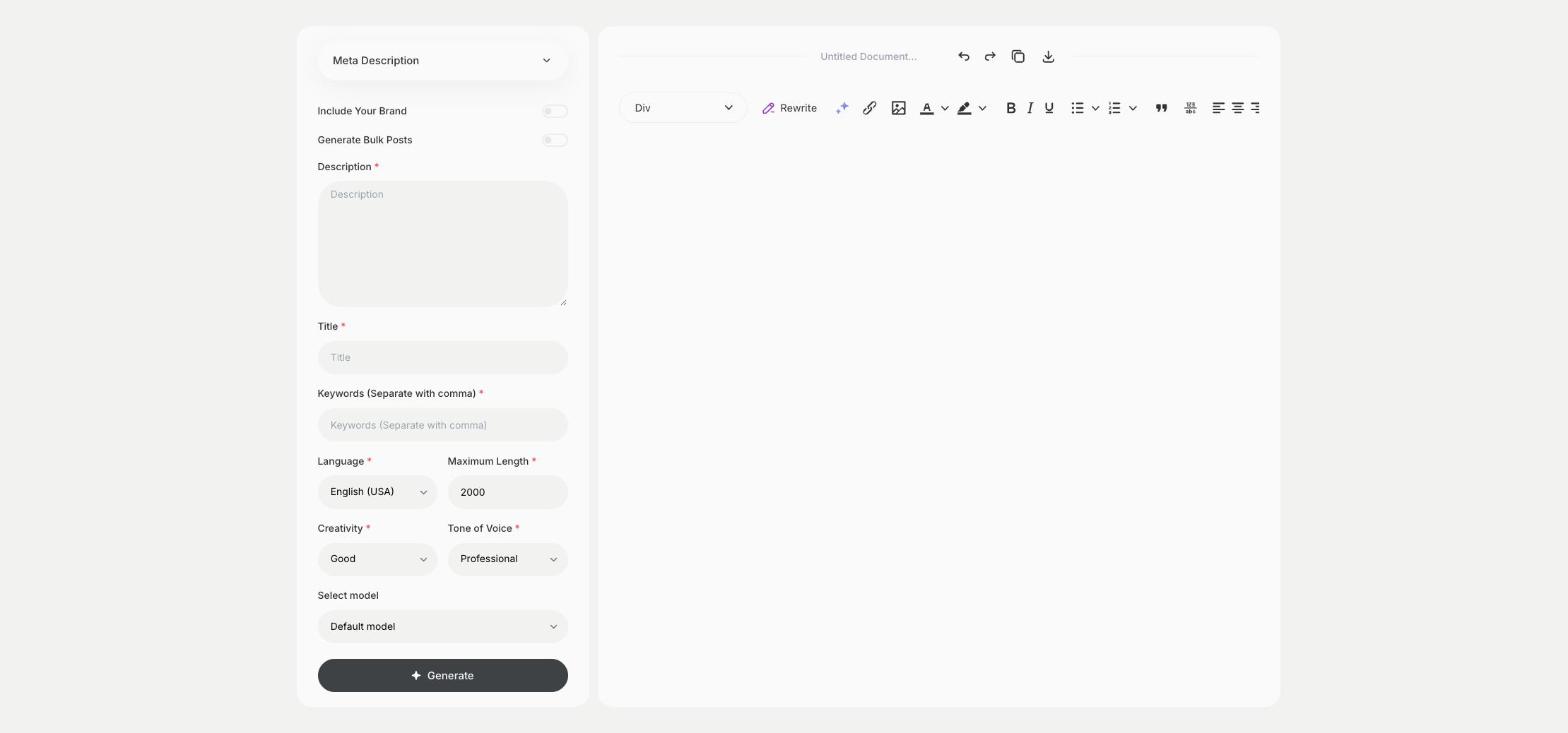
- Fill in what the page is about in Description, the page title in Title and the search terms in Keywords, then choose the language, tone of voice, creativity and maximum length.
- Click Generate, pick the best result and edit it right in the editor.
Who is it for?
-
SEO specialists
Fill in missing meta descriptions across a site.
-
Online stores
Write snippets for product and category pages.
-
Bloggers
Add a meta description to each post you publish.
-
Web agencies
Prepare meta descriptions before a new site goes live.
Practical example
What you enter
Description: what the page offers and who it is for. Title: the page title. Keywords: the search terms the page targets.
What you get
Meta descriptions for your page. Pick one, check that it fits the length Google shows and paste it into your SEO plugin.
Conclusion
The Meta Description template gives you search snippets for your pages. Find the right terms for them first with the Keyword Generator template in Qyx.