AI Template: Youtube Ads. How to Write Ideas and Copy for a YouTube Ad? Examples
To write ideas and copy for a YouTube ad, describe your ad in the Youtube Ads template in Qyx and get ideas and content for a video ad. The Youtube Ads template is a Qyx Smart Template that turns your ad content into YouTube ad ideas in the language you pick.
What is the Youtube Ads template?
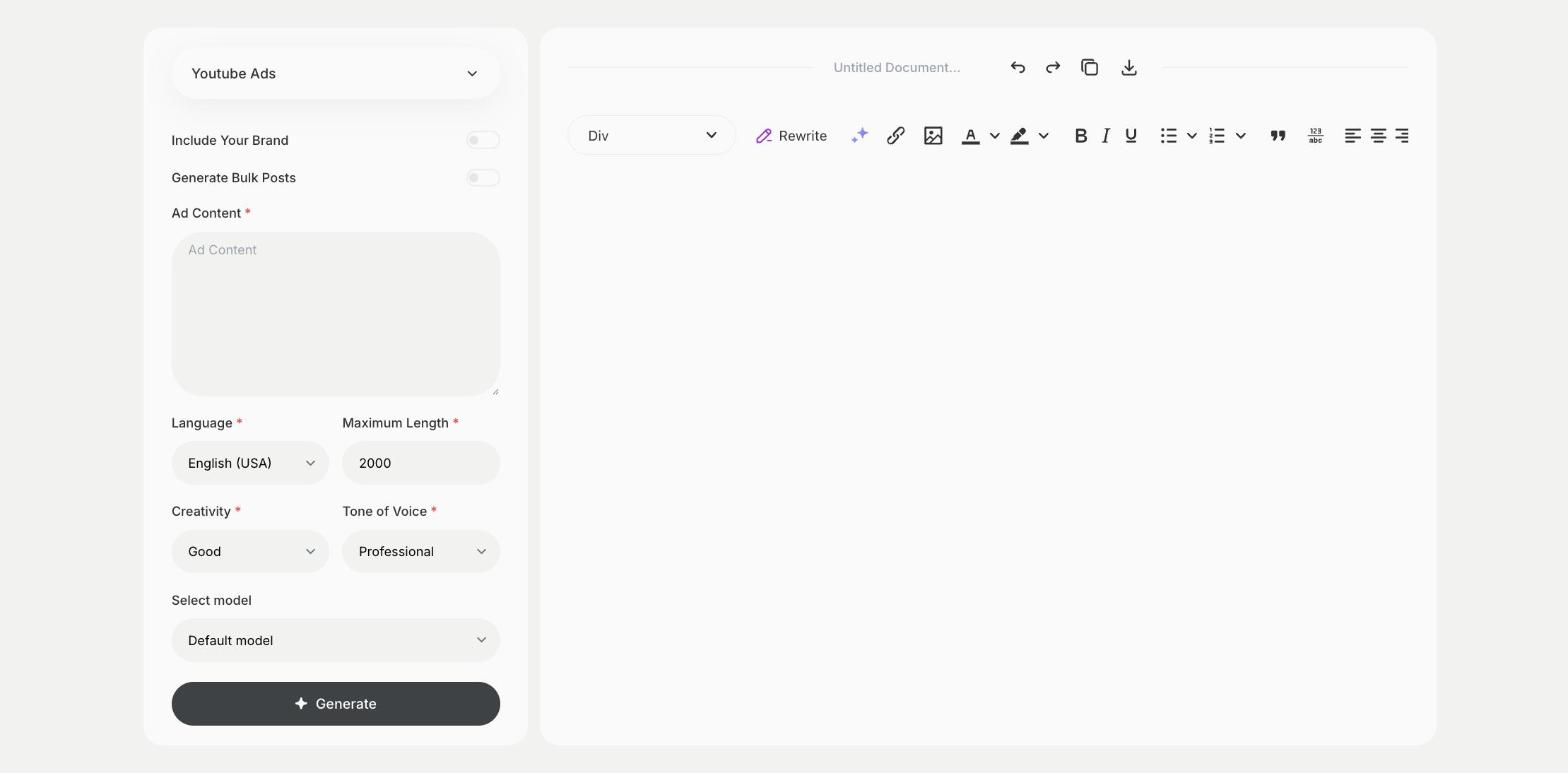
The Youtube Ads template is a ready-made template in Qyx for video ads that play before or during YouTube videos. You describe the product, the offer and the audience, and Qyx suggests ideas and copy for the ad. Many viewers can skip after a few seconds, so show the product and the main benefit right at the start. End with one clear call to action and a link. Make a short and a long version and test both.
-
Ideas for skippable ads
Get concepts that lead with the hook.
-
Copy for the ad
Get lines for the voice-over, the on-screen text and the call to action.
-
Ads for other markets
Pick the output language for each country you target.
How does it work?
- Open the Youtube Ads template in Qyx.
- Fill in the product, offer and audience in Ad Content, then choose the language, tone of voice, creativity and maximum length.
- Click Generate, pick the best result and edit it right in the editor.
Who is it for?
-
Performance marketers
Prepare new creatives for YouTube campaigns.
-
Online stores
Advertise bestsellers with short video ads.
-
SaaS and apps
Explain your product in a short ad.
-
Creators
Promote a course or a product to new viewers.
Practical example
What you enter
Ad Content: the product, the offer, the audience and the action you want viewers to take.
What you get
Ideas and copy for a YouTube ad. Pick one, write the shot list, record a short and a long version and test both in Google Ads.
Conclusion
The Youtube Ads template gives you ideas and copy for YouTube video ads. Write the full script with the Ad Script template in Qyx.