AI Template: UX Ideas. How to Improve the User Experience of a Website? Examples
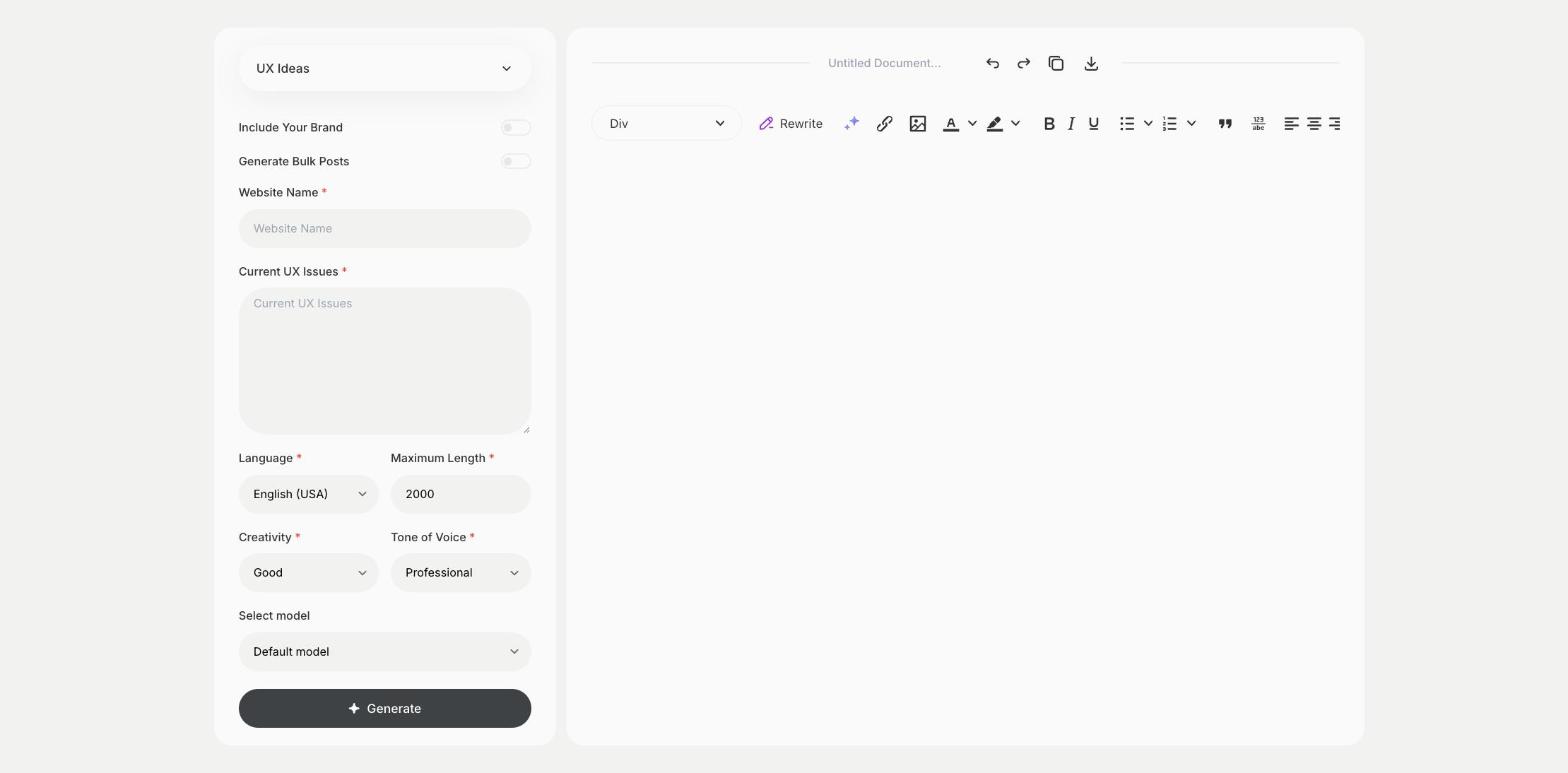
To improve the user experience of a website, enter the website name and the current UX issues in the UX Ideas template in Qyx and get ideas to fix them. The UX Ideas template is a Qyx Smart Template that turns your UX issues into improvement ideas in the language you pick.
What is the UX Ideas template?
The UX Ideas template is a ready-made template in Qyx for websites where visitors get lost, leave too early or don't finish a purchase. You enter the website name and describe the issues you see, and Qyx suggests UX improvements. Base the issues on real data, such as analytics, heatmaps or customer feedback, so the ideas solve real problems. Test one change at a time and measure the result. Start with the pages that bring the most revenue.
-
Ideas for your issues
Describe what goes wrong, and the ideas address it.
-
A list to prioritize
Rank the ideas by effort and impact.
-
For any type of site
Use it for shops, SaaS apps, blogs and service sites.
How does it work?
- Open the UX Ideas template in Qyx.
- Fill in the site in Website Name and the problems you see in Current UX Issues, then choose the language, tone of voice, creativity and maximum length.
- Click Generate, pick the best result and edit it right in the editor.
Who is it for?
-
Online stores
Reduce drop-offs in the cart and checkout.
-
SaaS and product teams
Improve sign-up and onboarding.
-
UX and web designers
Prepare ideas for a client review.
-
Small business owners
Make your site easier to use.
Practical example
What you enter
Website Name: the name of the site. Current UX Issues: what visitors struggle with, based on analytics or feedback.
What you get
A list of UX ideas for your issues. Rank them by effort and impact, test the top one and measure the change.
Conclusion
The UX Ideas template gives you ideas to fix user experience issues. For ideas on the look of your site, use the Design Ideas template in Qyx.