AI Template: Testimonials. How to Turn Customer Feedback Into a Testimonial? Examples
To turn customer feedback into a testimonial, enter the customer's name and what they told you in the Testimonials template in Qyx and get a short testimonial for your website. The Testimonials template is a Qyx Smart Template that turns real customer feedback into a clear testimonial in the language you pick.
What is the Testimonials template?
The Testimonials template is a ready-made template in Qyx for feedback you already have, from an email, a call or a survey. You enter the customer's name and their words, and Qyx shapes them into a short testimonial for your website. Send the final text to the customer for approval before you publish it, and keep it true to what they said. A testimonial with the customer's real name and role carries more weight than an anonymous quote.
-
Long feedback, short quote
Paste a long email or survey answer and get a testimonial that fits on a landing page.
-
Their meaning, easier to read
Keep the customer's meaning and fix the wording, then check the result against the original.
-
Approval in their language
Pick the output language, so customers abroad can read the text they approve.
How does it work?
- Open the Testimonials template in Qyx.
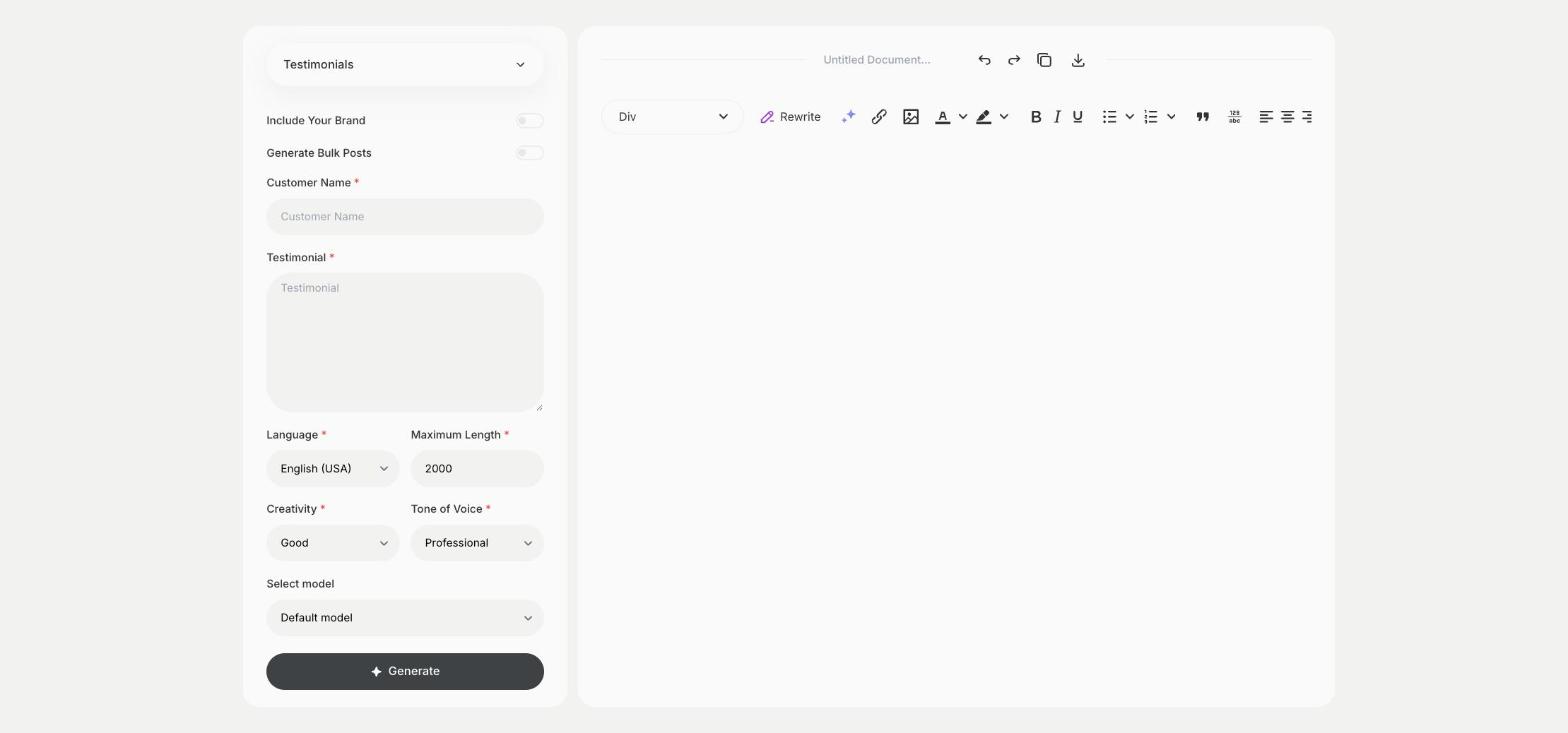
- Fill in the customer's name in Customer Name and their feedback in Testimonial, then choose the language, tone of voice, creativity and maximum length.
- Click Generate, pick the best result and edit it right in the editor.
Who is it for?
-
Online stores
Add customer feedback to product and checkout pages.
-
Service businesses and freelancers
Show what clients said about a project on your portfolio.
-
SaaS and startups
Turn survey answers into testimonials for your landing page.
-
Agencies
Prepare testimonials from client feedback for case studies.
Practical example
What you enter
Customer Name: the name the customer agreed to show. Testimonial: what the customer wrote or said to you, word for word.
What you get
A short testimonial based on the customer's feedback. Send it to the customer for approval, then add it to your website with their name.
Conclusion
The Testimonials template turns real customer feedback into testimonials you publish with the customer's consent. To answer feedback on review sites, use the Review Responder template in Qyx.