AI Template: Resume Builder. How to Write a Resume From Your Skills? Examples
To write a resume from your skills, enter your name and your skills and experience in the Resume Builder template in Qyx and get resume text to put into your CV. The Resume Builder template is a Qyx Smart Template that turns your name and skills into resume content in the language you pick.
What is the Resume Builder template?
The Resume Builder template is a ready-made template in Qyx for writing the content of a CV. You enter your name and list your skills, jobs and achievements, and Qyx turns them into resume text. Put numbers and results in your notes where you have them, because they make a resume easier to judge. Paste the text into a CV layout and adjust it for each job you apply for.
-
Notes become resume text
List your skills and experience in Your Skills and get clear resume wording.
-
Adjust for each job
Change the skills you list to match the job ad.
-
Resumes in other languages
Pick the output language for jobs abroad.
How does it work?
- Open the Resume Builder template in Qyx.
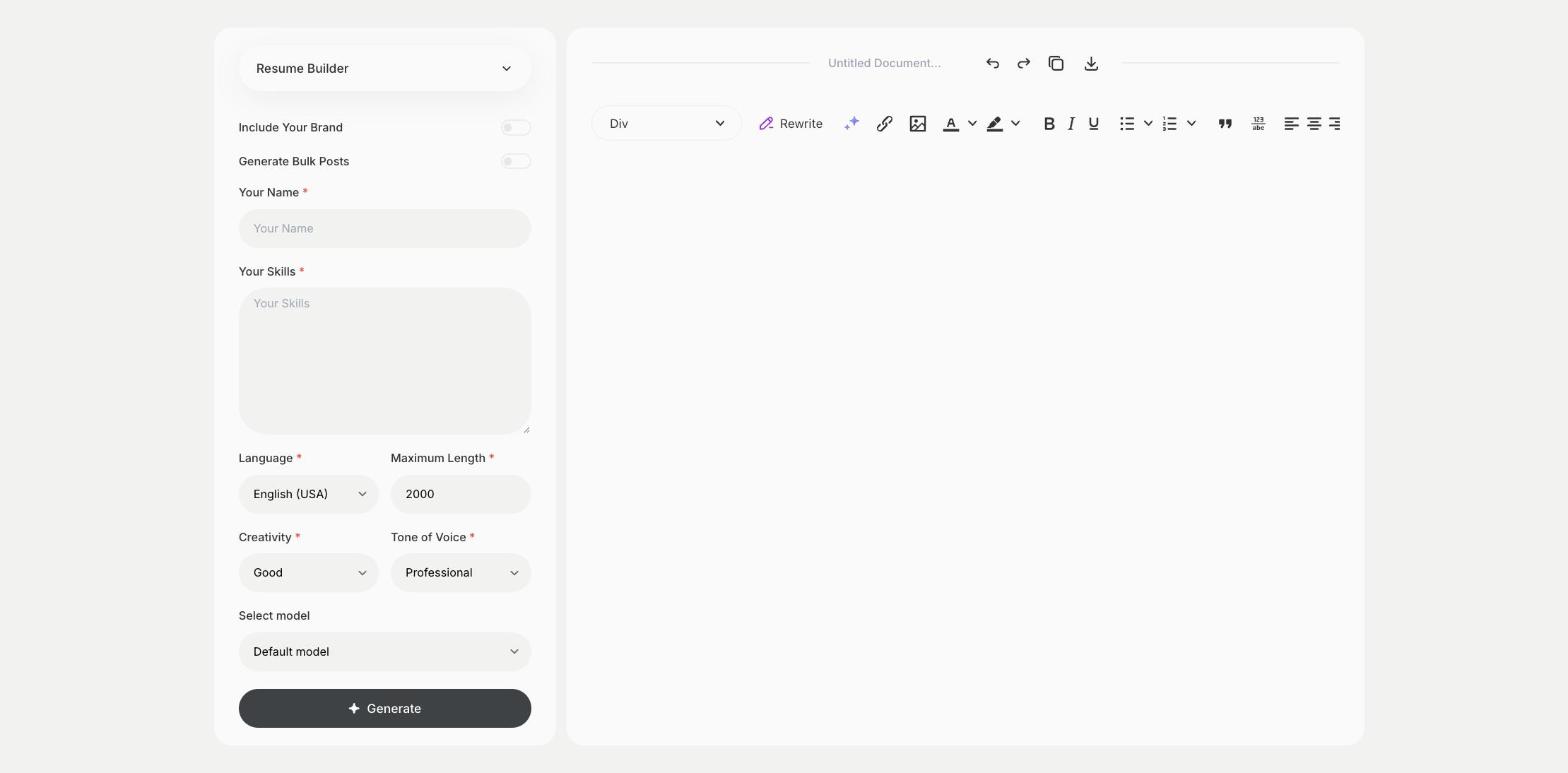
- Fill in your name in Your Name and your skills, jobs and achievements in Your Skills, then choose the language, tone of voice, creativity and maximum length.
- Click Generate, pick the best result and edit it right in the editor.
Who is it for?
-
Job seekers
Write or refresh your resume.
-
Graduates
Write a first resume from studies, internships and projects.
-
Career changers
Present skills from your past work for a new field.
-
Freelancers
Write a short resume for client proposals.
Practical example
What you enter
Your Name: your full name. Your Skills: your skills, past jobs, studies and the results you achieved.
What you get
Resume text built from your skills and experience. Check that each line is true, paste it into a CV layout and adjust it for the job you apply for.
Conclusion
The Resume Builder template gives you the text of your resume. Write the letter that goes with it using the Cover Letter template in Qyx.