AI Template: Personal Bio. How to Write a Short Personal Bio? Examples
To write a short personal bio, enter your name and a few notes about yourself in the Personal Bio template in Qyx and get a bio for your profiles. The Personal Bio template is a Qyx Smart Template that turns your name and notes into a personal bio in the language you pick.
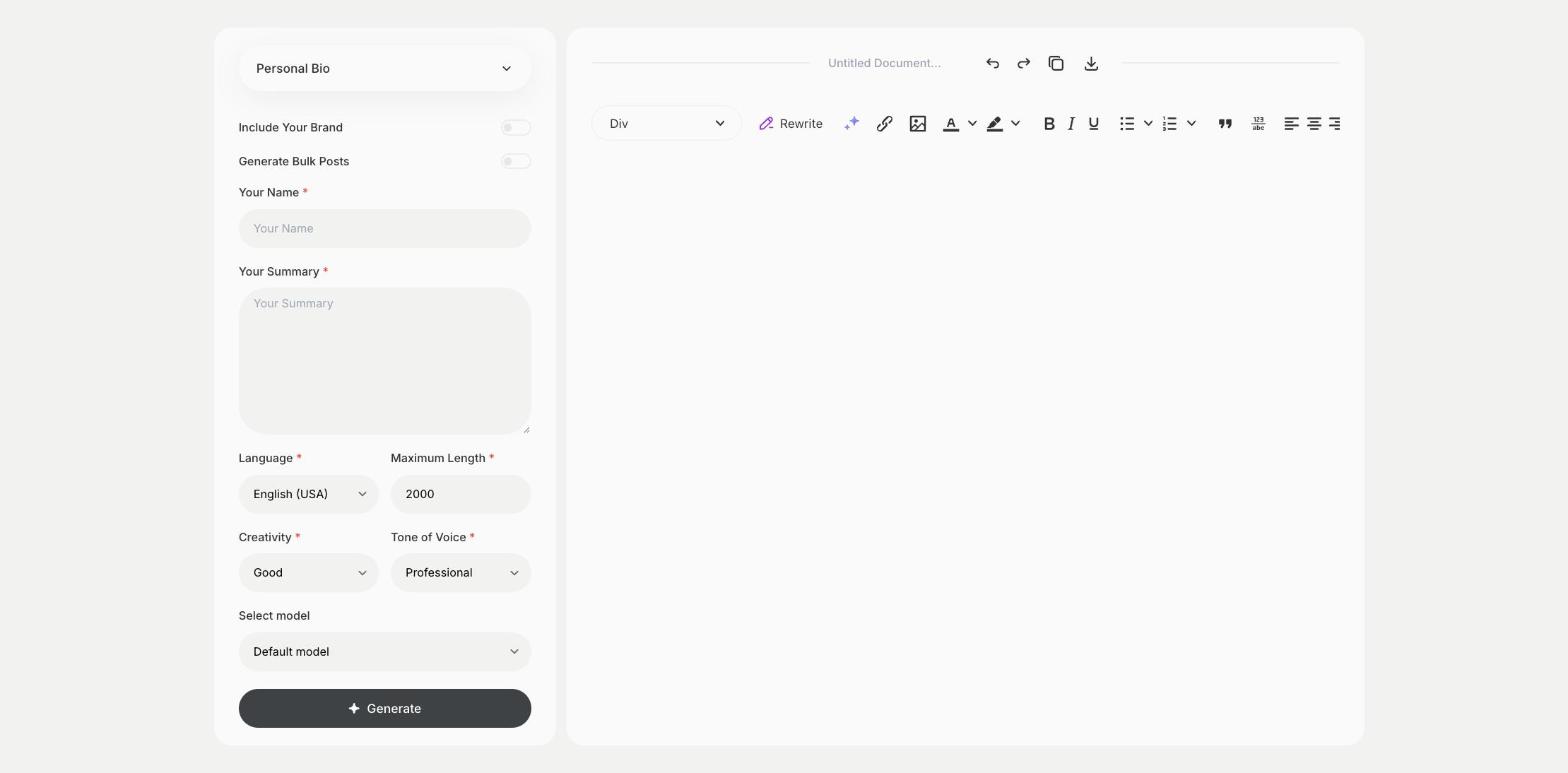
What is the Personal Bio template?
The Personal Bio template is a ready-made template in Qyx for the short text about you on a website, a speaker page or a portfolio. You enter your name and a summary of who you are and what you do, and Qyx writes the bio. Ask for a short and a long version, because event pages and profiles have different limits. Write it in the third person for speaker pages and in the first person for your own site.
-
About you, in a few lines
Turn notes about your work into a readable bio.
-
Short or long
Set Maximum Length for a one-line bio or a full paragraph.
-
Bios in other languages
Pick the output language for events and clients abroad.
How does it work?
- Open the Personal Bio template in Qyx.
- Fill in your name in Your Name and notes about your work and background in Your Summary, then choose the language, tone of voice, creativity and maximum length.
- Click Generate, pick the best result and edit it right in the editor.
Who is it for?
-
Speakers and coaches
Send a bio to event organizers.
-
Freelancers and creatives
Add a bio to your portfolio and profiles.
-
Authors
Write the bio for a book page or an article.
-
Team members
Write a bio for the team page of your company website.
Practical example
What you enter
Your Name: your full name. Your Summary: what you do, your experience, what you are known for and one personal detail you want to share.
What you get
A personal bio based on your notes. Pick the length you need, check the facts and add it to your website or profile.
Conclusion
The Personal Bio template gives you a bio for your profiles and pages. For your LinkedIn About section, use the Linkedin template in Qyx.