AI Template: Newsletter. How to Write an Email Newsletter? Examples
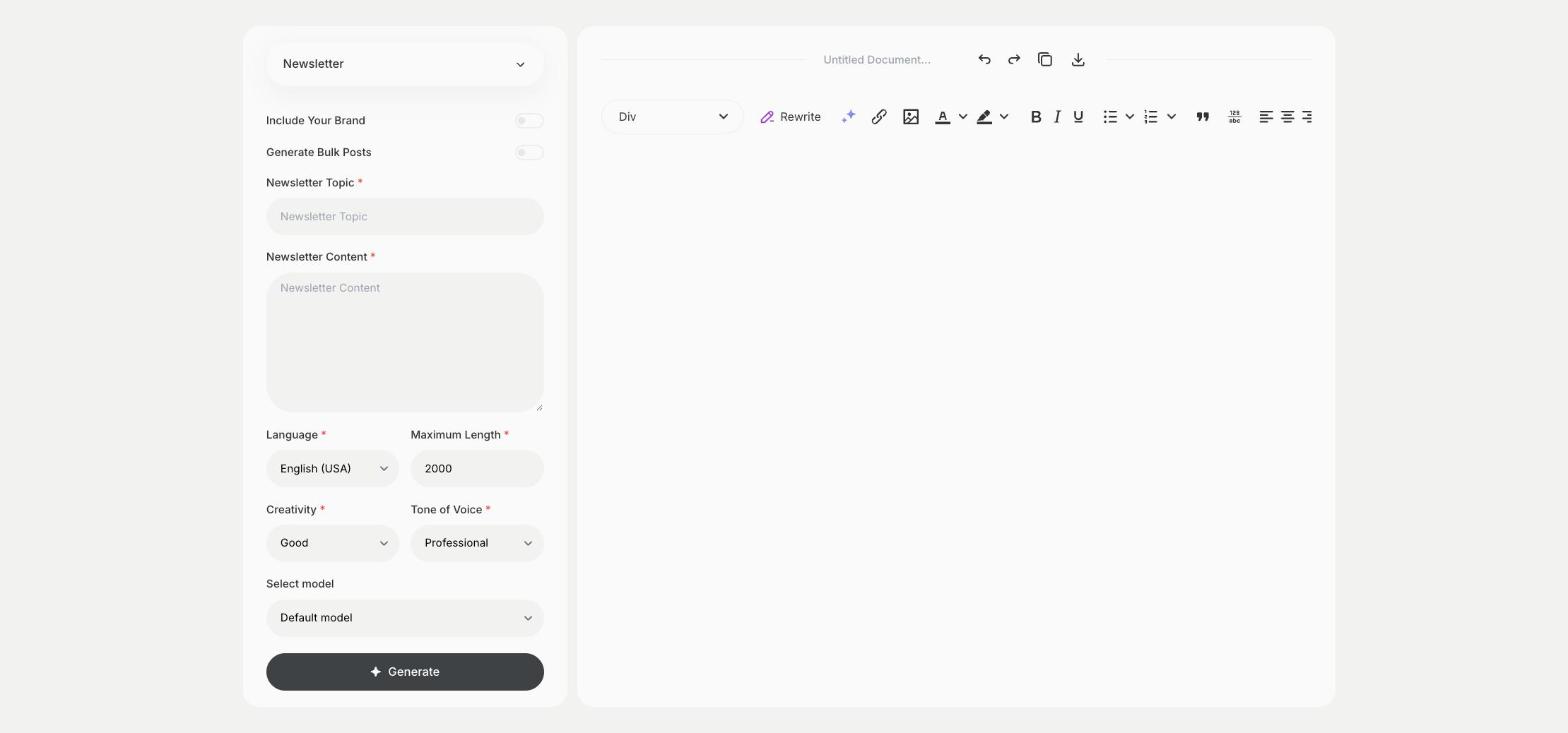
To write an email newsletter, enter the topic and the news you want to share in the Newsletter template in Qyx and get a newsletter text ready for your email tool. The Newsletter template is a Qyx Smart Template that turns a topic and your notes into a newsletter in the language you pick.
What is the Newsletter template?
The Newsletter template is a ready-made template in Qyx for regular emails to your subscribers: news, offers, tips or updates. You enter the topic and your notes, and Qyx writes the newsletter. Paste it into your email tool, add images and links and send it to your list. Keep one main topic per issue, so the subject line and the content match.
-
Your notes become an email
Write what happened this month in Newsletter Content and get a newsletter built around it.
-
A tone your readers know
Keep the same tone of voice in each issue, from Professional to Casual.
-
One issue, several lists
Pick the output language and send the same news to subscribers in each country.
How does it work?
- Open the Newsletter template in Qyx.
- Fill in what the issue is about in Newsletter Topic and your notes in Newsletter Content, then choose the language, tone of voice, creativity and maximum length.
- Click Generate, pick the best result and edit it right in the editor.
Who is it for?
-
Online stores
Tell subscribers about new products, sales and restocks.
-
Content creators
Send readers your latest posts with a short intro to each one.
-
Service businesses
Share tips and news with clients between projects.
-
Communities and associations
Keep members up to date on events and decisions.
Practical example
What you enter
Newsletter Topic: what this issue is about. Newsletter Content: your notes, such as news, an offer, a tip or upcoming dates.
What you get
A newsletter text built from your notes. Add a subject line, images and links in your email tool, send a test to yourself and then send it to your list.
Conclusion
The Newsletter template turns your notes into a newsletter for your subscribers. For a one-to-one email to a new contact, use the Cold Email template in Qyx.