AI Template: Ticket Reply. How to Reply to a Customer Support Ticket? Examples
To reply to a customer support ticket, enter the ticket ID and the ticket content in the Ticket Reply template in Qyx and get a professional reply. The Ticket Reply template is a Qyx Smart Template that turns a support ticket into a reply in the language you pick.
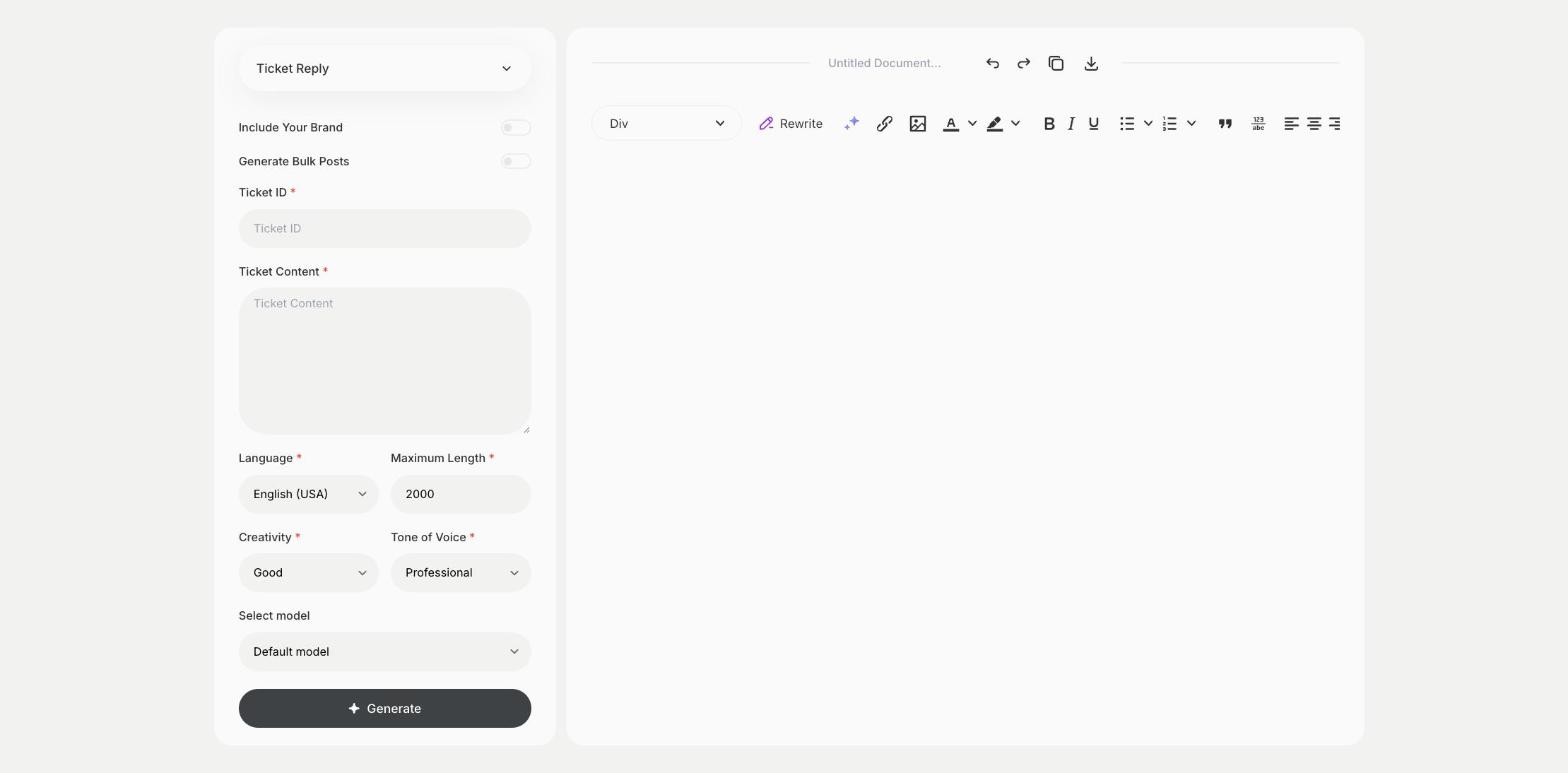
What is the Ticket Reply template?
The Ticket Reply template is a ready-made template in Qyx for support teams that answer tickets all day. You enter the ticket ID and paste what the customer wrote, and Qyx writes a reply that addresses the issue. Add the solution or the next step to the ticket content, so the reply includes it. Check account details and promises before you send. Save good replies as macros in your help desk for similar tickets.
-
A reply for each ticket
Paste the ticket and get a structured answer.
-
The ticket ID in the reply
Keep the reference, so the customer and your team can track it.
-
Support in other languages
Pick the output language to answer customers in theirs.
How does it work?
- Open the Ticket Reply template in Qyx.
- Fill in the reference in Ticket ID and what the customer wrote, plus your solution, in Ticket Content, then choose the language, tone of voice, creativity and maximum length.
- Click Generate, pick the best result and edit it right in the editor.
Who is it for?
-
Customer support teams
Answer tickets faster with a first draft.
-
SaaS companies
Reply to technical questions and bug reports.
-
Online stores
Answer tickets about orders, delivery and returns.
-
IT help desks
Reply to internal requests.
Practical example
What you enter
Ticket ID: the ticket reference. Ticket Content: what the customer wrote and the solution or next step you want to give.
What you get
A professional reply to the ticket. Check the details, paste it into your help desk and close or update the ticket.
Conclusion
The Ticket Reply template gives you replies to support tickets. Turn common answers into help articles with the Article Generator - Documentation template in Qyx.