AI Template: Invitation Mail. How to Write an Invitation Email? Examples
To write an invitation email, enter the event name and date in the Invitation Mail template in Qyx and get an invitation to edit and send. The Invitation Mail template is a Qyx Smart Template that turns an event name and date into an invitation email in the language you pick.
What is the Invitation Mail template?
The Invitation Mail template is a ready-made template in Qyx for events, gatherings and meetings. You enter what the event is and when it takes place, and Qyx writes the invitation. Add the place and how guests should reply when you edit the draft.
-
Two fields, one invitation
Event Name and Event Date are all the template needs for the first version.
-
From formal to friendly
Choose Professional for a business event or Excited for a party in Tone of Voice.
-
Guests from several countries
Pick the output language and write the same invitation in each language your guests speak.
How does it work?
- Open the Invitation Mail template in Qyx.
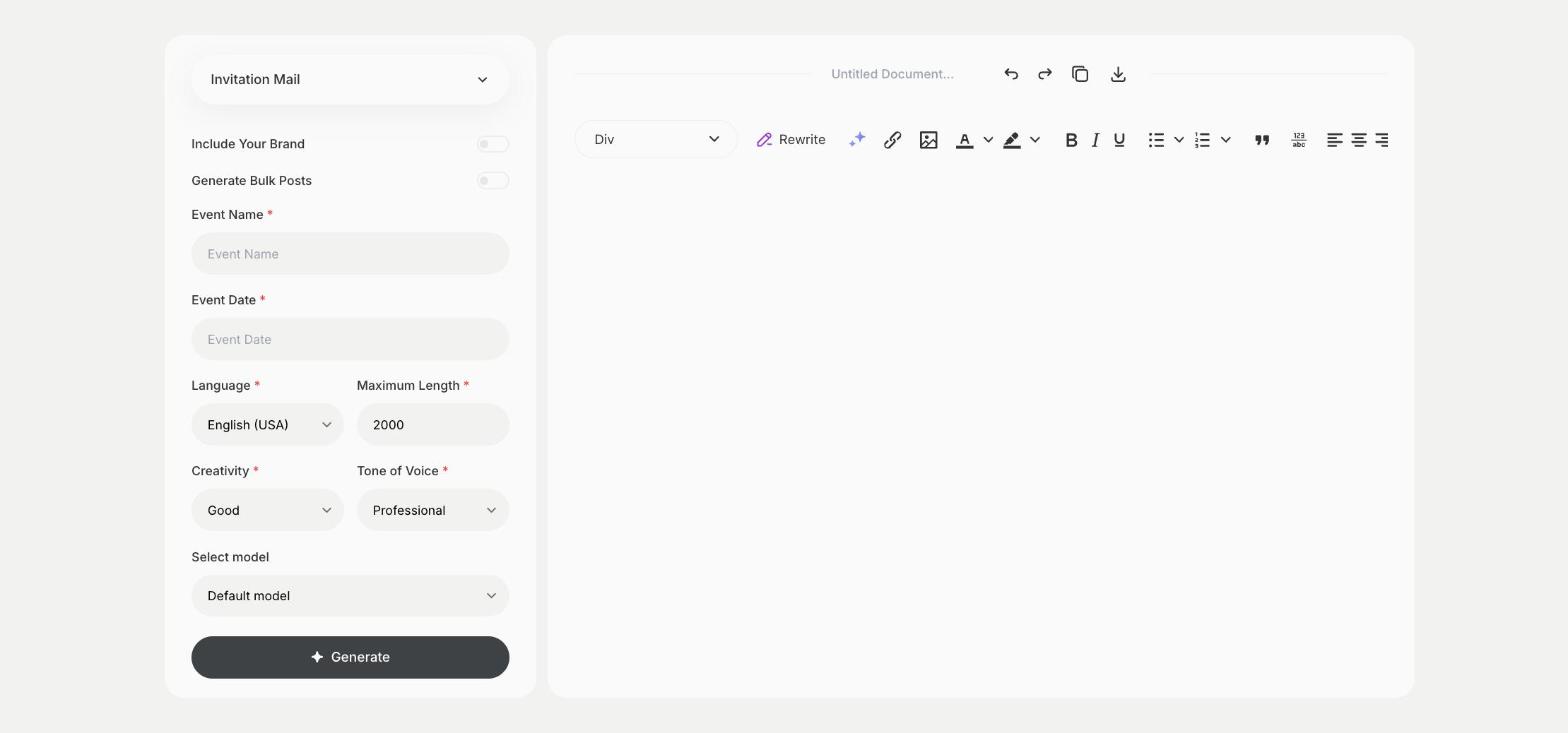
- Fill in what the event is in Event Name and when it takes place in Event Date, then choose the language, tone of voice, creativity and maximum length.
- Click Generate, pick the best result and edit it right in the editor.
Who is it for?
-
Online stores
Invite customers to a launch, a sale preview or a workshop and send the same text by email and in your newsletter.
-
Companies and HR
Invite the team to a meeting, a training or a summer party with the key details in one email.
-
Local businesses
Invite regulars to an opening, a tasting or an open day.
-
Private events
Invite friends and family to a birthday or a wedding, in a formal or a relaxed tone.
Practical example
What you enter
Event Name: what the event is, such as a store opening, a team party or a webinar. Event Date: the date and time.
What you get
An invitation email for your event with the date and time in it. Add the address, then send it to your guest list.
Conclusion
The Invitation Mail template gives you an invitation from the event name and date. To announce the same event on your page, write the post with the Facebook Post template in Qyx.