AI Template: Instagram Hashtags. How to Find Hashtags for Instagram Posts? Examples
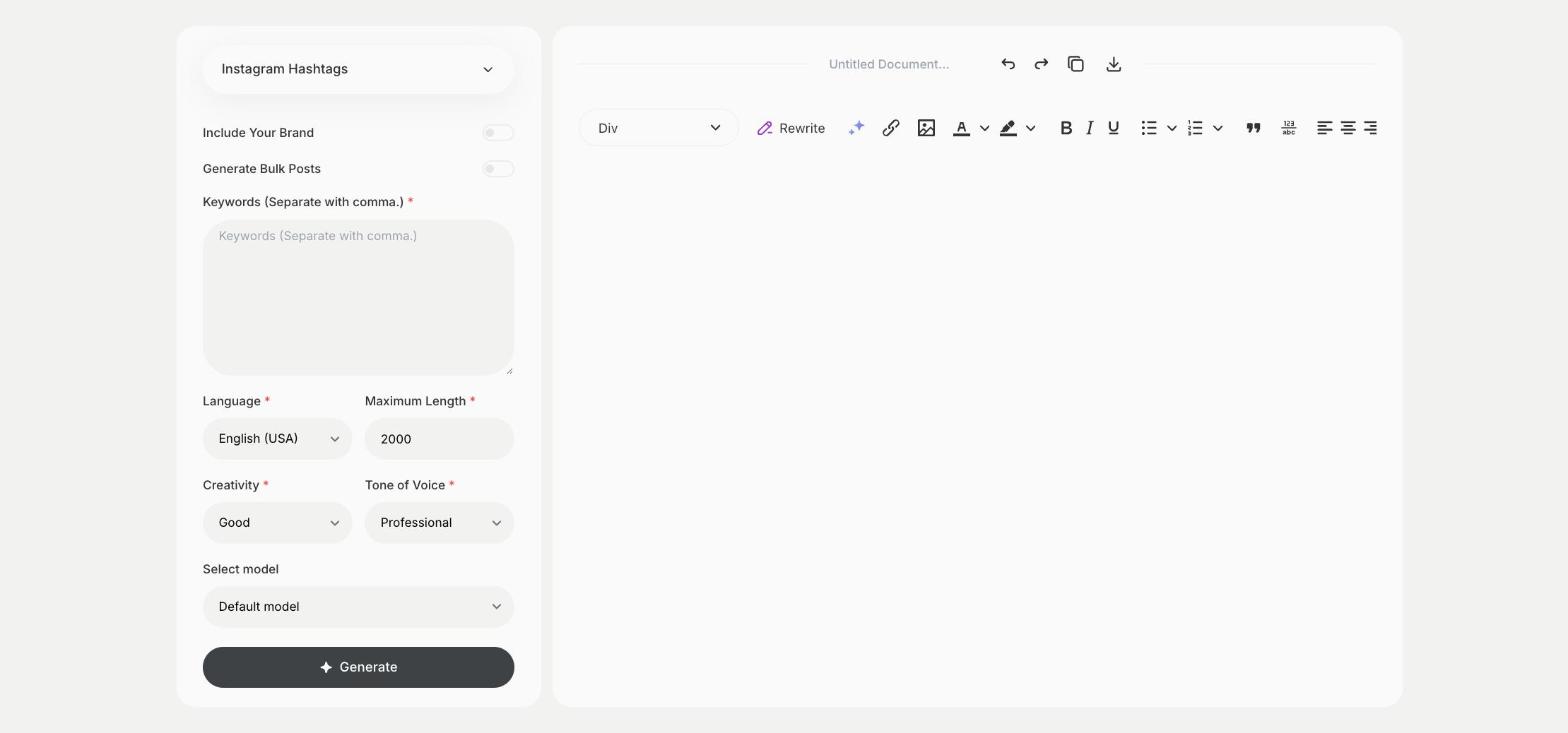
To find hashtags for Instagram posts, enter a few keywords about your post in the Instagram Hashtags template in Qyx and get a list of hashtags to add. The Instagram Hashtags template is a Qyx Smart Template that turns your keywords into Instagram hashtags in the language you pick.
What is the Instagram Hashtags template?
The Instagram Hashtags template is a ready-made template in Qyx for the tags under a post or a Reel. You enter keywords that describe the post, separated by commas, and Qyx suggests hashtags related to them. Mix broad tags with specific ones, because a very popular hashtag buries your post among millions of others. Keep a saved set for each type of post you publish often. Check what kind of posts appear under a hashtag before you use it, so your post lands among similar content.
-
Keywords in, hashtags out
Type a few words about the post and get hashtags to choose from.
-
Tags in your market's language
Pick the output language to get hashtags your local audience uses.
-
Sets for each topic
Run it for each type of post and save the lists you use most.
How does it work?
- Open the Instagram Hashtags template in Qyx.
- Fill in a few words about the post in Keywords, separated by commas, then choose the language, tone of voice, creativity and maximum length.
- Click Generate, pick the best result and edit it right in the editor.
Who is it for?
-
Instagram creators
Find hashtags for posts and Reels in your niche.
-
Online stores
Tag product photos so shoppers interested in them find you.
-
Local businesses
Find hashtags people in your area follow.
-
Social media managers
Prepare hashtag sets for each client.
Practical example
What you enter
Keywords: three to five words that describe the post, such as the product, the topic and the audience, separated by commas.
What you get
A list of hashtags for your post. Remove the ones that don't fit, check a few in Instagram search and add the rest to your caption or first comment.
Conclusion
The Instagram Hashtags template gives you hashtags for each post. Write the caption to go with them using the Instagram Captions template in Qyx.