AI Template: Instagram Captions. How to Write an Instagram Caption? Examples
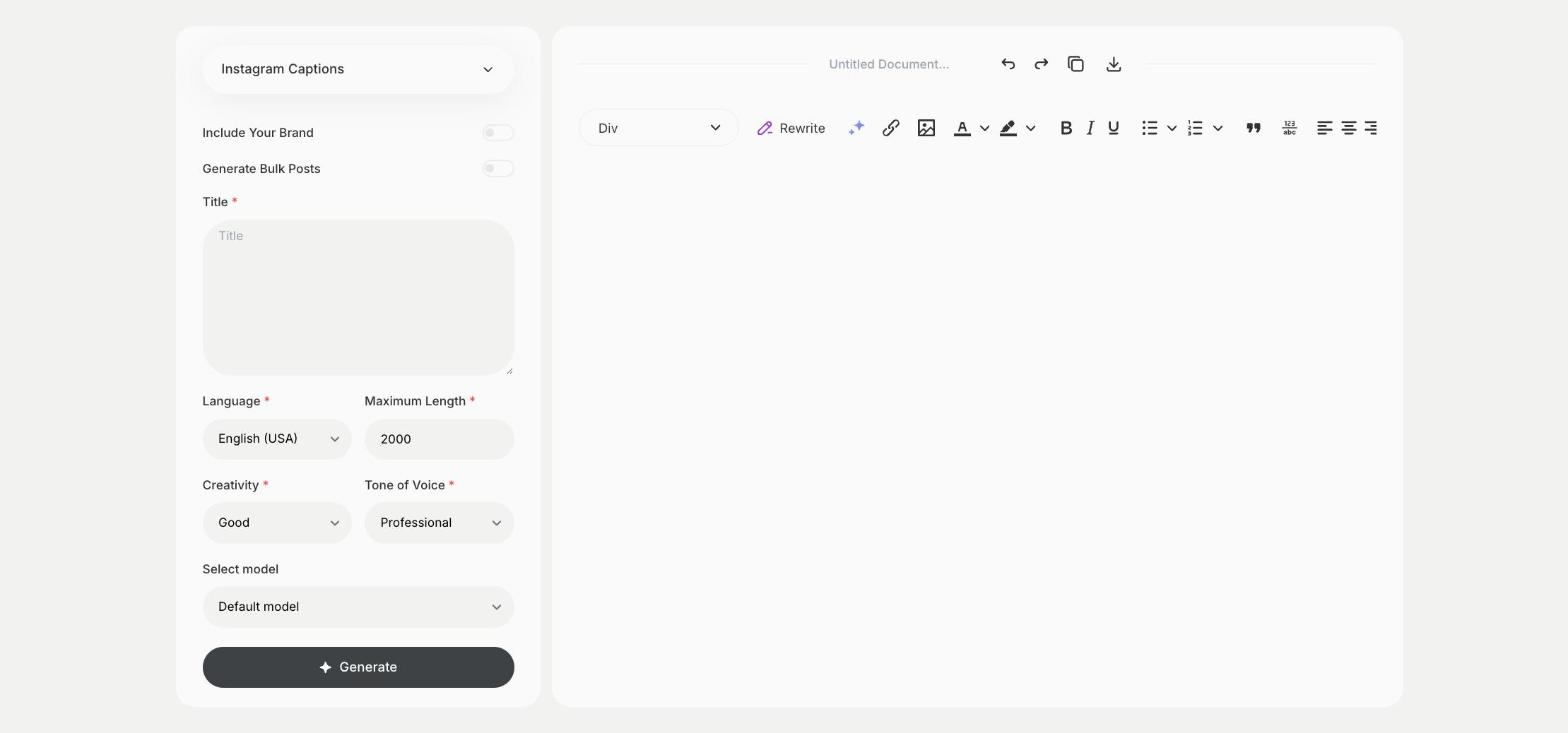
To write an Instagram caption, enter what your post is about in the Title field of the Instagram Captions template in Qyx and get caption ideas for your post. The Instagram Captions template is a Qyx Smart Template that turns a short post title into Instagram captions in the language you pick.
What is the Instagram Captions template?
The Instagram Captions template is a ready-made template in Qyx for the text under your photos, carousels and Reels. You write what the post shows or announces, and Qyx writes captions for it. Pick the one that sounds like your account, add hashtags and post. Instagram shows only the first lines of a caption before "more", so put the important part at the start.
-
A caption from a few words
The Title field takes a short description of the post, such as "new autumn collection".
-
The voice of your account
Choose Witty, Casual or Excited in Tone of Voice to match how you post.
-
Several captions to compare
Turn on Generate Bulk Posts and set the number of results to see a few captions side by side.
How does it work?
- Open the Instagram Captions template in Qyx.
- Fill in what the post is about in Title, then choose the language, tone of voice, creativity and maximum length.
- Click Generate, pick the best result and edit it right in the editor.
Who is it for?
-
Online stores
Write captions for product photos, launches and sales.
-
Creators and influencers
Keep posting when you run out of words for a caption.
-
Local businesses
Post daily specials, events and behind-the-scenes photos with a caption.
-
Social media managers
Prepare captions for a week of posts in one sitting.
Practical example
What you enter
Title: what the post shows or announces, such as a new product, an event or a behind-the-scenes photo.
What you get
Caption ideas for your post. Pick the one that sounds like you, adjust it and post it with your photo.
Conclusion
The Instagram Captions template gives you captions for your posts from a few words. Add the hashtags with the Instagram Hashtags template in Qyx.