AI Template: Email Generator. How to Write an Email From a Subject and a Few Notes? Examples
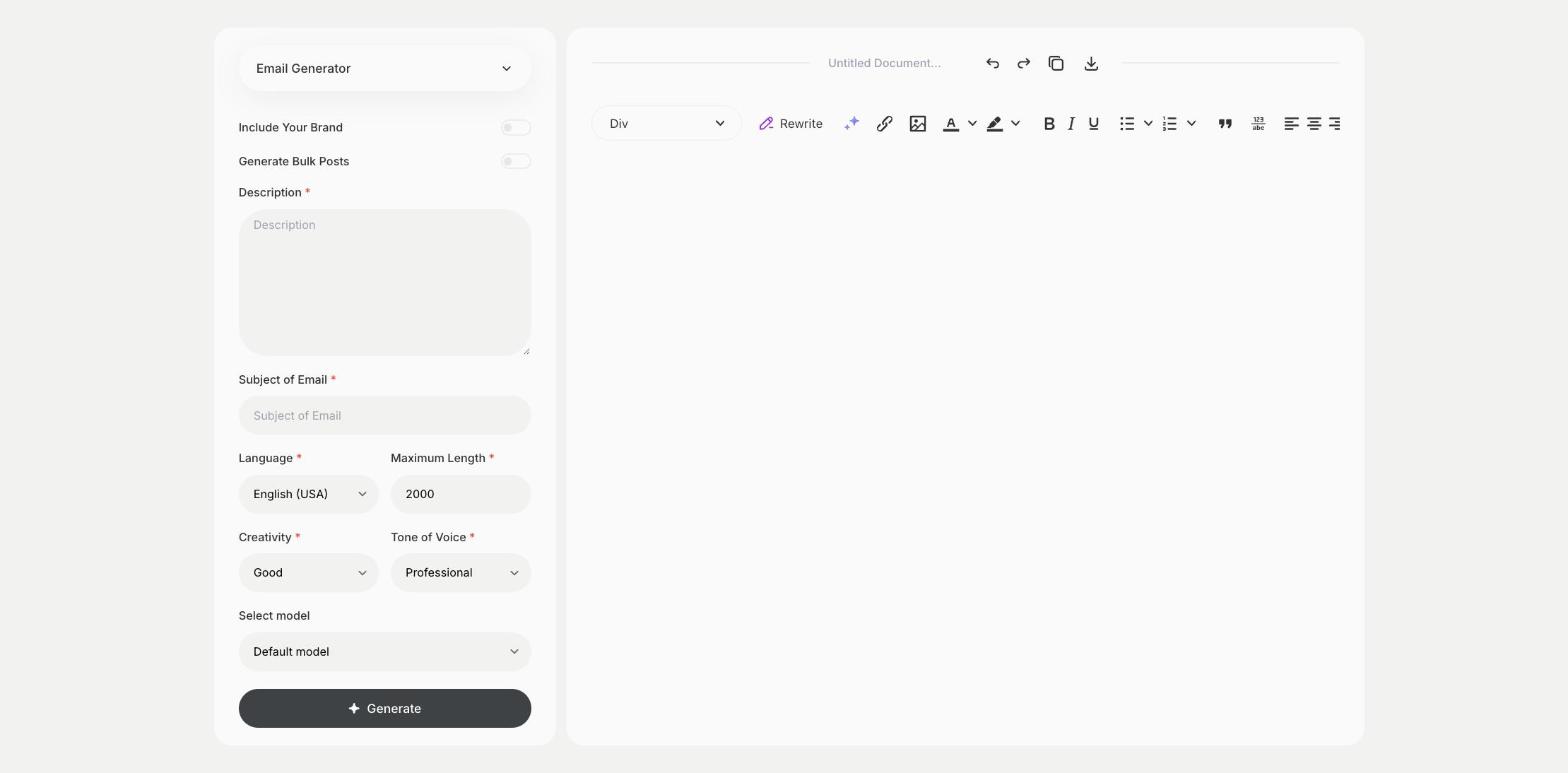
To write an email from a subject and a few notes, enter what the email is about and its subject line in the Email Generator template in Qyx and get a complete email. The Email Generator template is a Qyx Smart Template that turns a description and a subject into a ready email in the language you pick.
What is the Email Generator template?
The Email Generator template is a ready-made template in Qyx for everyday emails that take longer to write than they should. You describe what the email should say and add the subject, and Qyx writes the whole message. Use it for requests, updates, invitations and short announcements. Name the recipient and the one action you want from them in the description, so the email has a clear point. Read it once as the recipient would before you send it.
-
Notes become an email
Write a few lines in Description and get a full message with a greeting and a sign-off.
-
The subject sets the topic
Subject of Email keeps the message focused on one thing.
-
Emails in other languages
Pick the output language when you write to clients or partners abroad.
How does it work?
- Open the Email Generator template in Qyx.
- Fill in what the email should say in Description and the subject line in Subject of Email, then choose the language, tone of voice, creativity and maximum length.
- Click Generate, pick the best result and edit it right in the editor.
Who is it for?
-
Small business owners
Write emails to clients, suppliers and partners.
-
Office and admin teams
Send updates, requests and reminders.
-
Freelancers
Write emails about offers, deadlines and invoices.
-
Students
Write emails to teachers, schools and employers.
Practical example
What you enter
Description: who the email is for, what it should say and what you want the recipient to do. Subject of Email: the subject line you plan to use.
What you get
A full email with a greeting, the message and a sign-off. Check names and dates, adjust the tone if needed and send it from your inbox.
Conclusion
The Email Generator template writes everyday emails from a few notes. To answer an email you received, use the Email Answer Generator template in Qyx.