AI Tool: AI Voiceover. How to Turn Text Into a Spoken Voiceover? Examples
To turn text into a spoken voiceover, pick a language, a voice and the pace in the AI Voiceover tool in Qyx, add your text and get an audio file. AI Voiceover is a Qyx AI tool that turns written text into speech in the voice you choose.
What is the AI Voiceover template?
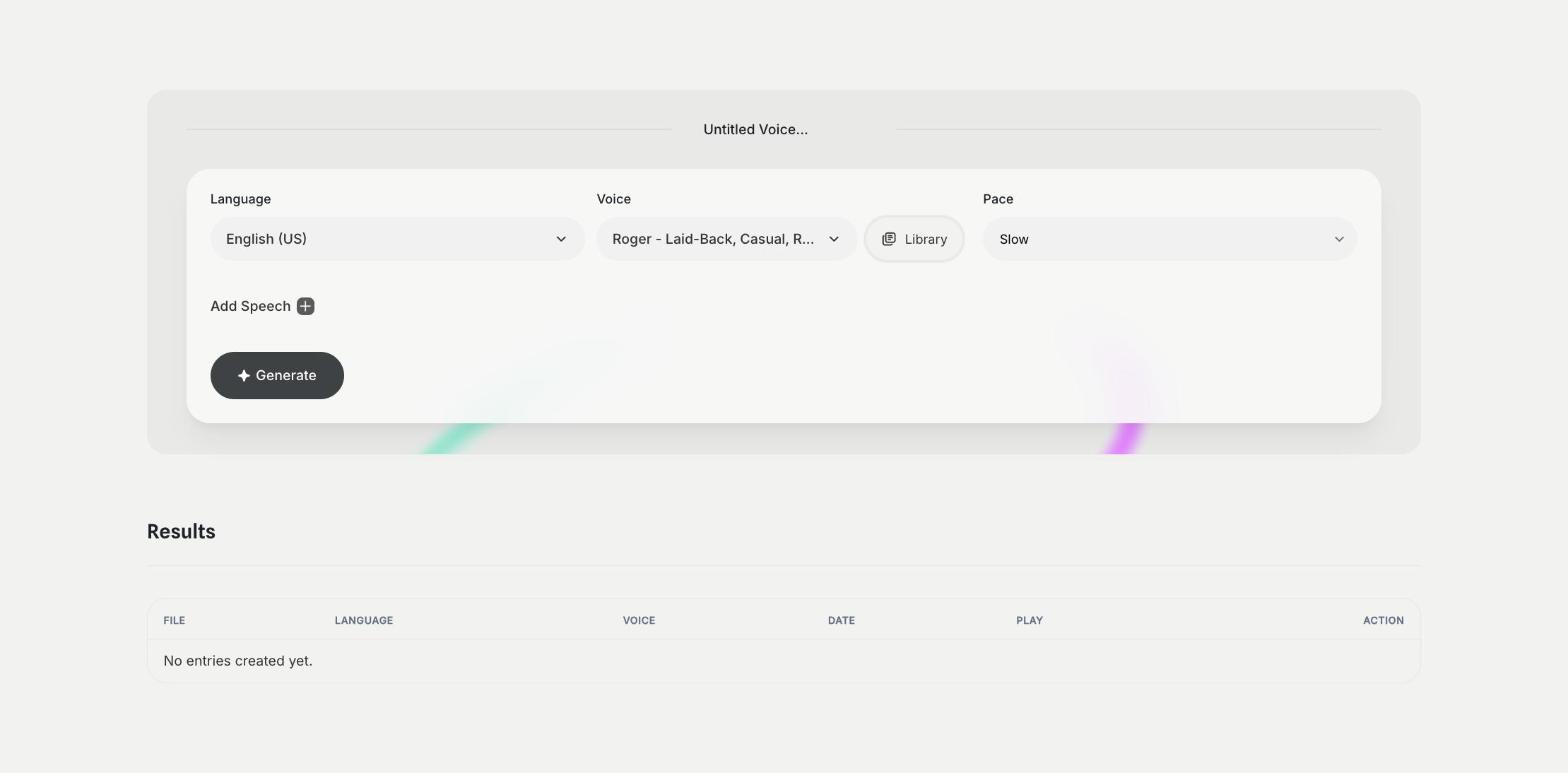
AI Voiceover is a Qyx tool for videos, ads, tutorials, presentations and product demos. You choose the language, pick a voice from the list or from the Library, set the pace and add your text with Add Speech. You can add a pause after each block of speech, so the narration has room to breathe. Qyx creates the audio, and you play it in the Results list. Write the text the way people talk, with short sentences, and read it aloud before you generate. Listen to the result and fix the spelling of names that come out wrong. Check the voice license terms before you use a voiceover in paid ads.
-
Many languages and voices
Pick the language and the voice that fit your audience.
-
Pace and pauses
Set the speed and add pauses between blocks of speech.
-
Audio in one list
Play and manage your voiceovers in Results.
How does it work?
- Open the AI Voiceover template in Qyx.
- Fill in the language in Language, the voice in Voice or from the Library and the speed in Pace, then click Add Speech and write your text.
- Click Generate, pick the best result and edit it right in the editor.
Who is it for?
-
Video creators
Add narration to tutorials and explainers.
-
Online stores
Voice product videos and short ads.
-
Teachers and trainers
Turn lessons into audio.
-
Marketers
Test ad scripts in different voices.
Practical example
What you enter
Language: the language of the voiceover. Voice: the voice that fits your brand. Pace: the speed of speech. Speech: the text of your script, split into short blocks.
What you get
An audio file with your text spoken in the chosen voice. Play it, adjust the text or the pace where it sounds off and add the audio to your video.
Conclusion
AI Voiceover turns your scripts into speech. Write the script first with the Ad Script template, and to turn a recording back into text, use AI Speech to Text in Qyx.