AI Template: Terms and Conditions. How to Write Terms and Conditions for a Website? Examples
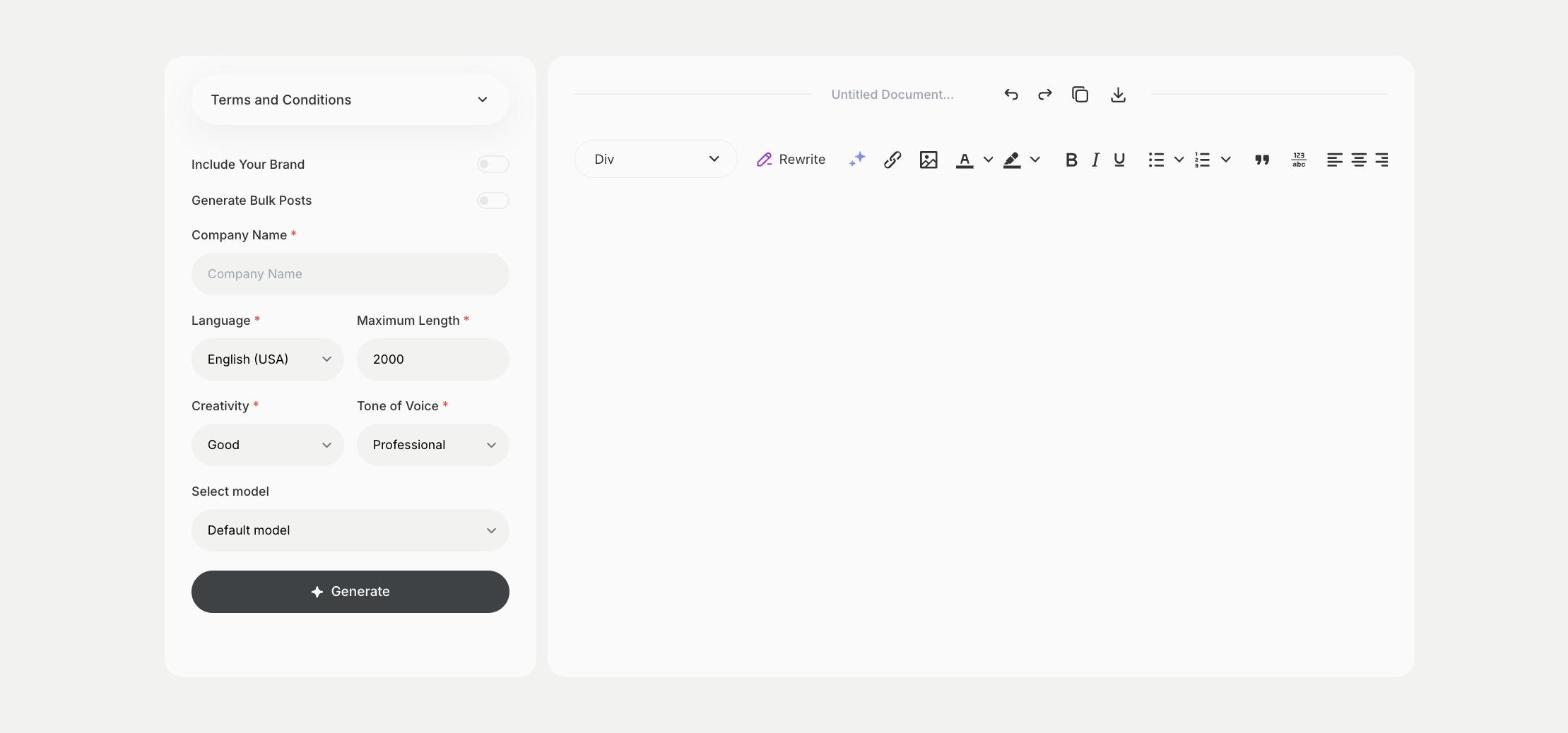
To write terms and conditions for your website, enter your company name in the Terms and Conditions template in Qyx and get a first draft to review with a lawyer. The Terms and Conditions template is a Qyx Smart Template that turns your company name into draft website terms and conditions in the language you pick.
AI-generated drafts are a starting point, not legal advice. Have a lawyer review before publishing.
What is the Terms and Conditions template?
The Terms and Conditions template is a ready-made template in Qyx for the legal page most websites and online stores need. You enter your company name, and Qyx writes draft terms you adapt to your business. Terms usually cover how people use your website, how orders and payments work and who is responsible when something goes wrong, so read the draft with those questions in mind. A lawyer then checks it against the law in your country.
-
A draft for your lawyer
Bring a full draft to the review instead of a blank page.
-
Your saved brand details
Turn on Include Your Brand to use the company you saved in Qyx.
-
In the language of your market
Pick the output language, such as Czech or German, for the country where you sell.
How does it work?
- Open the Terms and Conditions template in Qyx.
- Fill in your company name in Company Name, then choose the language, tone of voice, creativity and maximum length.
- Click Generate, pick the best result and edit it right in the editor.
Who is it for?
-
Online stores
Prepare draft terms before you launch your shop and link them from your checkout.
-
Startups and SaaS
Draft terms for a new web app or online service.
-
Freelancers
Put terms on your portfolio or booking website so clients know your conditions before they book.
-
Agencies
Prepare a first draft for a client's new website.
Practical example
What you enter
Company Name: the legal name of your company or online store.
What you get
Draft terms and conditions for your website with your company name. Add your own details, such as delivery times and returns, and send the draft to a lawyer for review.
Conclusion
The Terms and Conditions template gives you a draft of your website's legal page in a few steps. Write the privacy page with the Privacy Policy template in Qyx as well.