Marketing Bot · AI bot replies
Let AI answer when customers reply
AI bot replies add a WhatsApp auto reply to your Marketing Bot campaigns. Turn on AI Reply, tell the bot how to answer, and it responds to every customer who writes back.
- Automatic answers to campaign replies
- Your own instructions for tone and scope
- Limited to its training documents by default
- Every chat visible in the Inbox
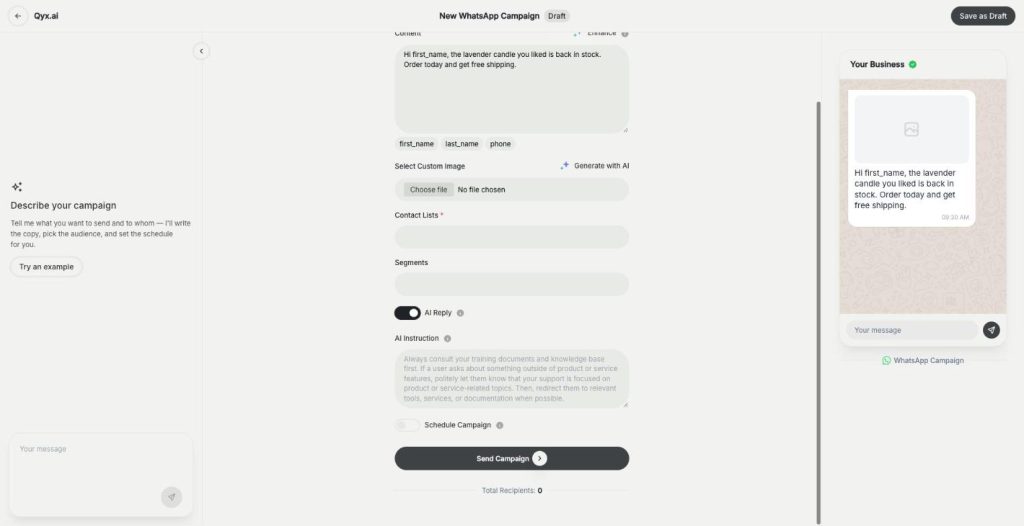
Turn on AI Reply in a WhatsApp campaign.
- You set the rules
- A person can take over anytime
- Cancel anytime
A campaign brings a wave of questions
The broadcast goes out at ten, and by eleven fifty people ask about sizes or whether the discount code works.
Replies pile up faster than I can answer.
Customers wait hours and then buy somewhere else.
I answer the same question again and again.
One switch for instant answers:
- AI Reply per campaign
- AI Instruction
- Answers in your tone
- Scope you control
- Inbox for every chat
- Human takeover
How It Works
A simple three-step process, start to finish.
-
Create a WhatsApp campaign
Write the message and pick the contacts.
-
Turn on AI Reply
Write the AI Instruction for tone, scope and behaviour.
-
Watch the answers
Follow the chats in the Inbox and step in when needed.
Why sellers add a WhatsApp auto reply
Answers within seconds, even at night.
More sales from the same campaign.
Your team handles only the tricky chats.
Good to know before you start
AI bot replies are the WhatsApp auto reply in Marketing Bot. When AI Reply is on in a campaign, the bot sends an answer automatically whenever a customer replies to your message. You decide how it talks and what it may talk about.
Turning on the WhatsApp auto reply
Open a new WhatsApp campaign and switch on AI Reply below the contact lists and segments. A field called AI Instruction appears. There you define how the chatbot should respond, including its tone, its style, the scope of support and how it should behave. Then send or schedule the campaign as usual.
What the bot knows
By default, the chatbot’s scope is limited to its training documents, so it does not make up answers outside them. Use the instruction to add the facts it needs for this campaign, such as the discount code, the end date, delivery times or where to order. Say clearly what it should do when it does not know, for example ask the customer to wait for a person.
Writing a good AI Instruction
Write it like a short brief for a new colleague. Name the brand and the tone, for example friendly and short. List the facts about the offer. Add the limits: no medical advice, no promises about stock, no other discounts. End with the next step the bot should push, such as a link to the product page.
People stay in control
Every conversation lands in the Inbox, where you can read the answers and write to the customer yourself. AI Reply is set per WhatsApp campaign, so you can keep it off for sensitive messages. For a bot on your website, in Messenger or on Instagram, use External Chatbot.
Tips for a WhatsApp auto reply customers like
Keep answers short, because people read them on a phone. Test the campaign on your own number first and ask the bot the five questions customers ask most. Check the Inbox in the first hour after sending, and refine the instruction for the next campaign.
Questions, answered
They are the WhatsApp auto reply in Qyx Marketing Bot. The bot answers customers who reply to your campaign.
Switch on AI Reply in a WhatsApp campaign and write the AI Instruction.
By default its scope is limited to its training documents, and your instruction sets the limits.
AI Reply is a setting of WhatsApp campaigns. Telegram campaigns are sent without it.
Yes. Every conversation is in the Inbox, where you can write to the customer yourself.
More Marketing Bot features
-
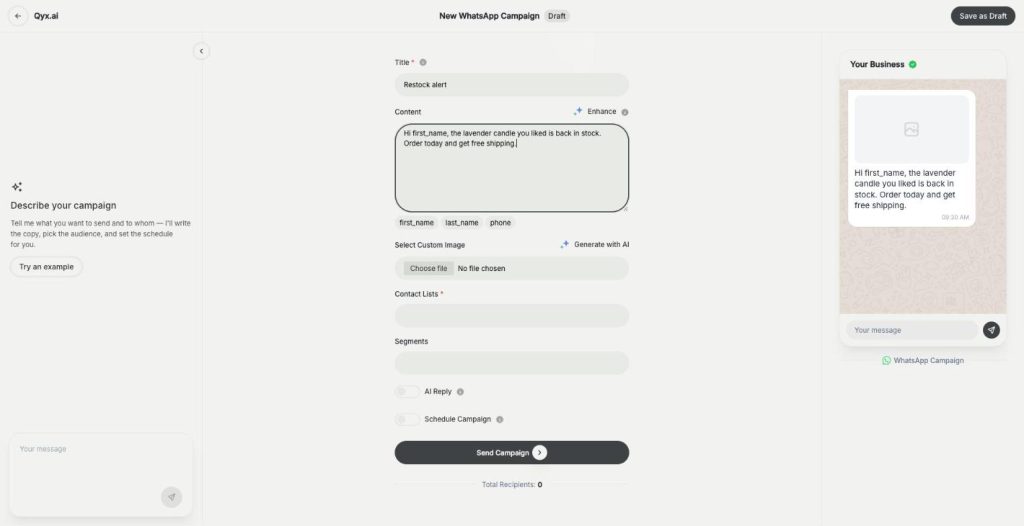
WhatsApp and Telegram campaigns
Reach thousands on WhatsApp and Telegram
Marketing Bot campaigns are a WhatsApp broadcast and Telegram messaging tool in Qyx. Write the message or let the Marketing Agent draft it, pick your contacts and send it now or at a set time.
-
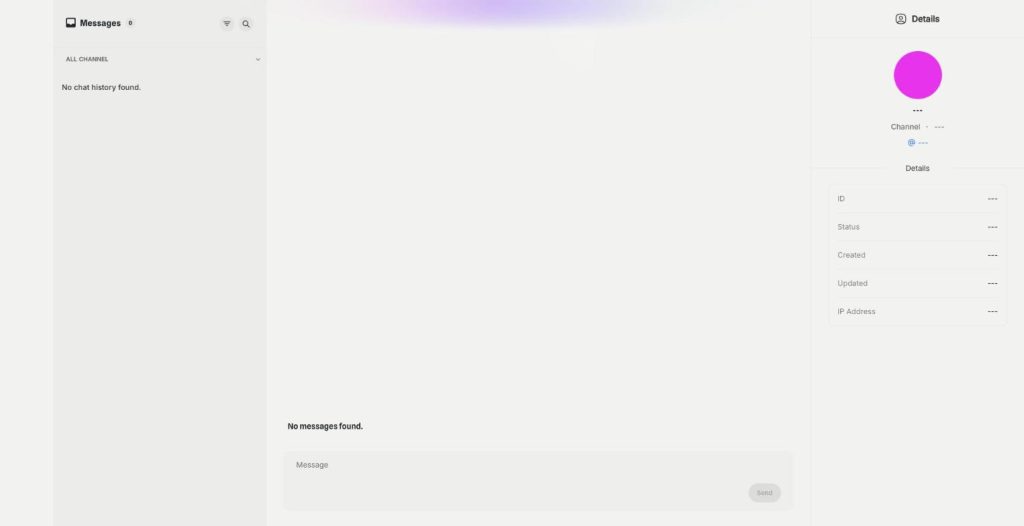
Inbox
All campaign chats in one inbox
The Marketing Bot Inbox is a WhatsApp inbox and Telegram inbox in one place. Read every reply to your campaigns, filter by channel, search the messages and answer customers yourself.
Let AI answer your next campaign
From $29/month · 7-day money-back guarantee · Cancel anytime