AI Template: Youtube Video Tag. How to Find Tags for a YouTube Video? Examples
To find tags for a YouTube video, enter the video title in the Youtube Video Tag template in Qyx and get a list of tags to add in YouTube Studio. The Youtube Video Tag template is a Qyx Smart Template that turns a video title into YouTube tags in the language you pick.
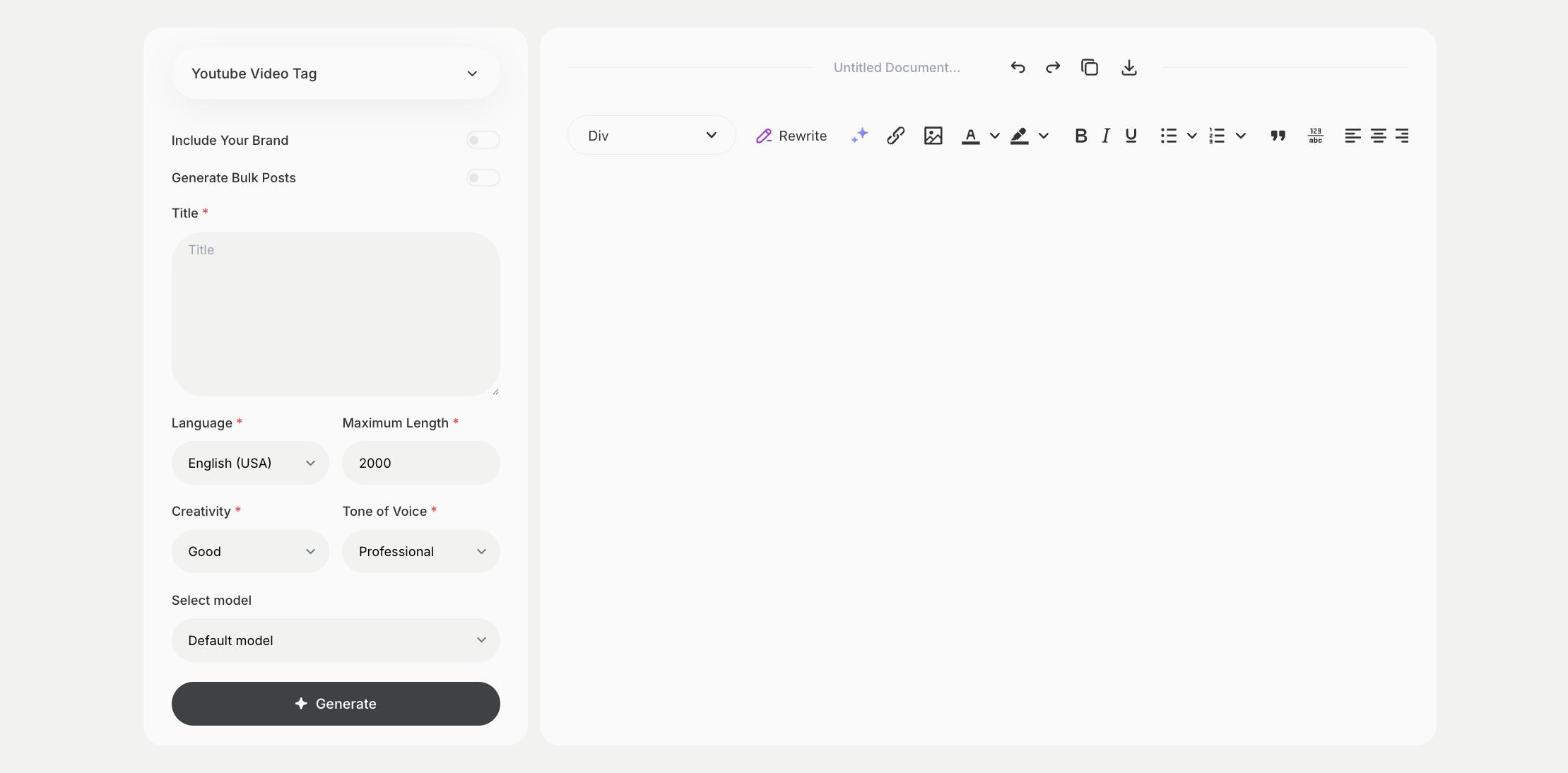
What is the Youtube Video Tag template?
The Youtube Video Tag template is a ready-made template in Qyx for the tags field of each upload. You enter the title, and Qyx suggests tags related to the topic of the video. Tags help most with words people often misspell or say in different ways, so include common variants. The title, the description and the content matter more than tags, so keep the list short and relevant. Remove any tag that doesn't describe the video. Add your channel name as a tag, so your other videos show up as related.
-
Tags from your title
One field gives you a list of related tags.
-
Variants included
Get different ways people search for the same topic.
-
Tags in other languages
Pick the output language for videos in other markets.
How does it work?
- Open the Youtube Video Tag template in Qyx.
- Fill in the title of your video in Title, then choose the language, tone of voice, creativity and maximum length.
- Click Generate, pick the best result and edit it right in the editor.
Who is it for?
-
YouTubers
Fill in tags for each upload.
-
Brands with a channel
Tag product and tutorial videos consistently.
-
Video editors
Prepare upload details for clients.
-
Educators
Tag lessons so students find related videos.
Practical example
What you enter
Title: the title of the video as you will publish it.
What you get
A list of tags for your video. Remove the ones that don't fit, keep the most relevant and paste them into the tags field in YouTube Studio.
Conclusion
The Youtube Video Tag template gives you tags for your uploads. Pick the title first with the Youtube Video Title template in Qyx.