AI Template: X Tweet. How to Turn Your Message Into a Post for X? Examples
To turn your message into a post for X, paste what you want to say into the X Tweet template in Qyx and get a post ready to publish. The X Tweet template is a Qyx Smart Template that turns your tweet content into a post for X in the language you pick.
What is the X Tweet template?
The X Tweet template is a ready-made template in Qyx for when you know what you want to say but not how to fit it into one post. You paste your message, notes or a longer text, and Qyx writes a short X post from it. It is useful for turning a paragraph from an article or a product update into a post. Check the facts and the length before you publish. Ask for a few versions and keep the one that sounds most like you.
-
Your message, shorter
Paste a long text and get a post for the format of X.
-
The point up front
The post leads with your main message.
-
Versions to choose from
Turn on Generate Bulk Posts to compare several posts from the same content.
How does it work?
- Open the X Tweet template in Qyx.
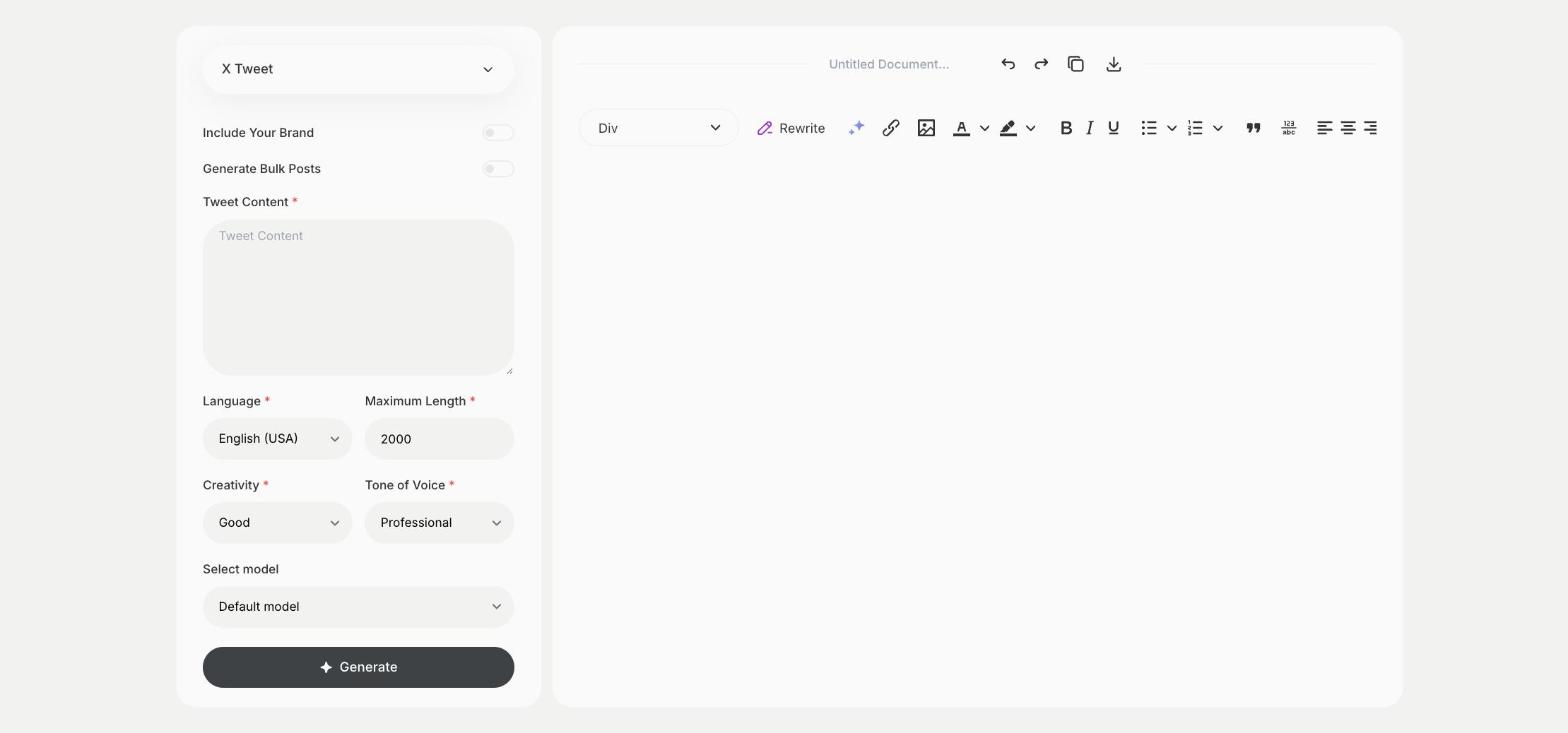
- Fill in your message or notes in Tweet Content, then choose the language, tone of voice, creativity and maximum length.
- Click Generate, pick the best result and edit it right in the editor.
Who is it for?
-
Founders and executives
Share opinions and company news on X.
-
Marketers
Turn blog paragraphs and updates into posts.
-
Journalists and writers
Share a key point from a longer piece.
-
Support teams
Post short updates about issues and fixes.
Practical example
What you enter
Tweet Content: the message you want to post, your notes or a paragraph you want to shorten.
What you get
A post for X based on your content. Check that it says what you meant, add a link or image and publish it.
Conclusion
The X Tweet template turns your own content into a post for X. To spread a longer message over several posts, use the X Thread template in Qyx.