AI Template: X Thread. How to Write a Thread for X? Examples
To write a thread for X, paste your content into the X Thread template in Qyx and get a thread split into connected posts. The X Thread template is a Qyx Smart Template that turns your thread content into an X thread in the language you pick.
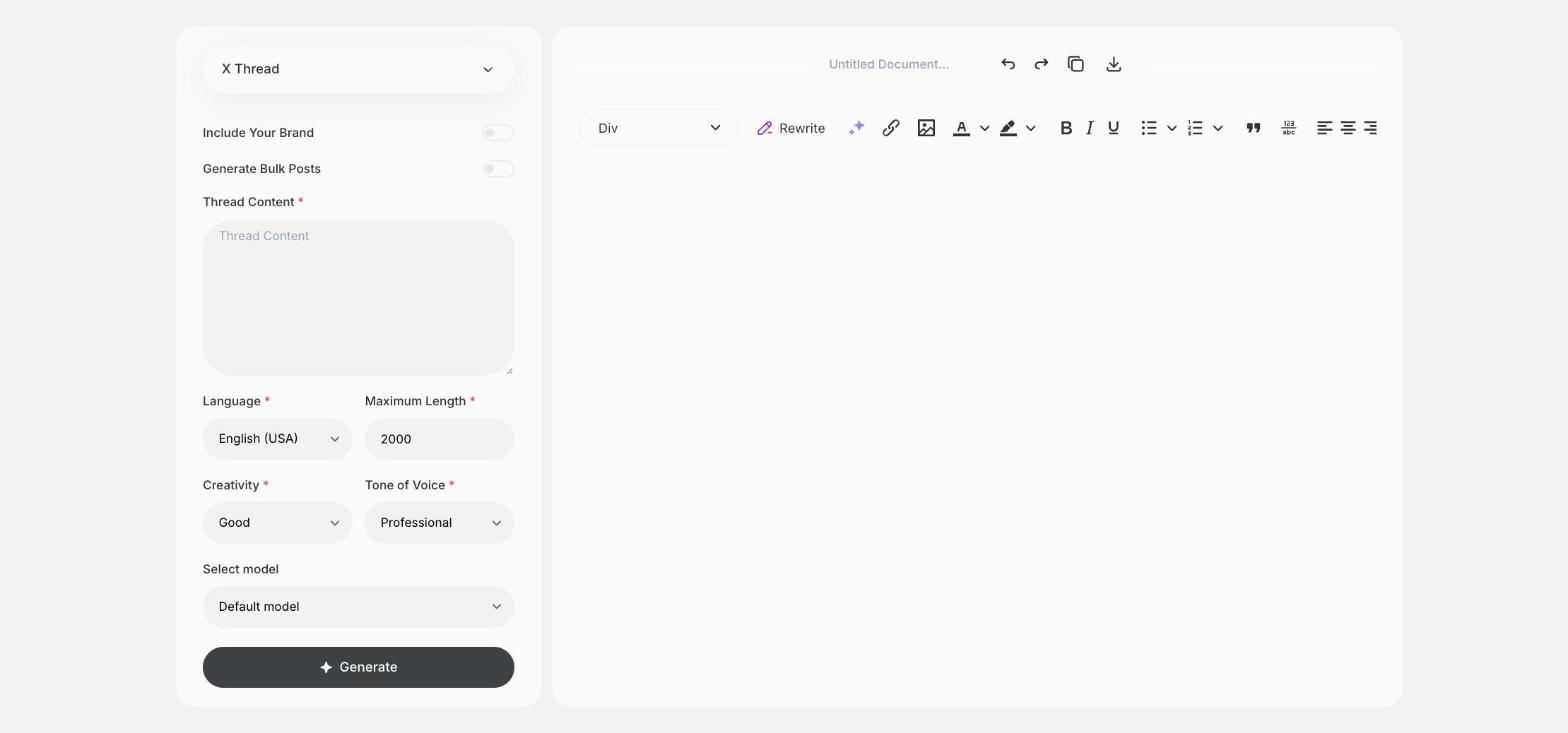
What is the X Thread template?
The X Thread template is a ready-made template in Qyx for stories, guides and lists that don't fit in one post. You paste the content, such as an article, notes or the steps of a guide, and Qyx splits it into a thread. The first post decides if people open the rest, so make sure it states the promise of the thread. End with a post that links to your article, product or profile. Number the posts, so readers know how long the thread is.
-
Long content in short parts
Turn an article or notes into a series of posts.
-
A strong first post
The thread starts with a post that says why to read on.
-
Threads in other languages
Pick the output language for followers abroad.
How does it work?
- Open the X Thread template in Qyx.
- Fill in your article, notes or steps in Thread Content, then choose the language, tone of voice, creativity and maximum length.
- Click Generate, pick the best result and edit it right in the editor.
Who is it for?
-
Founders and creators
Share lessons and stories as threads.
-
Bloggers
Turn an article into a thread that links back to it.
-
Marketers
Explain a product or a launch step by step.
-
Experts and consultants
Share a framework or a checklist.
Practical example
What you enter
Thread Content: the article, notes or list you want to turn into a thread.
What you get
An X thread split into numbered posts. Check that each post makes sense on its own, then publish the thread and pin it if it performs well.
Conclusion
The X Thread template turns long content into a thread for X. For a single post, use the X Tweet template in Qyx.