AI Template: Video Idea. How to Find Ideas for Your Next Video? Examples
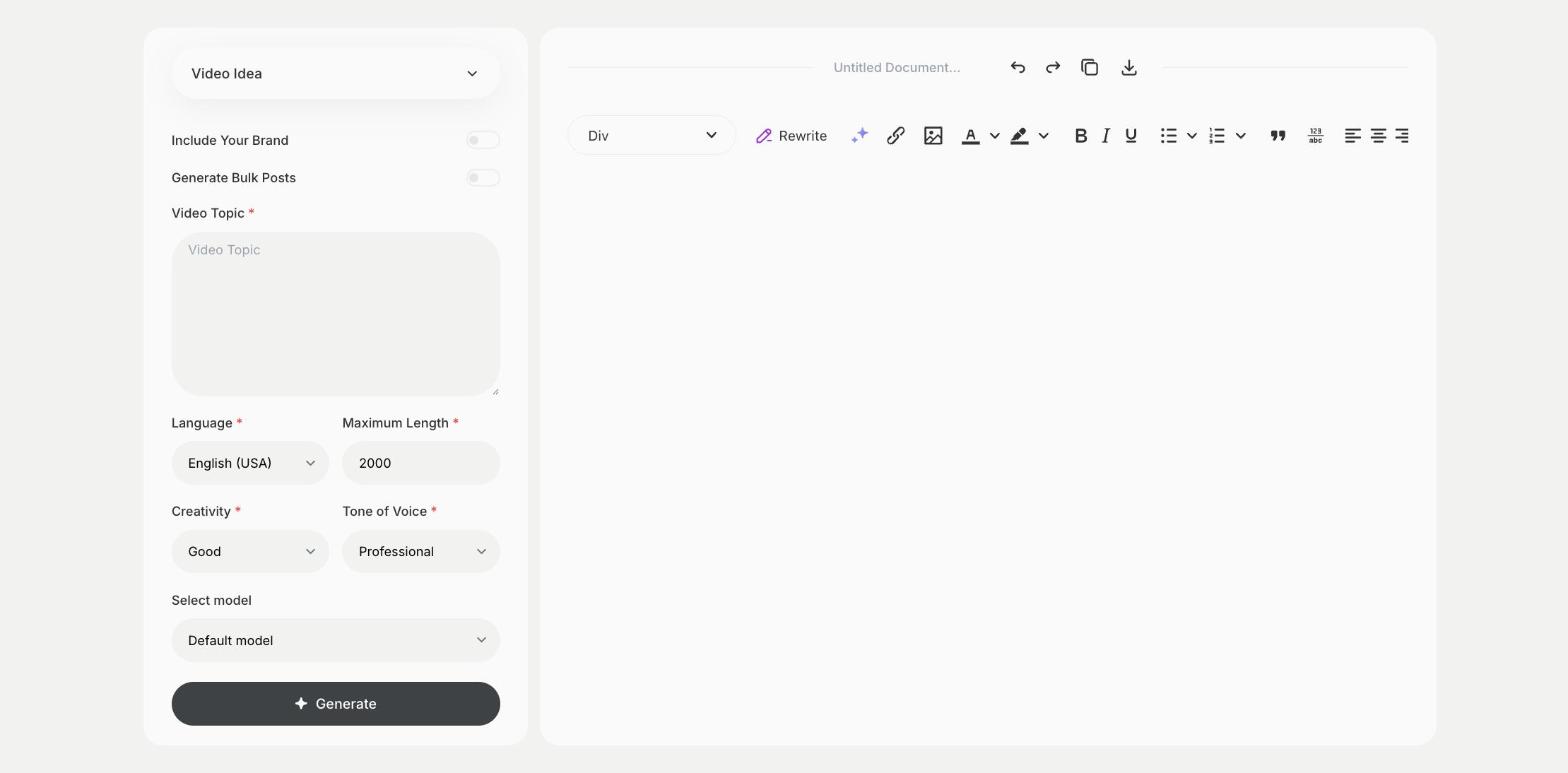
To find ideas for your next video, enter a video topic in the Video Idea template in Qyx and get a list of video ideas to plan. The Video Idea template is a Qyx Smart Template that turns a topic into video ideas in the language you pick.
What is the Video Idea template?
The Video Idea template is a ready-made template in Qyx for creators and brands who need new ideas for YouTube, TikTok or Reels. You enter the topic of your channel or a theme, and Qyx suggests video ideas around it. Pick ideas that answer questions your viewers ask in the comments. Plan a series of related videos, because viewers who like one often watch the next. Write the ideas into your content calendar with a date for each. Mention the platform, so the ideas fit its format.
-
A list to plan from
Get several video ideas from one topic.
-
For any platform
Use the ideas for long videos, Shorts, Reels or TikTok.
-
More rounds
Turn on Generate Bulk Posts to get more ideas on the same topic.
How does it work?
- Open the Video Idea template in Qyx.
- Fill in the topic of your channel or a theme in Video Topic, then choose the language, tone of voice, creativity and maximum length.
- Click Generate, pick the best result and edit it right in the editor.
Who is it for?
-
YouTubers and TikTokers
Fill your content calendar.
-
Brands
Find video ideas around your products.
-
Teachers and coaches
Plan a series of short lessons.
-
Local businesses
Find ideas to show your work on video.
Practical example
What you enter
Video Topic: the theme of your channel or the subject you want videos about.
What you get
A list of video ideas on your topic. Pick the ones your viewers would watch, put them in your calendar and script the first one.
Conclusion
The Video Idea template gives you ideas for your next videos. Script the best one with the TikTok Video Script or IG Reel Script template in Qyx.