AI Template: Video Description. How to Write a Description for Any Video? Examples
To write a description for any video, enter the video topic in the Video Description template in Qyx and get a description for your platform. The Video Description template is a Qyx Smart Template that turns a video topic into a video description in the language you pick.
What is the Video Description template?
The Video Description template is a ready-made template in Qyx for videos on any platform, such as Vimeo, your website, an online course or social media. You enter the topic, and Qyx writes a description that tells viewers what they will see and learn. Start with the main point, because many platforms cut long descriptions. Add links, credits and a call to action at the end. For YouTube uploads, the Youtube Video Description template starts from your title.
-
For any platform
Use the description on your website, in a course or on social media.
-
The main point first
The description opens with what the viewer gets.
-
Descriptions in other languages
Pick the output language for viewers abroad.
How does it work?
- Open the Video Description template in Qyx.
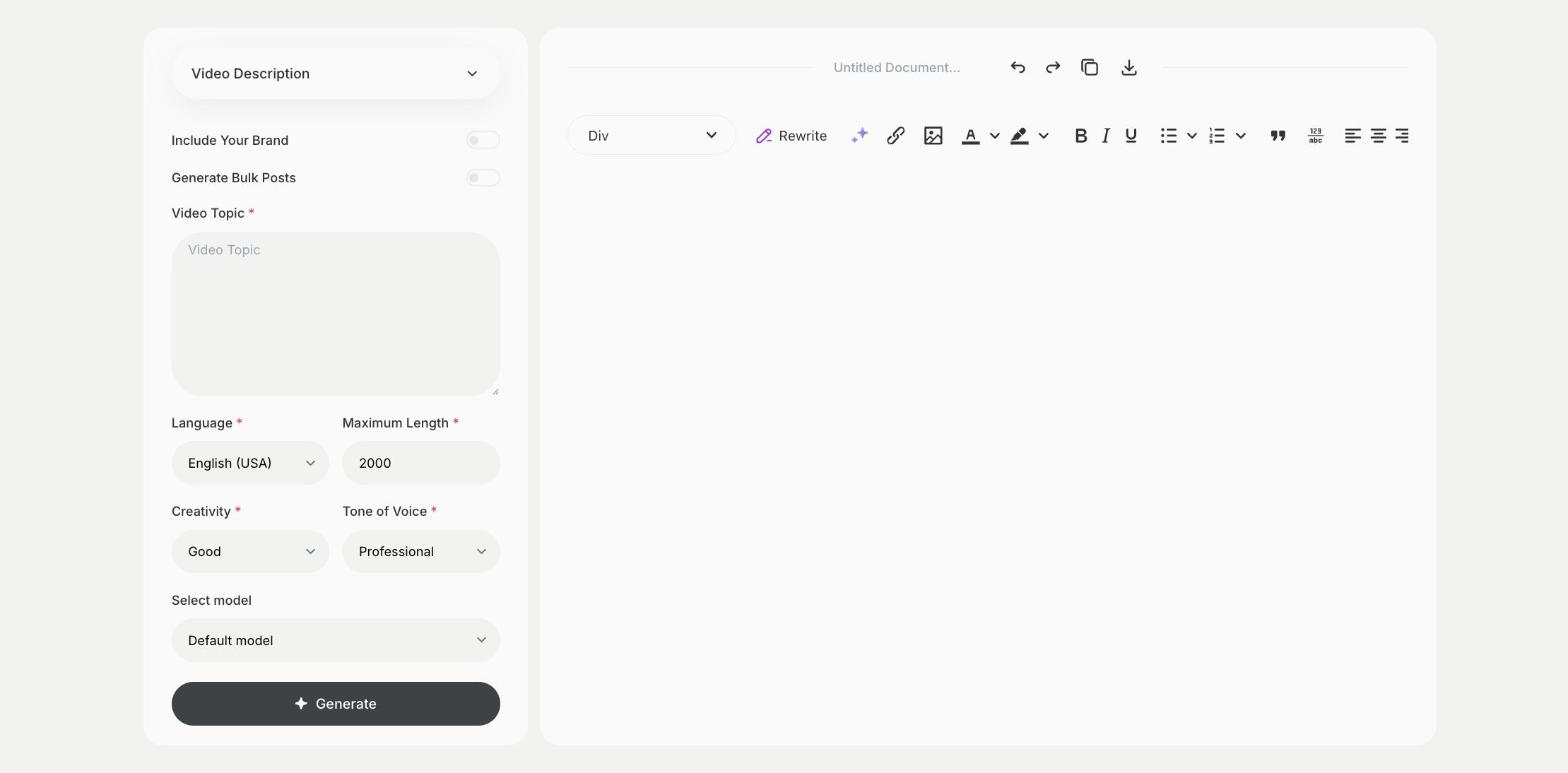
- Fill in what the video is about in Video Topic, then choose the language, tone of voice, creativity and maximum length.
- Click Generate, pick the best result and edit it right in the editor.
Who is it for?
-
Course creators
Describe each lesson in your course platform.
-
Marketers
Describe product videos on landing pages.
-
Videographers
Write descriptions for portfolio videos.
-
Brands
Describe videos on Vimeo, LinkedIn or Facebook.
Practical example
What you enter
Video Topic: what the video is about, who it is for and what viewers will learn or see.
What you get
A description for your video. Add links and credits, adjust the length for the platform and publish it with the video.
Conclusion
The Video Description template gives you descriptions for videos on any platform. For YouTube, use the Youtube Video Description template in Qyx.