AI Template: TikTok Video Caption. How to Write a Caption for a TikTok Video? Examples
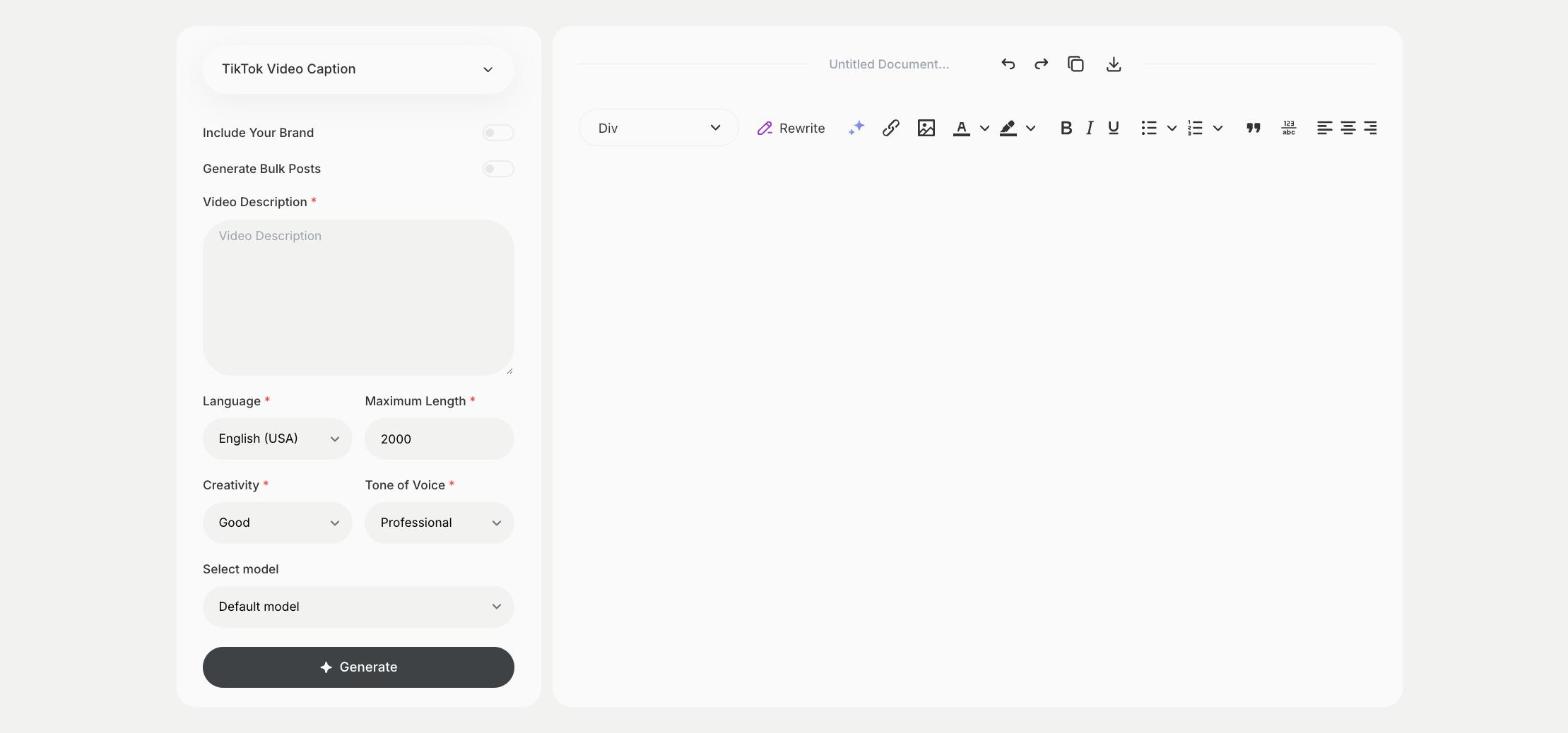
To write a caption for a TikTok video, describe the video in the TikTok Video Caption template in Qyx and get captions to post with it. The TikTok Video Caption template is a Qyx Smart Template that turns a video description into TikTok captions in the language you pick.
What is the TikTok Video Caption template?
The TikTok Video Caption template is a ready-made template in Qyx for the short text under a TikTok video. You describe what happens in the video, and Qyx writes captions for it. A good caption adds context or a question that gets people to comment. Keep it short, because viewers read it while the video plays. Write a few captions per video and test different styles over a few weeks.
-
Captions from your video
Describe the video in Video Description and get captions that fit.
-
A reason to comment
Ask Qyx for a question in the caption to start a conversation.
-
Captions in other languages
Pick the output language for followers abroad.
How does it work?
- Open the TikTok Video Caption template in Qyx.
- Fill in what happens in the video in Video Description, then choose the language, tone of voice, creativity and maximum length.
- Click Generate, pick the best result and edit it right in the editor.
Who is it for?
-
TikTok creators
Write captions for each video you post.
-
Online stores
Caption product videos with a clear reason to buy.
-
Social media managers
Write captions for client videos.
-
Local businesses
Caption videos of your place, team or work.
Practical example
What you enter
Video Description: what happens in the video and what you want viewers to do, such as comment, follow or visit your shop.
What you get
Captions for your TikTok video. Pick one, add a few hashtags and post it with the video.
Conclusion
The TikTok Video Caption template gives you captions for TikTok videos. Script the next video with the TikTok Video Script template in Qyx.