AI Template: TikTok Script. How to Write a Script for TikTok? Examples
To write a script for TikTok, enter the video topic in the TikTok Script template in Qyx and get a script you can read while you film. The TikTok Script template is a Qyx Smart Template that turns a video topic into a TikTok script in the language you pick.
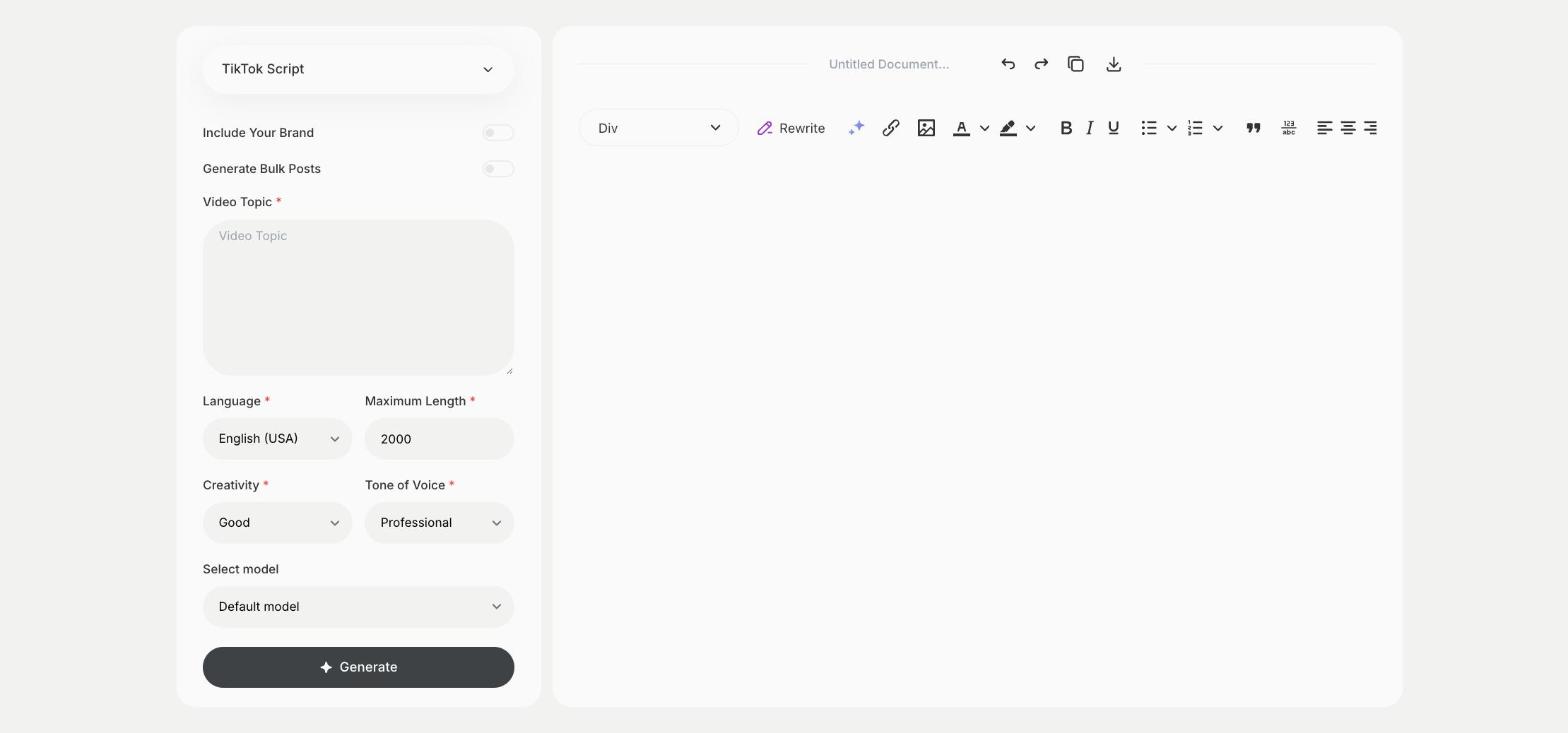
What is the TikTok Script template?
The TikTok Script template is a ready-made template in Qyx for talking videos on TikTok, where you speak to the camera. You enter the topic, and Qyx writes what to say from the first line to the last. Keep one idea per video, because short videos lose viewers when they try to cover too much. Record a few takes and keep the one where you sound most natural. Speak the first line within the first second, before viewers swipe away.
-
Words for the camera
Get a script written to be spoken out loud.
-
One idea per video
The topic field keeps each script focused on one point.
-
Scripts in bulk
Turn on Generate Bulk Posts to script several videos on the same topic.
How does it work?
- Open the TikTok Script template in Qyx.
- Fill in what you want to talk about in Video Topic, then choose the language, tone of voice, creativity and maximum length.
- Click Generate, pick the best result and edit it right in the editor.
Who is it for?
-
TikTok creators
Script talking videos before you film them.
-
Experts and coaches
Turn a common question into a short answer video.
-
Online stores
Explain a product or how to use it.
-
Teachers and tutors
Explain one concept per video.
Practical example
What you enter
Video Topic: the one idea, question or tip the video covers.
What you get
A script for a talking TikTok video. Read it aloud, cut what feels long, film it and add on-screen text for the key point.
Conclusion
The TikTok Script template gives you a script for a talking TikTok video. Write the caption for it with the TikTok Video Caption template in Qyx.