AI Template: Rephrase. How to Rephrase a Sentence or Paragraph? Examples
To rephrase a sentence or paragraph, paste it into the Rephrase template in Qyx and get a new version that says the same thing more clearly. The Rephrase template is a Qyx Smart Template that turns your text into a clearer rephrased version in the language you pick.
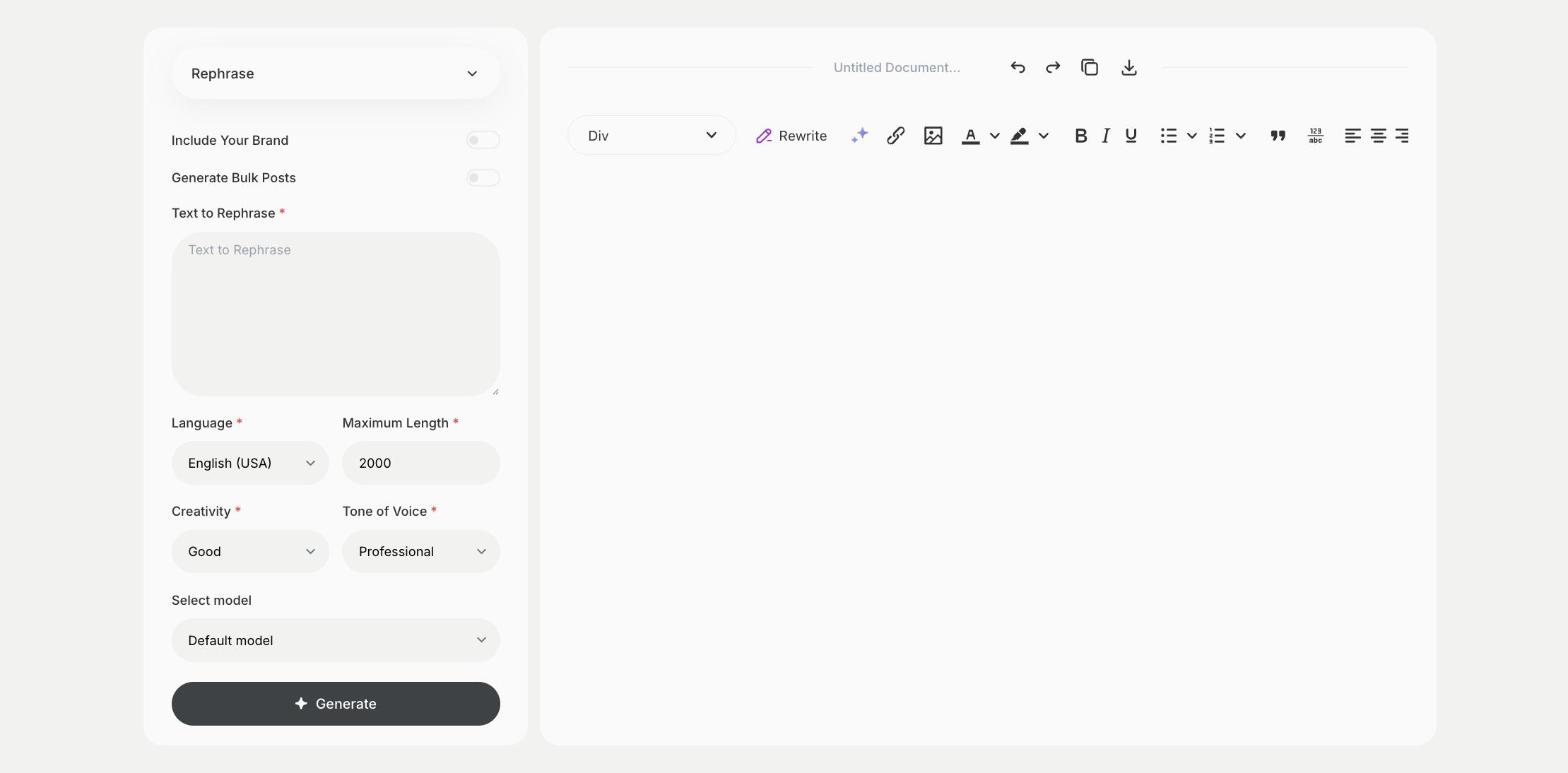
What is the Rephrase template?
The Rephrase template is a ready-made template in Qyx for sentences that sound clumsy, too long or too similar to something else you wrote. You paste the text, and Qyx writes it in different words with the same meaning. Use it to fix a hard sentence, to vary repeated phrases or to change the tone of a paragraph. Check that the new version still says exactly what you meant. Ask for a few versions and pick the one that sounds most like you. Short inputs work best, so rephrase one sentence or paragraph at a time.
-
Same meaning, new words
Get a version that keeps your point and reads more clearly.
-
A different tone
Pick a tone of voice to make the text more formal or more casual.
-
Variety in long texts
Rephrase repeated sentences in product pages or reports.
How does it work?
- Open the Rephrase template in Qyx.
- Fill in the sentence or paragraph in Text to Rephrase, then choose the language, tone of voice, creativity and maximum length.
- Click Generate, pick the best result and edit it right in the editor.
Who is it for?
-
Writers and bloggers
Fix sentences that don't flow.
-
Online stores
Vary descriptions of similar products.
-
Students
Put ideas from your notes into clearer words.
-
Support teams
Make standard answers sound less like templates.
Practical example
What you enter
Text to Rephrase: the sentence or paragraph you want to say differently.
What you get
A rephrased version of your text. Compare it with the original, check that the meaning is the same and use the version that reads better.
Conclusion
The Rephrase template says the same thing in clearer words. To make a whole text stronger, use the Improve template in Qyx.