AI Template: Linkedin Post. How to Write a LinkedIn Post? Examples
To write a LinkedIn post, describe what you want to share in the Linkedin Post template in Qyx and get a post to edit and publish. The Linkedin Post template is a Qyx Smart Template that turns your notes into a professional LinkedIn post in the language you pick.
What is the Linkedin Post template?
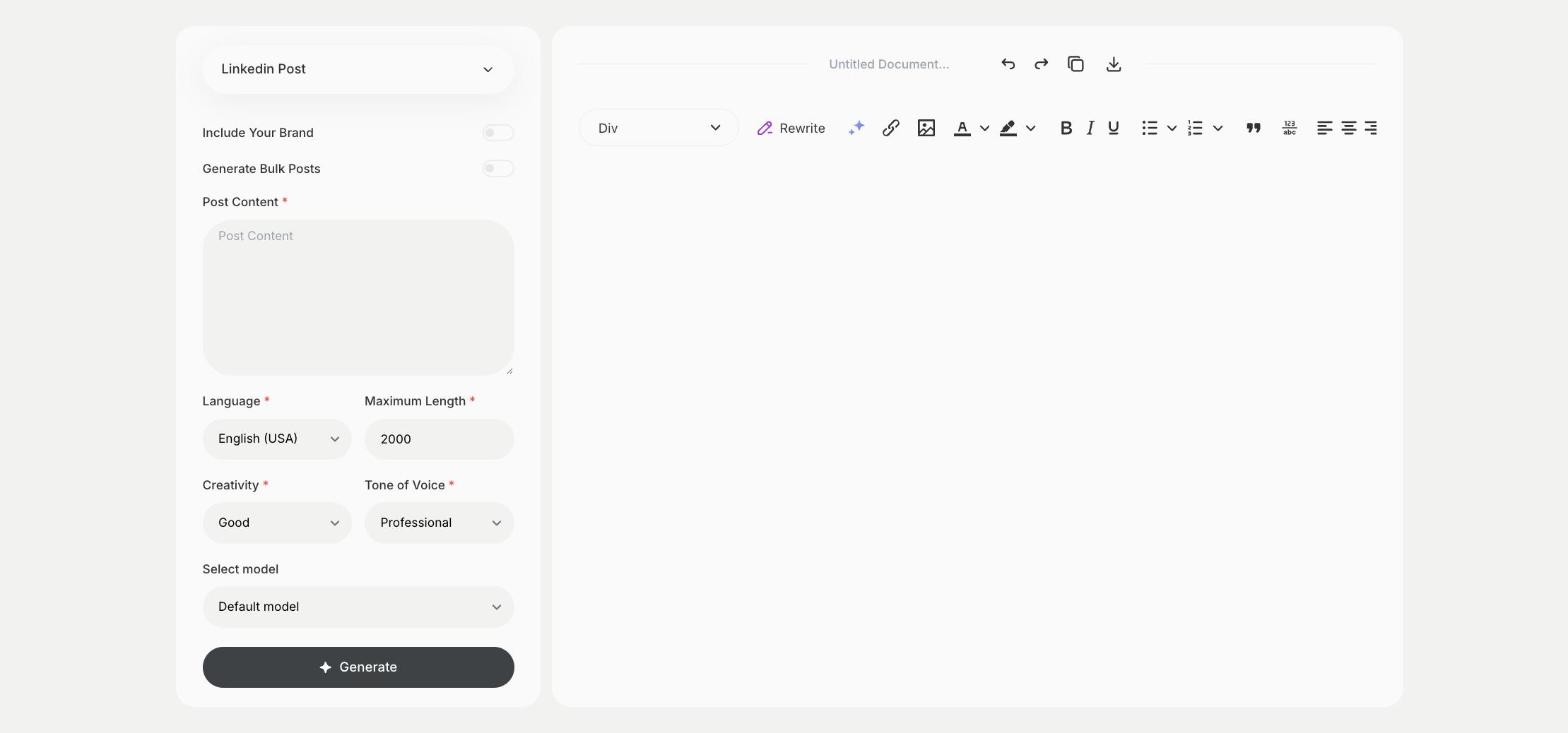
The Linkedin Post template is a ready-made template in Qyx for posts on your profile or your company page. You write what you want to share, such as a lesson, a project result or company news, and Qyx writes the post. Add a detail from your own work before you publish, so the post sounds like you. LinkedIn shows only the first lines of a post before "see more", so start with the point you want people to read.
-
From notes to a post
Paste your bullet points in Post Content and get a post with a clear structure.
-
Professional by default
Tone of Voice starts on Professional, and you can switch to Casual or Witty.
-
Posts for your audience
Pick the output language for an English, German or Czech audience.
How does it work?
- Open the Linkedin Post template in Qyx.
- Fill in what you want to share in Post Content, then choose the language, tone of voice, creativity and maximum length.
- Click Generate, pick the best result and edit it right in the editor.
Who is it for?
-
Founders
Share company news, new hires and lessons from building the business.
-
Freelancers and consultants
Show your work and what you learned on a project.
-
Marketers
Draft posts for the company page and for colleagues' profiles.
-
Recruiters and HR
Announce open positions and team events.
Practical example
What you enter
Post Content: what you want to share, such as a project result, a lesson or company news, in a few bullet points.
What you get
A LinkedIn post built from your notes. Add a personal detail or a number from your own work, then publish it from your profile or company page.
Conclusion
The Linkedin Post template turns your notes into a post for LinkedIn. To share the main points of a long article, start with the TL;DR Summarization template in Qyx.