AI Template: IG Reel Script. How to Write a Script for an Instagram Reel? Examples
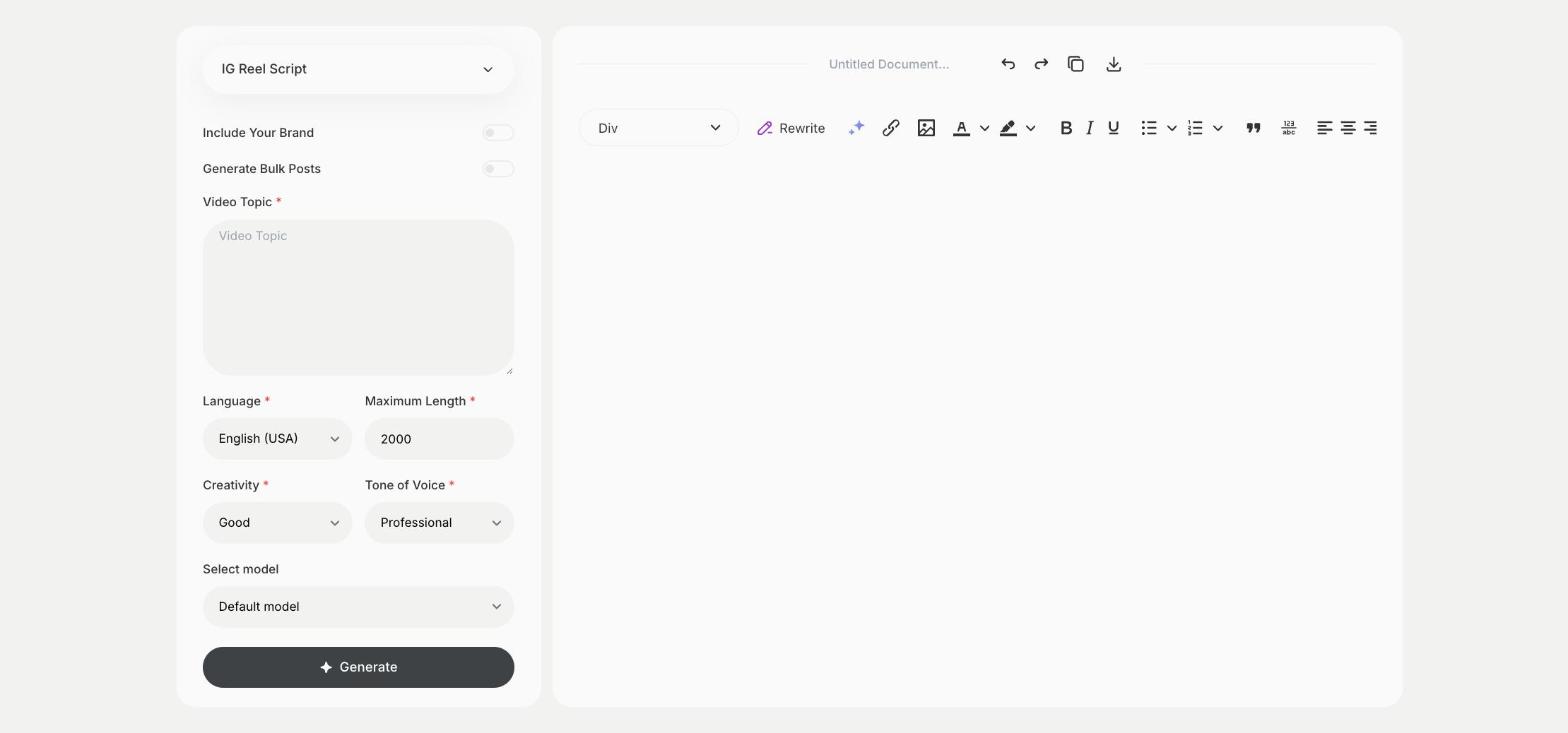
To write a script for an Instagram Reel, enter the video topic in the IG Reel Script template in Qyx and get a script to record. The IG Reel Script template is a Qyx Smart Template that turns a video topic into an Instagram Reel script in the language you pick.
What is the IG Reel Script template?
The IG Reel Script template is a ready-made template in Qyx for short vertical videos on Instagram. You enter what the Reel is about, and Qyx writes a script with an opening line, the main points and an ending. The first seconds decide if people keep watching, so test the opening line out loud before you record. Read the script while you film or use it as notes for what to say. Plan a call to action for the end, such as save, follow or visit the link in your bio.
-
A plan before you film
Know what to say before you press record.
-
A hook at the start
The script opens with a line written to stop the scroll.
-
Reels in other languages
Pick the output language for followers abroad.
How does it work?
- Open the IG Reel Script template in Qyx.
- Fill in what the Reel is about in Video Topic, then choose the language, tone of voice, creativity and maximum length.
- Click Generate, pick the best result and edit it right in the editor.
Who is it for?
-
Instagram creators
Plan Reels in batches before a filming day.
-
Online stores
Script product demos and behind-the-scenes Reels.
-
Coaches and experts
Turn one tip into a short Reel.
-
Local businesses
Show your work, your team or your place in a Reel.
Practical example
What you enter
Video Topic: what the Reel shows or teaches, such as one tip, a product in use or a quick tutorial.
What you get
A Reel script with an opening line, the main points and an ending. Cut it to the length you want, record it and add captions in the Instagram editor.
Conclusion
The IG Reel Script template gives you a script for an Instagram Reel. Write the caption for it with the IG Captions template in Qyx.