AI Template: Facebook Post. How to Write a Facebook Post? Examples
To write a Facebook post, describe what the post should be about in the Facebook Post template in Qyx and get a post to edit and publish. The Facebook Post template is a Qyx Smart Template that turns a short brief into a Facebook post in the language you pick.
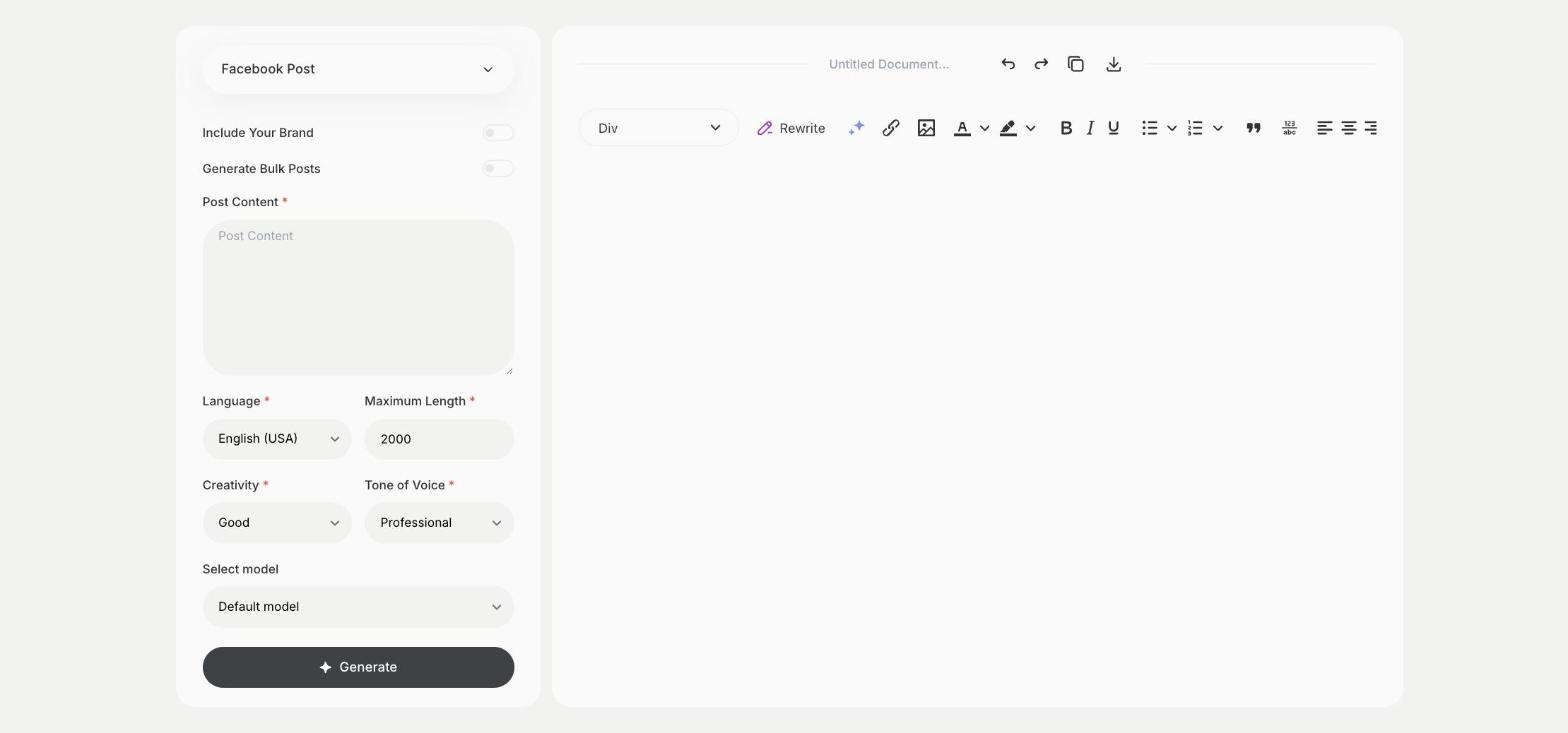
What is the Facebook Post template?
The Facebook Post template is a ready-made template in Qyx for your Facebook page or group. You write the topic or the news in Post Content, such as a new product, an event or a tip, and Qyx writes the post. Copy it to Facebook, add a photo and publish. If you run pages in several countries, pick the output language and write the same news for each page.
-
From a note to a post
Write two or three lines about the news and get a finished post.
-
A tone that fits your page
Pick Witty, Professional, Excited or another tone of voice for your audience.
-
Several versions to choose from
Turn on Generate Bulk Posts, set the number of results and pick the post you like.
How does it work?
- Open the Facebook Post template in Qyx.
- Fill in what the post is about in Post Content, then choose the language, tone of voice, creativity and maximum length.
- Click Generate, pick the best result and edit it right in the editor.
Who is it for?
-
Online stores
Announce new products, sales and restocks on your page in the same tone across your posts.
-
Local businesses
Share opening hours, events and offers with people nearby without writing each post from scratch.
-
Marketers
Prepare a week of posts for a client's page and send them for approval in one go.
-
Clubs and communities
Tell members about meetings, results and upcoming events.
Practical example
What you enter
Post Content: what the post is about, such as a new product, a sale, an event or a tip.
What you get
A Facebook post about your topic, ready to copy. Add a photo and a link to your shop or website before you publish it.
Conclusion
The Facebook Post template turns a few lines about your news into a post for your page. For paid campaigns, write the ad copy with the FB Ad template in Qyx.