AI Template: Facebook Headlines. How to Write Headlines for Facebook? Examples
To write headlines for Facebook, enter a title and a short description in the Facebook Headlines template in Qyx and get headline ideas for your posts and ads. The Facebook Headlines template is a Qyx Smart Template that turns a title and description into Facebook headlines in the language you pick.
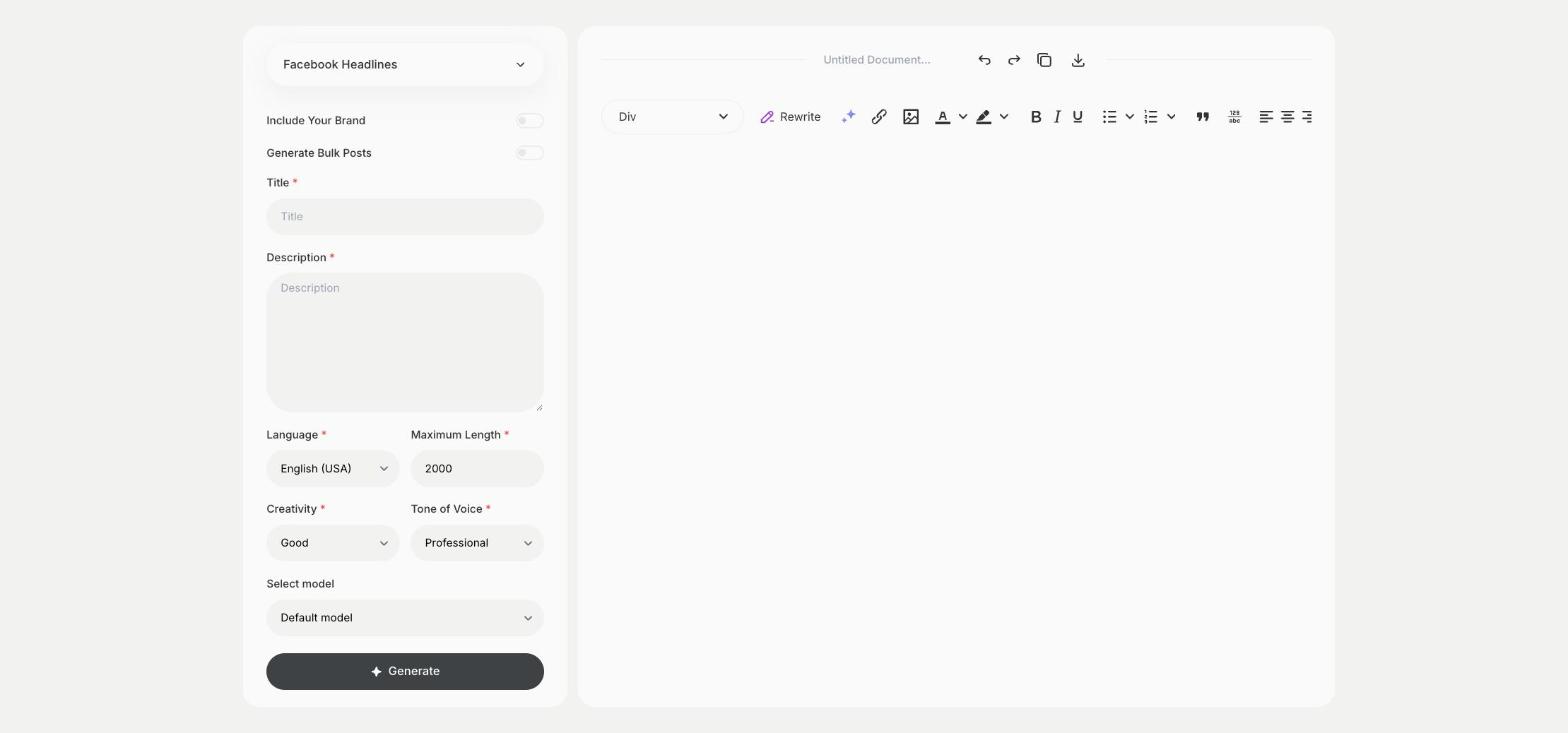
What is the Facebook Headlines template?
The Facebook Headlines template is a ready-made template in Qyx for the bold line people read first in a Facebook ad or a shared link. You enter a working title and describe the offer or the content, and Qyx suggests headlines. Short headlines are easier to read on a phone, so keep the one you pick brief. Test two headlines with the same image and keep the one with the better click rate. Make the headline match the landing page, so people who click find what it promised.
-
Headlines to choose from
Get several headline ideas for one post or ad.
-
Built on your offer
The Description field keeps the headlines tied to what you promote.
-
A tone for each campaign
Pick Excited for a sale or Professional for a webinar.
How does it work?
- Open the Facebook Headlines template in Qyx.
- Fill in your working title in Title and what you promote in Description, then choose the language, tone of voice, creativity and maximum length.
- Click Generate, pick the best result and edit it right in the editor.
Who is it for?
-
Facebook advertisers
Find headlines for ad tests.
-
Online stores
Write headlines for product and sale ads.
-
Publishers and bloggers
Write headlines for links you share on your page.
-
Social media managers
Prepare headline options for client approval.
Practical example
What you enter
Title: your working title or the name of the offer. Description: what the post or ad promotes and who it is for.
What you get
A list of Facebook headlines. Pick two, test them with the same image and keep the one that gets more clicks.
Conclusion
The Facebook Headlines template gives you headlines for Facebook posts and ads. Write the ad text with the Facebook Ads template in Qyx.