AI Template: Bullet Point Answer. How to Get a Short Answer in Bullet Points? Examples
To get a short answer in bullet points, type your question into the Bullet Point Answer template in Qyx and get the answer as a list of points. The Bullet Point Answer template is a Qyx Smart Template that turns a question into a bullet point answer in the language you pick.
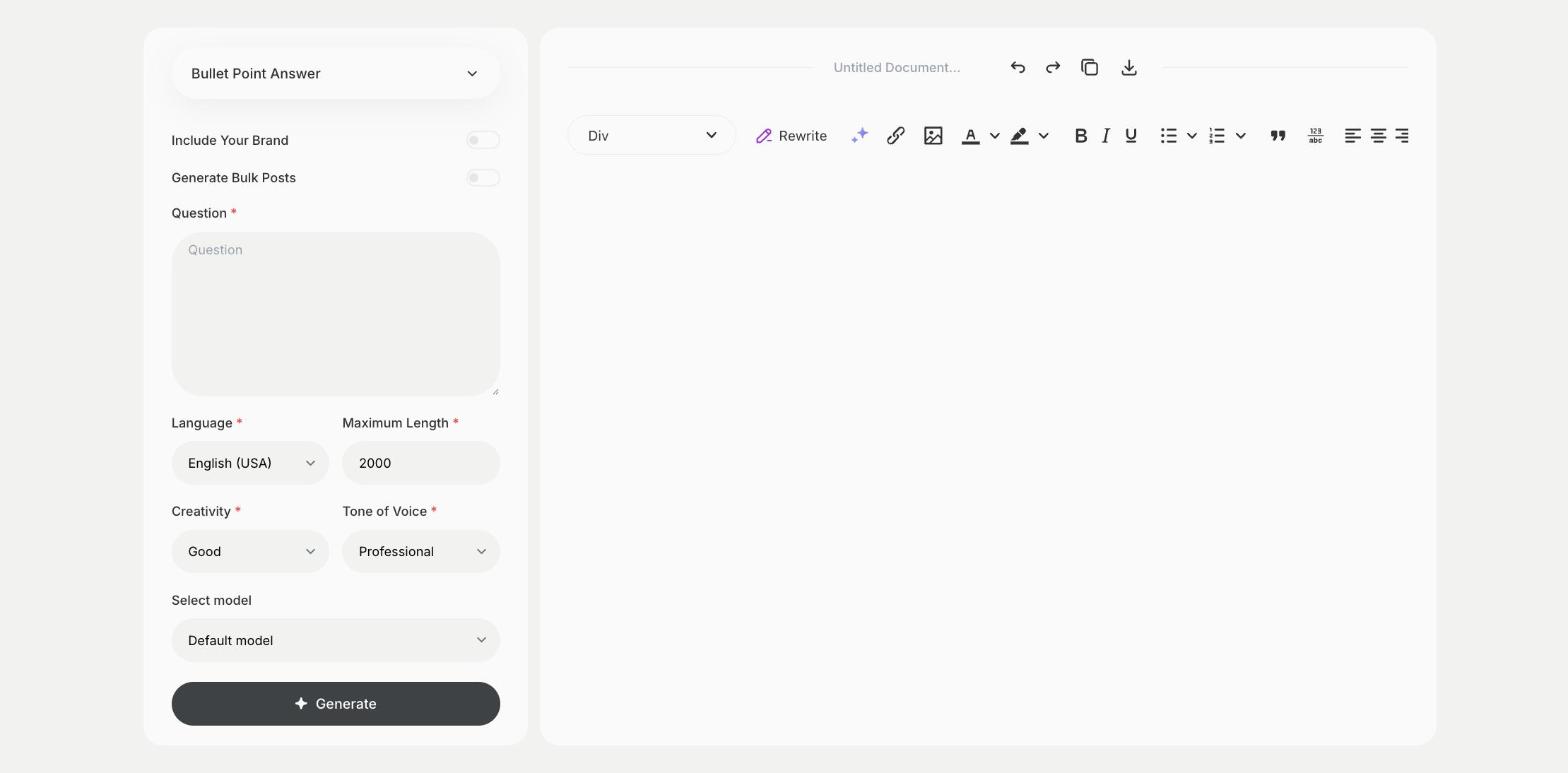
What is the Bullet Point Answer template?
The Bullet Point Answer template is a ready-made template in Qyx for questions where you want the key points fast. You type the question, and Qyx answers with a short list you can scan. It suits study notes, meeting prep, slide content and quick comparisons. Check facts that matter, such as figures and dates, against a reliable source. A precise question gets more useful points than a broad one. Ask a follow-up question on the point you want to know more about.
-
Easy to scan
Get the answer as short points, ready to read at a glance.
-
Ready for slides and notes
Paste the list into a presentation, a document or an email.
-
Answers in your language
Pick the output language you need.
How does it work?
- Open the Bullet Point Answer template in Qyx.
- Fill in your question in Question, then choose the language, tone of voice, creativity and maximum length.
- Click Generate, pick the best result and edit it right in the editor.
Who is it for?
-
Students
Turn a topic into study notes.
-
Managers
Prepare talking points for a meeting.
-
Presenters
Get bullet points for a slide.
-
Curious readers
Get the main points of a topic quickly.
Practical example
What you enter
Question: the question you want answered, as precise as you can make it.
What you get
A bullet point answer to your question. Check the facts that matter and copy the points into your notes or slides.
Conclusion
The Bullet Point Answer template gives you short answers as a list of points. For a simple explanation in full sentences, use the Explain to a Child template in Qyx.