AI Tool: AI RSS. How to Turn a Post From an RSS Feed Into an Article? Examples
To turn a post from an RSS feed into an article, paste the feed URL into AI RSS in Qyx, fetch the posts, pick one and get an article in the editor. AI RSS is a Qyx AI tool that writes a new article based on a post you pick from a feed.
What is the AI RSS template?
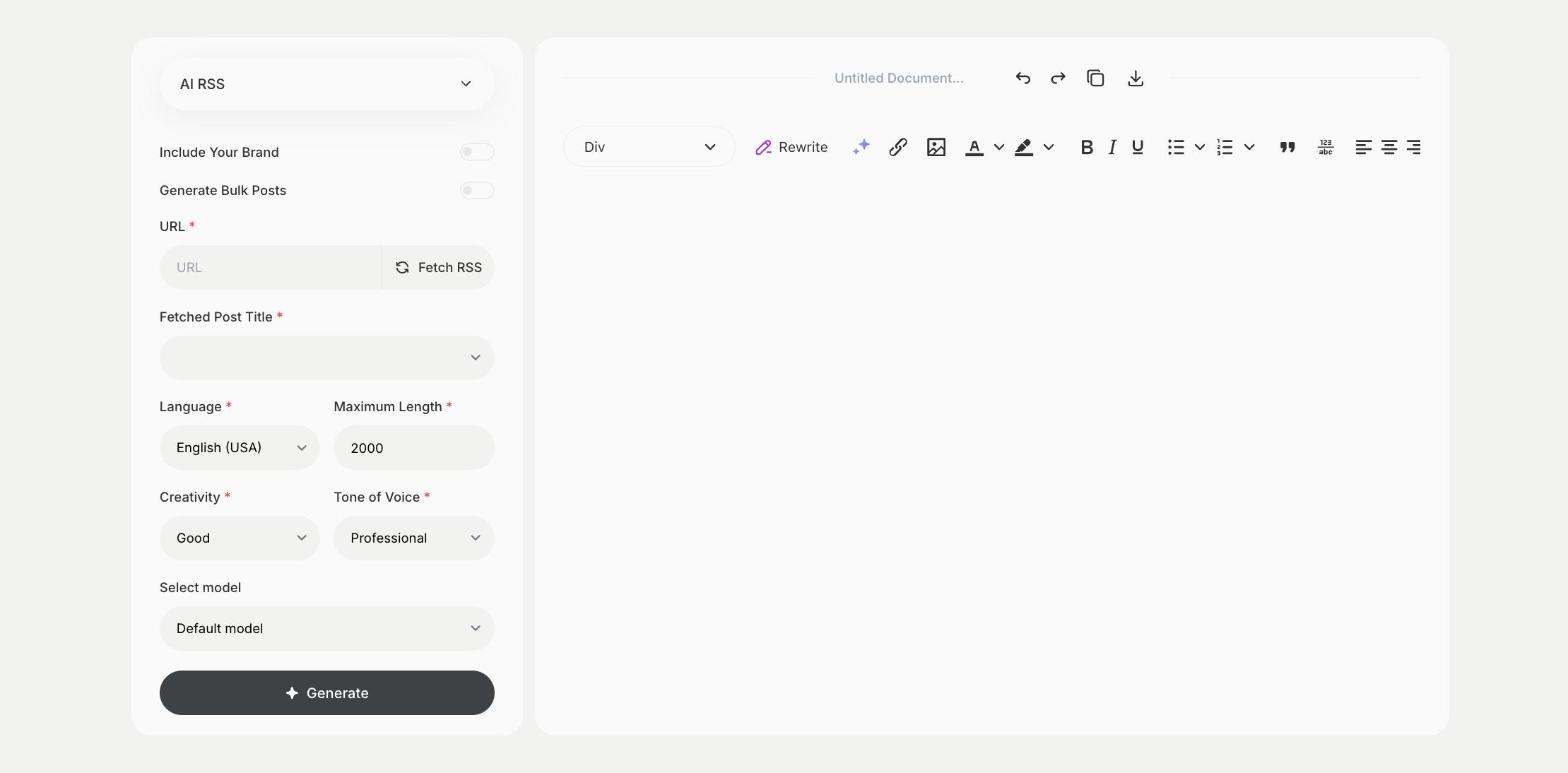
AI RSS is a Qyx tool for blogs and news sites that follow sources in their field. You paste the address of an RSS feed into URL and click Fetch RSS, and Qyx loads the latest posts. You pick one in Fetched Post Title, choose the language, the tone and the length, and Qyx writes an article on the topic in the editor. Add your own view, examples and sources, so the article gives readers something new. Link to the original post and respect the rights of the source. Use feeds you trust, because the article builds on their content.
-
Posts from your sources
Load the latest posts from any RSS feed.
-
A new article
Get an article on the topic of the post you pick.
-
Other languages
Pick the output language to cover news for another market.
How does it work?
- Open the AI RSS template in Qyx.
- Fill in the feed address in URL, click Fetch RSS and pick a post in Fetched Post Title, then choose the language, tone of voice, creativity and maximum length.
- Click Generate, pick the best result and edit it right in the editor.
Who is it for?
-
Bloggers
Write about news in your field.
-
News and niche sites
Cover topics from the sources you follow.
-
Content marketers
Turn industry news into posts.
-
Newsletter writers
Prepare short pieces on new topics.
Practical example
What you enter
URL: the address of an RSS feed from a source in your field. Fetched Post Title: the post you want to write about.
What you get
An article based on the post you picked, in the editor. Add your own view and a link to the source, then publish it.
Conclusion
AI RSS turns posts from your sources into new articles. To rework the text further, use the AI ReWriter in Qyx.