AI Tool: AI Code Generator. How to Generate Code From a Description? Examples
To generate code from a description, describe what the code should do in the AI Code Generator in Qyx, enter the coding language and get code to test. The AI Code Generator is a Qyx AI tool that turns a plain description into code in the language you name.
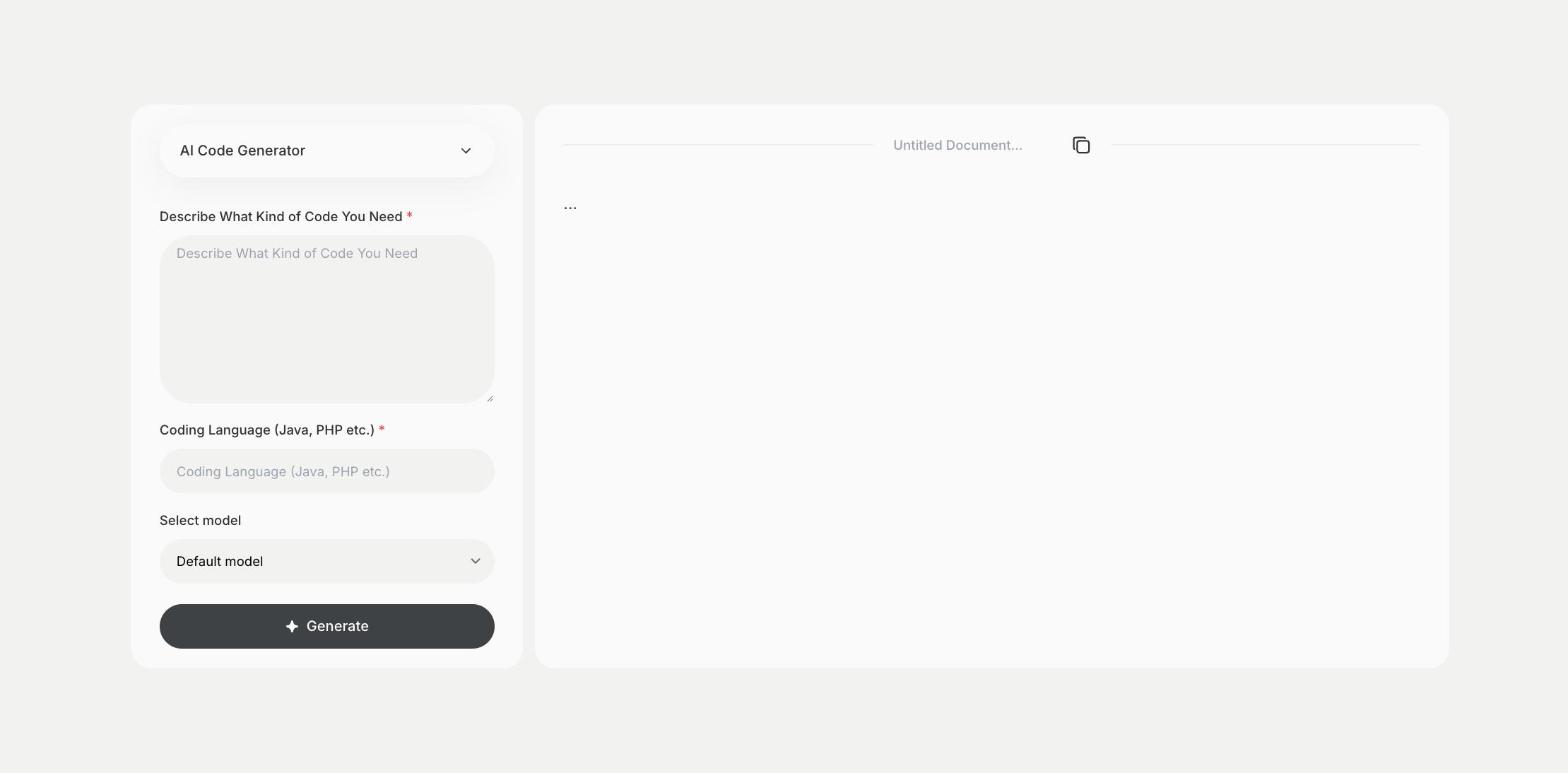
What is the AI Code Generator template?
The AI Code Generator is a Qyx tool for scripts, functions, queries, snippets and small utilities. You describe what you need, such as the input, the output and the rules, enter the coding language, such as Python, JavaScript or PHP, and Qyx writes the code. You can also pick the AI model that writes it. Describe edge cases and the version of the language or framework, because the details change the code you get. Read the code before you run it, test it in a development environment and keep passwords and API keys out of the description. Copy the result from the document panel into your editor.
-
Any language
Name the coding language, and the code is written in it.
-
Your choice of model
Pick the AI model that writes the code.
-
A starting point
Get working code to test and adapt to your project.
How does it work?
- Open the AI Code Generator template in Qyx.
- Fill in what the code should do in Describe What Kind of Code You Need and the language in Coding Language (Java, PHP etc.), then pick a model in Select model.
- Click Generate, pick the best result and edit it right in the editor.
Who is it for?
-
Developers
Get a first version of a function or script.
-
Marketers and analysts
Write formulas, queries and small automation scripts.
-
Store owners
Get snippets for tracking codes or theme changes.
-
Students
See how a task can be solved in code.
Practical example
What you enter
Describe What Kind of Code You Need: what the code does, its input, its output and any rules. Coding Language: the language and version, such as Python 3.
What you get
Code that does what you described. Read it, run it in a test environment, fix what does not fit your project and add comments before you use it.
Conclusion
The AI Code Generator writes code from your description. When the code throws an error, use the Bug Fix template in Qyx, and to understand code you got, use the Explain Code template.