AI Template: Apology Email. How to Write an Apology Email? Examples
To write an apology email, enter the recipient's name and what went wrong in the Apology Email template in Qyx and get a draft apology to edit and send. The Apology Email template is a Qyx Smart Template that turns a short description of a problem into a sincere apology email in the language you pick.
What is the Apology Email template?
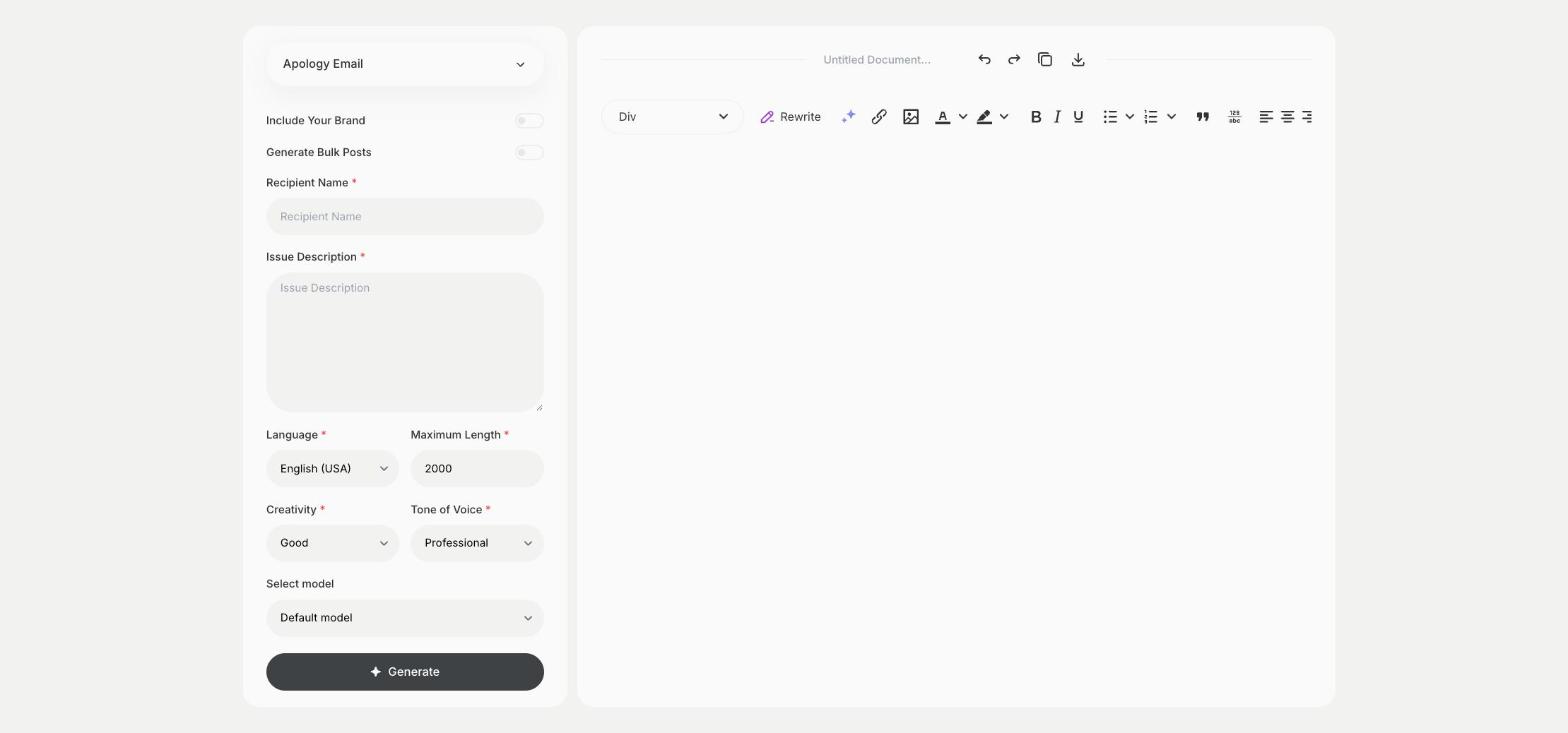
The Apology Email template is a ready-made template in Qyx for the emails that are hard to start: a late order, a missed deadline, a mistake on an invoice. You describe what happened, and Qyx drafts the apology. You read it, add the details only you know and send it.
-
A first draft when you are stuck
Describe the problem in a sentence or two and get an email you can start from.
-
The right tone for the reader
Choose Professional for a client or Casual for a friend in Tone of Voice.
-
In the customer's language
Pick the output language and answer customers in the language they wrote in.
How does it work?
- Open the Apology Email template in Qyx.
- Fill in the person's name in Recipient Name and what went wrong in Issue Description, then choose the language, tone of voice, creativity and maximum length.
- Click Generate, pick the best result and edit it right in the editor.
Who is it for?
-
Online stores
Apologise to a customer for a late or wrong delivery.
-
Freelancers and agencies
Tell a client you missed a deadline and when the work will be ready.
-
Customer support teams
Answer complaints with a polite reply in the same style across the team.
-
Anyone
Say sorry to a colleague or a friend in writing.
Practical example
What you enter
Recipient Name: the name of the person you are writing to. Issue Description: what went wrong and what you will do about it, such as a replacement or a refund.
What you get
An apology email to that person about what happened and how you will fix it. Add your order or case number and your sign-off, then send it from your usual mailbox.
Conclusion
The Apology Email template gives you a polite first draft for the emails you would rather not write. When the customer writes back, answer with the Reply Email template in Qyx.