AI Template: Reply Email. How to Write a Professional Reply to an Inquiry? Examples
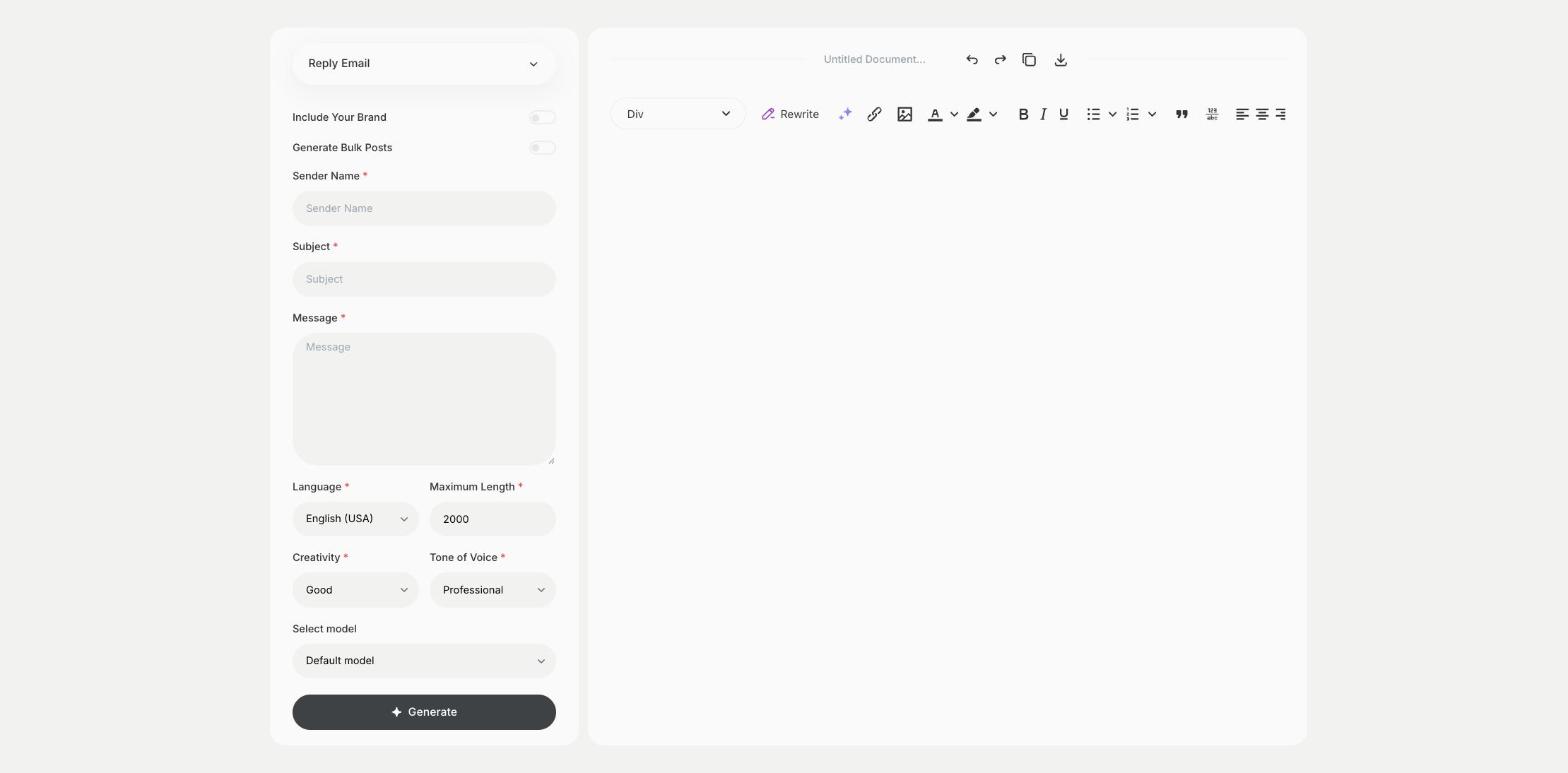
To write a professional reply to an inquiry, enter the sender name, the subject and the message in the Reply Email template in Qyx and get a reply ready to send. The Reply Email template is a Qyx Smart Template that turns a sender name, subject and message into a professional reply email in the language you pick.
What is the Reply Email template?
The Reply Email template is a ready-made template in Qyx for answering inquiries, questions and requests. You enter who wrote to you, the subject and the message you want to reply to, and Qyx writes a professional answer. It suits replies to customers, partners and applicants where tone matters. Add your decision or the key facts to the message field, so the reply says what you mean.
-
Three fields for a reply
Sender Name, Subject and Message give Qyx what it needs for a clear answer.
-
A professional tone
Pick Professional for customers or Casual for people you know well.
-
Replies in other languages
Pick the output language to answer in the sender's language.
How does it work?
- Open the Reply Email template in Qyx.
- Fill in who wrote to you in Sender Name, the topic in Subject and the message you are replying to in Message, then choose the language, tone of voice, creativity and maximum length.
- Click Generate, pick the best result and edit it right in the editor.
Who is it for?
-
Customer service teams
Reply to inquiries and complaints.
-
Small business owners
Answer questions from customers and partners.
-
HR and recruiters
Reply to applicants and candidates.
-
Assistants and office managers
Answer emails on behalf of a manager.
Practical example
What you enter
Sender Name: the person who wrote to you. Subject: the topic of their email. Message: what they wrote and the main point of your answer.
What you get
A professional reply to the inquiry. Check the facts and promises in it, add your signature and send it.
Conclusion
The Reply Email template gives you professional replies to inquiries. For replies to public reviews, use the Review Responder template in Qyx.