AI Template: Review Responder. How to Reply to a Customer Review? Examples
To reply to a customer review, paste the review and the main point of your answer into the Review Responder template in Qyx and get a polite reply to post. The Review Responder template is a Qyx Smart Template that turns a customer review and your notes into a professional reply in the language you pick.
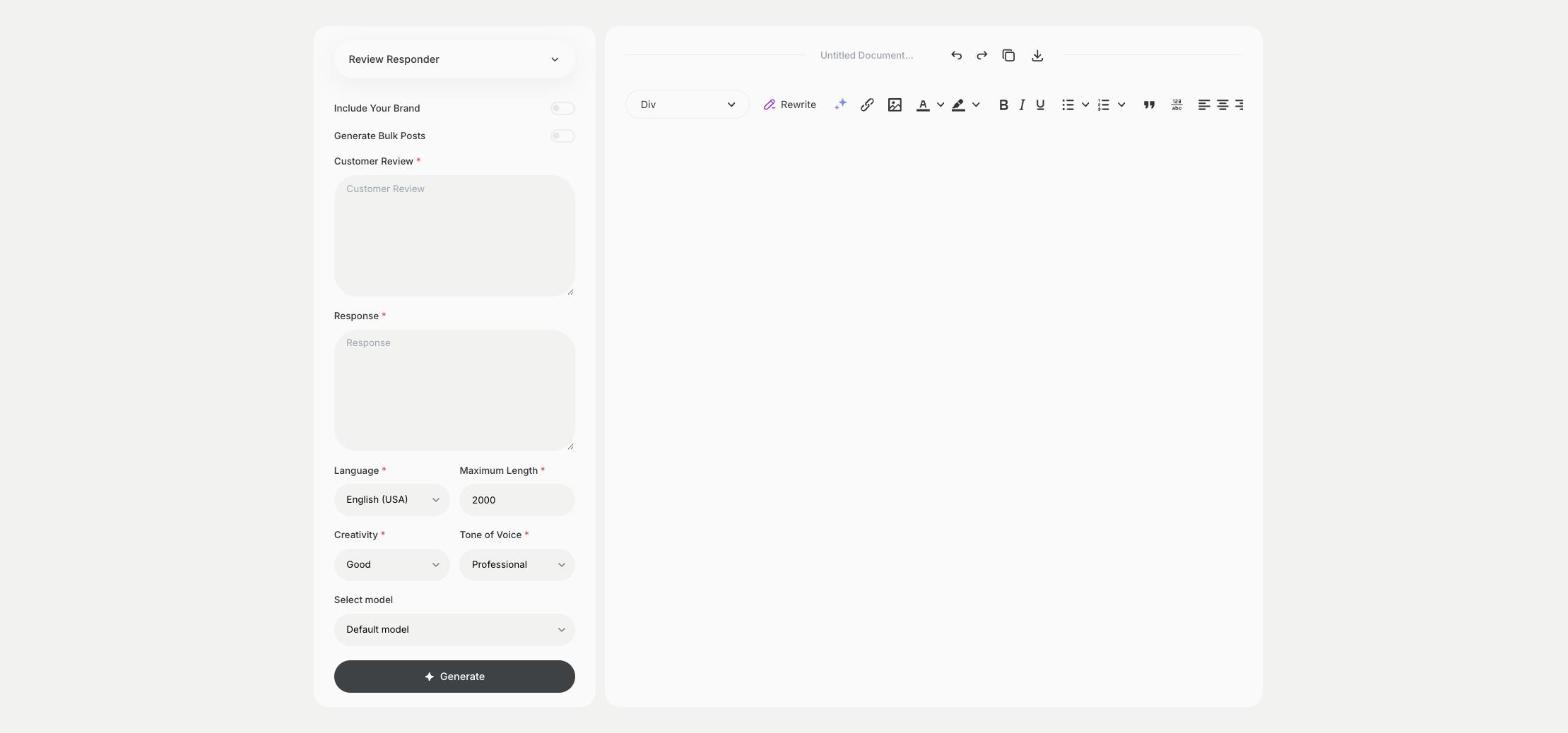
What is the Review Responder template?
The Review Responder template is a ready-made template in Qyx for answering reviews on Google, marketplaces or your own shop. You paste what the customer wrote and add what you want to say, such as a thank-you, an apology or an offer to fix a problem, and Qyx writes the reply. Answer negative reviews too, because other customers read how you handle them. Keep personal data and order details out of public replies and move the conversation to email when you need them.
-
Replies to good and bad reviews
Thank happy customers and answer complaints in a calm, professional tone.
-
Your point, clear wording
Add the key message in Response, and Qyx builds the reply around it.
-
Reviews in other languages
Pick the output language and answer customers in the language they wrote in.
How does it work?
- Open the Review Responder template in Qyx.
- Fill in the customer's review in Customer Review and what you want to say in Response, then choose the language, tone of voice, creativity and maximum length.
- Click Generate, pick the best result and edit it right in the editor.
Who is it for?
-
Online stores
Answer product and shop reviews on your site and on marketplaces.
-
Restaurants, hotels and salons
Reply to Google reviews from guests and clients.
-
App and SaaS teams
Answer reviews in app stores and on review sites.
-
Customer support teams
Keep replies to reviews consistent across the team.
Practical example
What you enter
Customer Review: the review exactly as the customer wrote it. Response: the main point of your answer, such as a thank-you, an apology or a solution you offer.
What you get
A reply to the review with your main point in it. Read it once more, add your name and post it under the review.
Conclusion
The Review Responder template gives you replies to customer reviews, from thank-you notes to answers to complaints. For longer customer emails, use the Reply Email template in Qyx.