AI Template: Facebook Video Script. How to Write a Script for a Facebook Video? Examples
To write a script for a Facebook video, enter the video topic in the Facebook Video Script template in Qyx and get a script to record. The Facebook Video Script template is a Qyx Smart Template that turns a video topic into a Facebook video script in the language you pick.
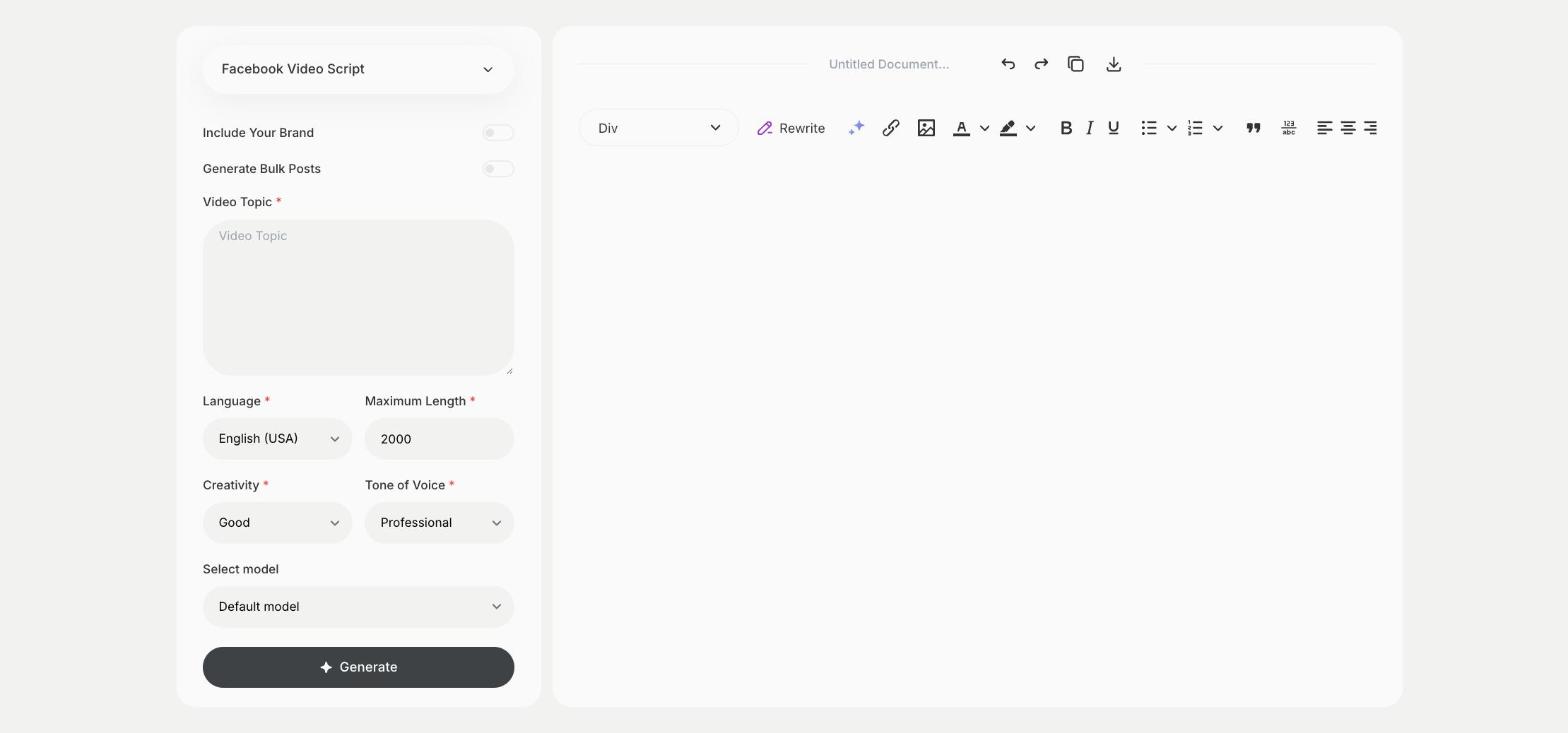
What is the Facebook Video Script template?
The Facebook Video Script template is a ready-made template in Qyx for videos on your Facebook page, from short clips to longer explainers. You enter the topic, and Qyx writes the script. Many people watch Facebook videos with the sound off, so plan captions or on-screen text for the key lines. Put the main message in the first seconds of the video. Ask viewers a question at the end to get comments under the video.
-
Scripts for your page
Plan videos for your Facebook page or group.
-
Room for longer videos
Raise Maximum Length for explainers and how-to videos.
-
The same voice as your posts
Turn on Include Your Brand to match the tone of your page.
How does it work?
- Open the Facebook Video Script template in Qyx.
- Fill in what the video is about in Video Topic, then choose the language, tone of voice, creativity and maximum length.
- Click Generate, pick the best result and edit it right in the editor.
Who is it for?
-
Small businesses
Script videos about your products and services.
-
Community and group admins
Plan videos for your Facebook group.
-
Online stores
Script product videos for your page and ads.
-
Nonprofits
Script videos about your cause and events.
Practical example
What you enter
Video Topic: what the video is about and who it is for.
What you get
A script for your Facebook video. Mark the lines that should appear as on-screen text, record the video and upload it with captions.
Conclusion
The Facebook Video Script template gives you a script for a Facebook video. Write the post to go with it using the Facebook Post template in Qyx.