UGC Factory · AI Actors
Your own cast of AI actors
AI actors in Qyx give your UGC videos a face without casting. Pick one of 21 ready actors, describe a new one, or turn your own photo into a digital twin.
- 21 ready actors in everyday scenes
- Digital twin from one photo
- New actors from a written description
- Reuse the same actor in every video
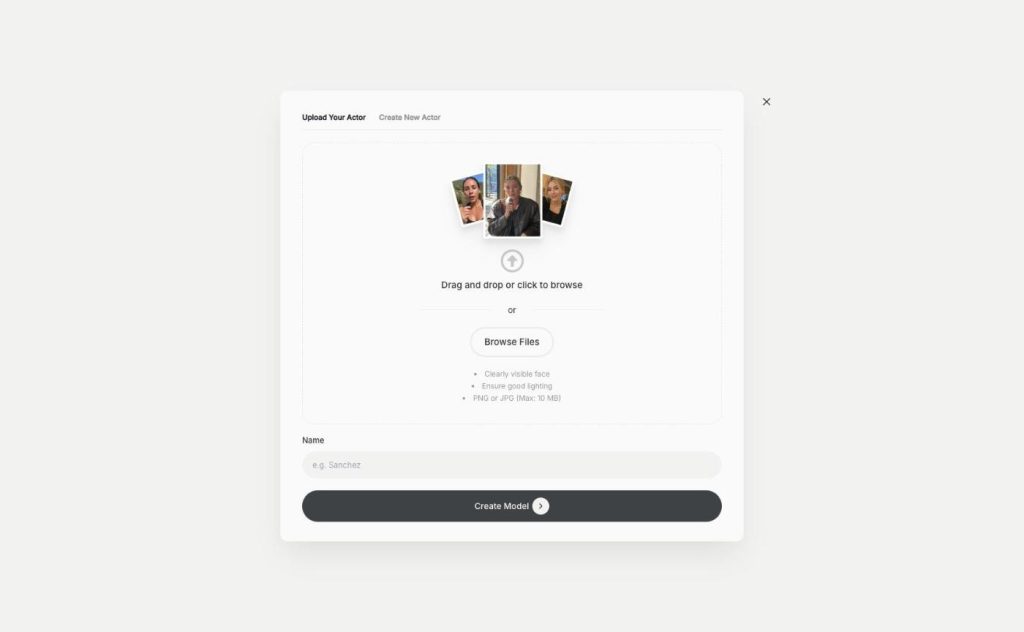
Pick an actor or upload your photo.
- No casting or model fees
- No filming day
- Cancel anytime
Finding creators takes weeks
UGC ads need a face, and finding, briefing and paying creators slows every campaign down.
Creators take weeks to reply and deliver.
Every new face means a new contract and a new fee.
I want the same person in a whole series of ads.
One cast for all your videos:
- Ready actor library
- Everyday scenes
- Digital twin from your photo
- Custom actor from text
- Same actor across videos
- Your voice or an AI voice
How It Works
A simple three-step process, start to finish.
-
Choose how to cast
Open Pick an Actor, Upload Your Actor or Create New Actor.
-
Set up the actor
Pick a scene, upload a clear photo, or describe the look and setting.
-
Use the actor in a video
Write the script, choose the voice and generate the UGC video.
Why brands use AI actors
A face for every ad without a casting call.
The same presenter across a whole campaign.
Your own face on camera without filming.
Good to know before you start
AI actors in Qyx are the people who speak in your UGC videos. They are part of UGC Factory. You choose a ready actor, build a new one from a description, or upload your photo to create a digital twin, and then the actor says your script on camera.
Ready AI actors in 21 scenes
Pick an Actor shows 21 actors, each filmed in a different everyday setting. You get a skin care routine, a café, a car, a kitchen, a podcast studio, an online meeting, a gym, a gaming session and more. The scene sets the mood of the ad, so choose one that fits where your customer would use the product.
Your digital twin
Upload Your Actor turns one photo into an actor that looks like you. Use a PNG or JPG up to 10 MB with a clearly visible face and good lighting, give the actor a name and click Create Model. The twin can then speak any script in an AI voice, or in your own voice if you upload or record the audio.
Create new AI actors from text
Create New Actor builds a person who doesn’t exist yet. You give the actor a name and describe the appearance and the setting, for example „woman in her thirties, linen shirt, bright kitchen with plants“. This helps when none of the ready actors matches your audience.
Matching the actor to the product
A skincare brand fits the skin care routine or makeup scene. A coffee or snack brand fits the café or the cozy kitchen. Software and online courses fit the office, the online meeting or the podcast studio. Sportswear and supplements fit the gym. When the setting matches the product, the viewer believes the message faster.
Rules for using AI actors in ads
Build a digital twin only from your own photo or from someone who agreed to it in writing. Don’t present an AI actor as a real customer, and check every claim they make against your product page. Meta and TikTok may ask you to label AI-generated content. To make the full video, continue to UGC videos. For an actor holding your real product, use UGC Creator.
Questions, answered
AI actors are the presenters in UGC Factory videos. You pick a ready actor, describe a new one or create a digital twin from your photo.
There are 21 ready actors, each in a different everyday scene.
A PNG or JPG up to 10 MB with a clearly visible face and good lighting.
Yes. Create New Actor builds an actor from a name and a description of the look and setting.
Only with that person's clear permission. Use your own photo or one you have the rights to.
More UGC Factory features
-
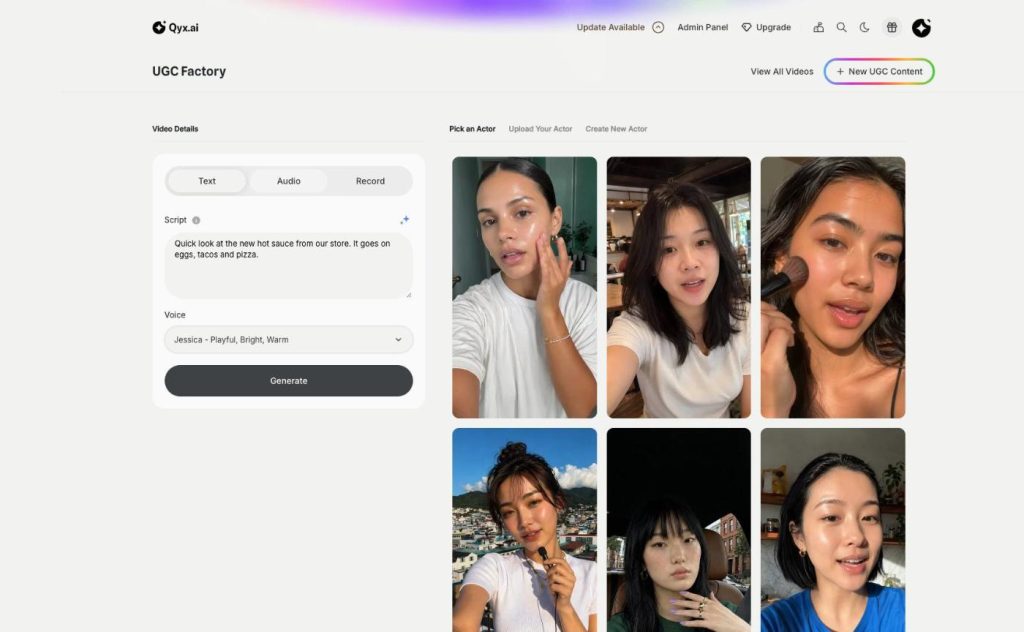
UGC Videos
Authentic UGC videos, no creators needed
UGC video maker in Qyx turns a script into a talking-to-camera video. Choose an AI actor, type what they say, and pick an AI voice, your own audio or a recording.
Cast your first AI actor
From $29/month · 7-day money-back guarantee · Cancel anytime