UGC Factory · UGC Videos
Authentic UGC videos, no creators needed
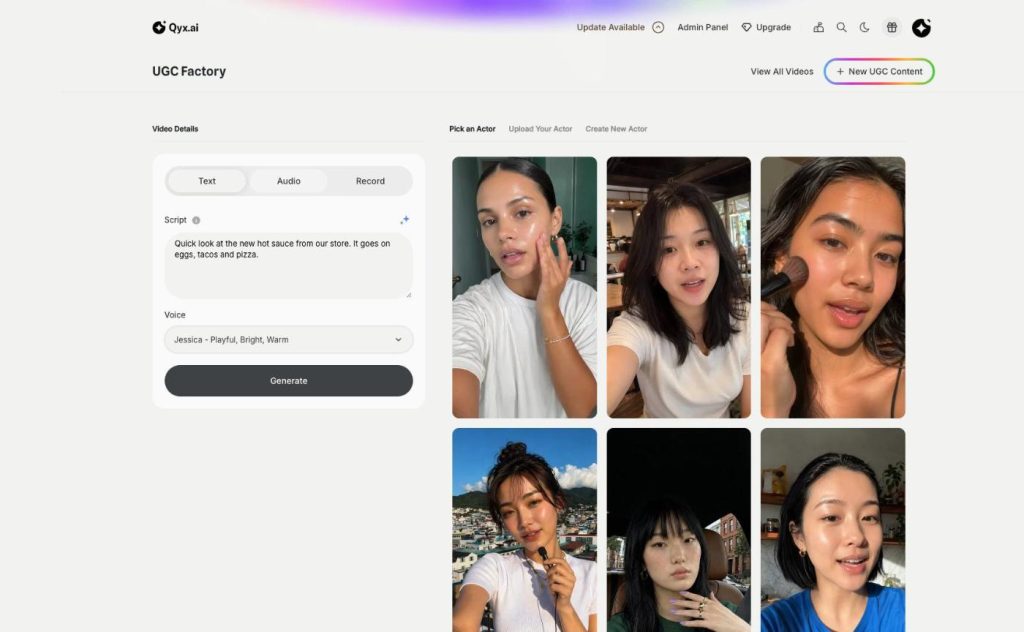
UGC video maker in Qyx turns a script into a talking-to-camera video. Choose an AI actor, type what they say, and pick an AI voice, your own audio or a recording.
- Script with AI writing help
- 21 AI voices with previews
- Your own audio or a browser recording
- 21 actors in everyday scenes
Type the script and pick a voice.
- No creators to brief
- No filming day
- Cancel anytime
UGC ads that never run out
UGC ads wear out after a few weeks, and ordering new videos from creators takes longer than that.
My best UGC ad stopped working and I have nothing new.
Each creator video costs as much as a week of ad spend.
I want to test five hooks, not wait for one video.
One place for UGC videos:
- Script field with AI help
- AI voices with previews
- Audio upload
- Microphone recording
- Ready AI actors
- Video library
How It Works
A simple three-step process, start to finish.
-
Pick the actor
Choose a ready actor, your digital twin or a custom actor.
-
Add the words
Type the script for an AI voice, upload audio or record it.
-
Generate the video
Click Generate and find the result under View All Videos.
Why advertisers use a UGC video maker
New UGC ads every week instead of every month.
Several hooks to test from one idea.
A voice that fits your brand, AI or your own.
Good to know before you start
UGC video maker is the part of UGC Factory where the script becomes a video. You choose an actor, add the words in one of three ways, and Qyx renders a short video of the actor talking to the camera, ready for ads and social media.
Three ways to add the voice
With Text, you type the script and pick one of 21 AI voices, such as Roger or Jessica, and you can play a preview of each voice first. Audio lets you upload your own voiceover file up to 10 MB. With Record, you click the red button and speak into your microphone in the browser. The actor’s lips follow whichever audio you use.
Writing scripts in the UGC video maker
The script field asks what you want your character to say, and the sparkle button lets AI help write or improve the text. Keep it short and spoken: a hook in the first line, one problem, one concrete detail about the product and one call to action. Read it out loud before you generate.
Script ideas that work as UGC
A short review: „I tried this for two weeks, and here is what changed.“ An unboxing comment while the actor sits in a café. Or a quick tip that ends with the product as the answer. A reply to a common objection, such as price or delivery time. Each of these sounds natural in under 30 seconds.
Testing versions in the UGC video maker
Make the same script with two different actors, or the same actor with two different first lines. Then run them side by side in your ads and keep the one with the better hold rate. Your videos stay under View All Videos, so you can download them again or reuse them later.
Finishing UGC videos for ads
Add styled captions in AI Captions, because many people watch without sound. Join several takes or add a product shot in AI Video Editor. If you still need the right face, start with AI actors. Check every claim in the script against your product page before the ad goes live.
Questions, answered
It is the part of UGC Factory that turns a script into a talking-to-camera video with an AI actor.
There are 21 AI voices, and you can play a preview of each before you choose.
Yes. Upload an audio file up to 10 MB or record your voice in the browser.
Yes. The sparkle button in the script field helps you write or improve the text.
Under View All Videos in UGC Factory.
More UGC Factory features
-
AI Actors
Your own cast of AI actors
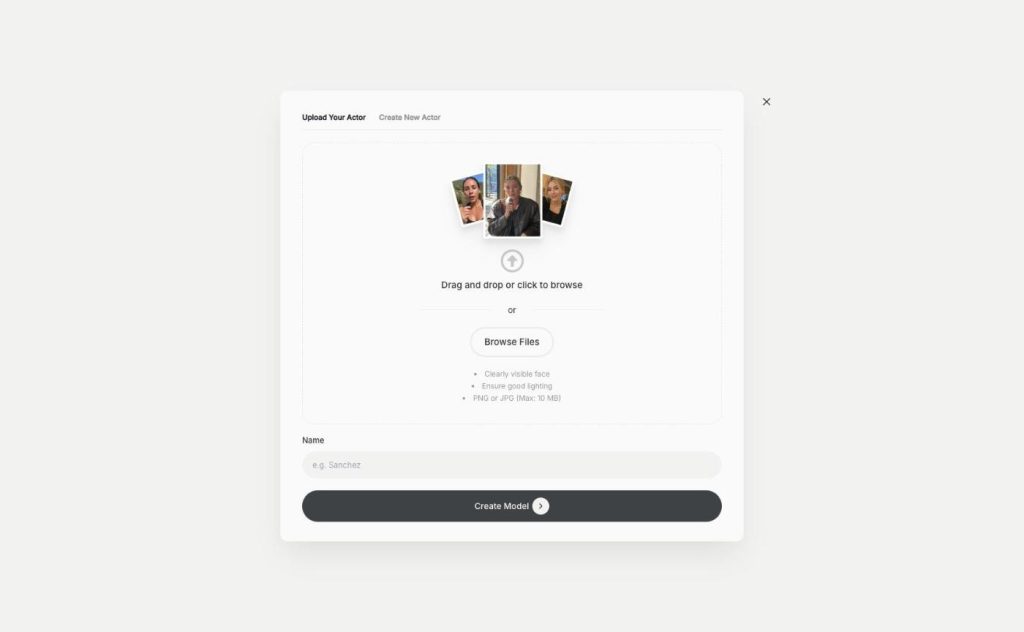
AI actors in Qyx give your UGC videos a face without casting. Pick one of 21 ready actors, describe a new one, or turn your own photo into a digital twin.
Make your next UGC ad today
From $29/month · 7-day money-back guarantee · Cancel anytime