AI Template: Amazon. How to Write an Amazon Product Listing? Examples
To write an Amazon product listing, enter the product name and its details in the Amazon template in Qyx and get a listing and description for your product. The Amazon template is a Qyx Smart Template that turns a product name and your product details into Amazon listing copy in the language you pick.
What is the Amazon template?
The Amazon template is a ready-made template in Qyx for sellers who list products on Amazon. You enter the product name and the facts, such as size, material, what is in the box and who it is for, and Qyx writes the listing text. Check it against the character limits and style rules of your Amazon category before you upload it in Seller Central.
-
From product data to listing
Paste the details from your supplier or spec sheet and get copy written for shoppers.
-
Listings for each marketplace
Pick the output language and write the listing for Amazon stores in other countries, such as Germany or Spain.
-
A consistent catalogue
Turn on Include Your Brand to keep the same brand voice across your listings.
How does it work?
- Open the Amazon template in Qyx.
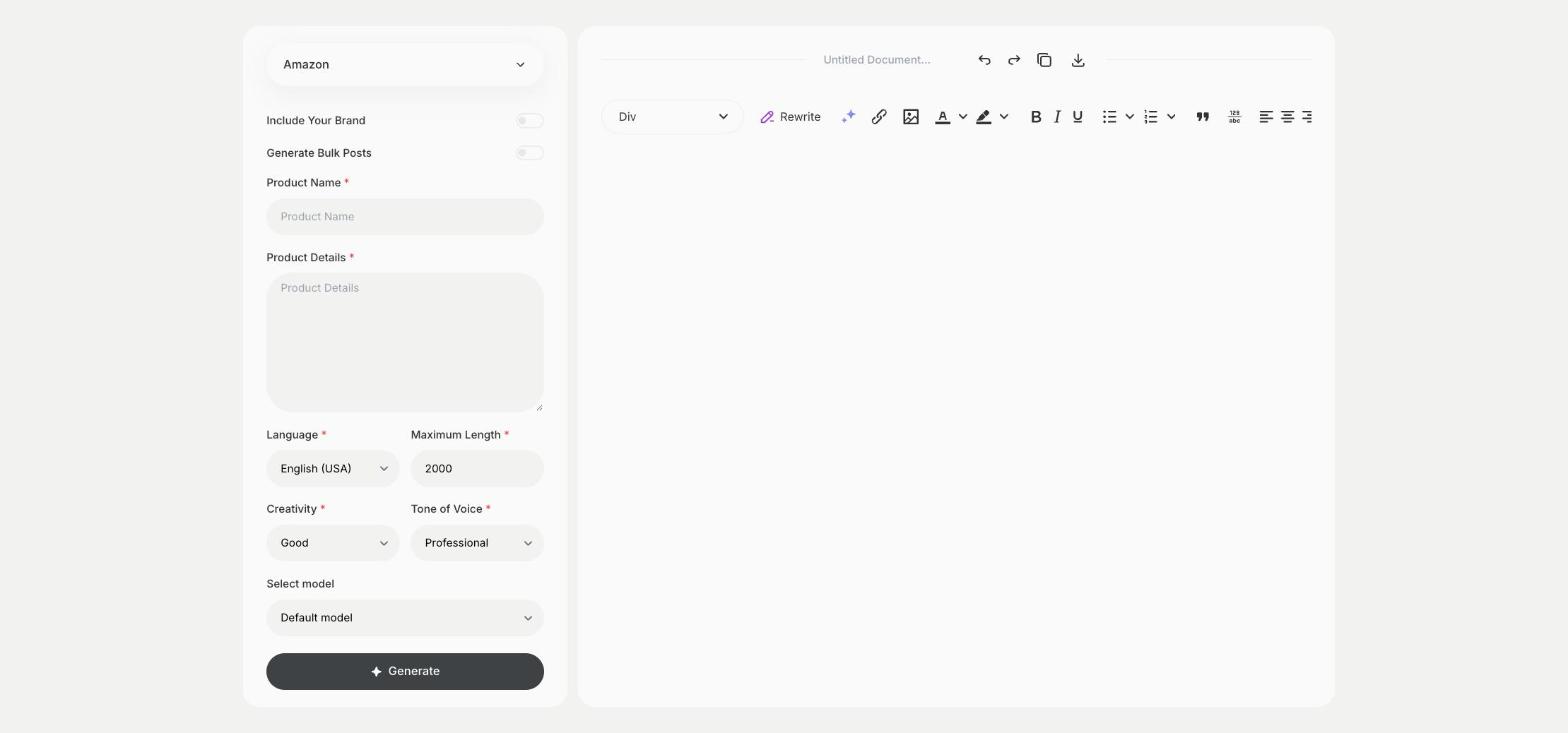
- Fill in the product name in Product Name and the facts in Product Details, then choose the language, tone of voice, creativity and maximum length.
- Click Generate, pick the best result and edit it right in the editor.
Who is it for?
-
Amazon sellers
Write listings for new products and refresh listings that need better copy.
-
Private-label brands
Prepare the copy for a product launch on Amazon.
-
Online stores
Reuse your shop's product data to start selling on Amazon.
-
Agencies and Amazon consultants
Draft listings for client catalogues.
Practical example
What you enter
Product Name: the name of your product as you want it on Amazon. Product Details: size, material, what is in the box, who it is for and how to use it.
What you get
Amazon listing copy and a product description built from your details. Shorten the title and bullet points to the limits of your category, then add the listing in Seller Central.
Conclusion
The Amazon template gives you listing copy for Amazon from your product data. For your own online store, write the product page with the Product Description template in Qyx.