AI Template: Paragraph. How to Write a Paragraph on a Topic? Examples
To write a paragraph on a topic, enter the topic in the Paragraph template in Qyx and get a well-written paragraph about it. The Paragraph template is a Qyx Smart Template that turns a topic into a single paragraph in the language you pick.
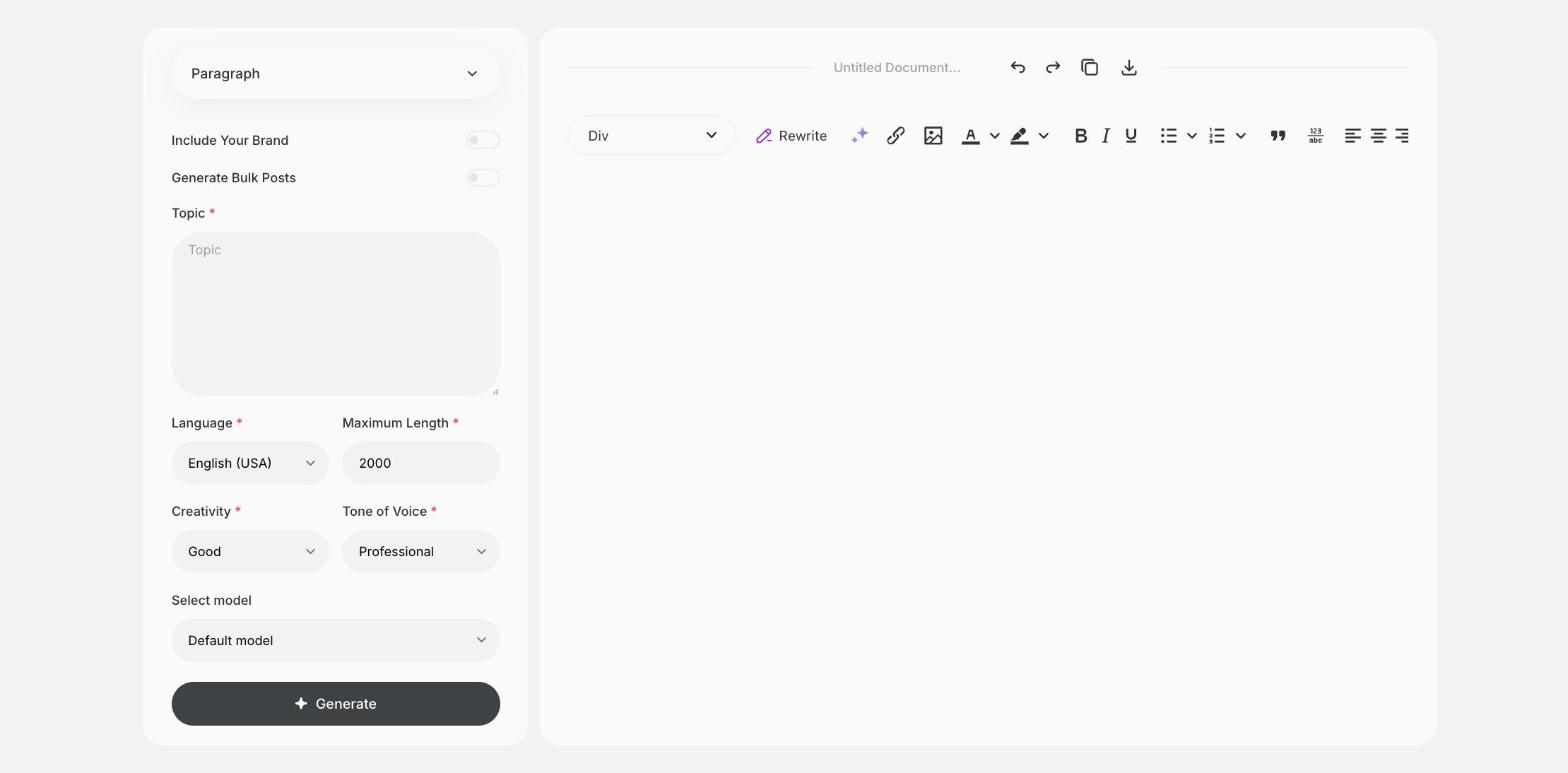
What is the Paragraph template?
The Paragraph template is a ready-made template in Qyx for the moments when you need one good paragraph, such as an introduction, a product summary or a short explanation. You enter the topic, and Qyx writes the paragraph. A specific topic gives a more useful paragraph than a single word. When the paragraph has to include certain keywords, the Paragraph Generator template is the better fit. Mention who the paragraph is for, so the level of detail fits the reader. Ask for a few versions if the first one doesn't match your style.
-
One topic, one paragraph
Type a topic and get a finished paragraph.
-
A tone for the context
Pick Professional for a report or Casual for a blog.
-
The length you need
Set Maximum Length for a short or a longer paragraph.
How does it work?
- Open the Paragraph template in Qyx.
- Fill in what the paragraph is about in Topic, then choose the language, tone of voice, creativity and maximum length.
- Click Generate, pick the best result and edit it right in the editor.
Who is it for?
-
Bloggers
Fill a gap in a post with one paragraph.
-
Students
Get a starting paragraph to build on in your own words.
-
Online stores
Write a short summary for a category page.
-
Marketers
Write a paragraph for a brochure or a presentation.
Practical example
What you enter
Topic: what the paragraph should be about, as specific as you can make it.
What you get
A paragraph on your topic. Check the facts, adjust it to the text around it and paste it into your document.
Conclusion
The Paragraph template writes one paragraph on a topic. For a paragraph built around keywords, use the Paragraph Generator template in Qyx.