AI Template: eBook. How to Write an eBook on a Topic? Examples
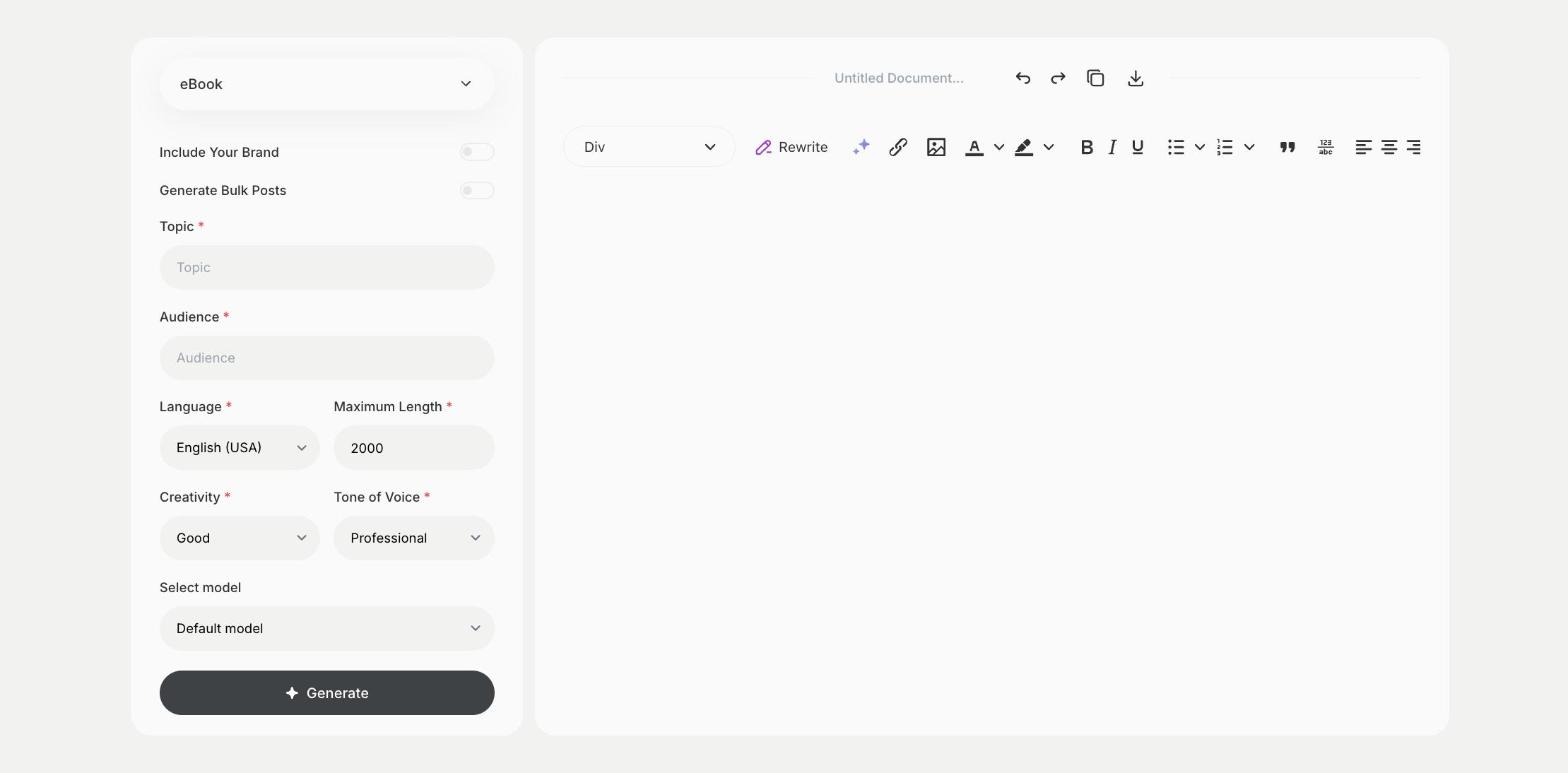
To write an eBook on a topic, enter the topic and your audience in the eBook template in Qyx and get eBook content to edit. The eBook template is a Qyx Smart Template that turns a topic and an audience into an eBook in the language you pick.
What is the eBook template?
The eBook template is a ready-made template in Qyx for guides, lead magnets and short books. You enter the topic and describe who the eBook is for, and Qyx writes the content. Lead magnets work when they solve one problem for one audience, so keep the topic narrow. Raise Maximum Length for longer content, then edit chapter by chapter and add your own examples, images and a cover in a layout tool.
-
Written for your audience
The Audience field shapes the level and the examples.
-
Longer content
Raise Maximum Length to get more text in one run.
-
eBooks in other languages
Pick the output language for readers in other markets.
How does it work?
- Open the eBook template in Qyx.
- Fill in the subject in Topic and your readers in Audience, then choose the language, tone of voice, creativity and maximum length.
- Click Generate, pick the best result and edit it right in the editor.
Who is it for?
-
Marketers
Create a free guide in exchange for email sign-ups.
-
Coaches and consultants
Share your method as a short eBook.
-
Online stores
Write a guide that helps buyers use your products.
-
Course creators
Turn course content into a downloadable eBook.
Practical example
What you enter
Topic: what the eBook covers and the problem it solves. Audience: who the readers are and how much they already know.
What you get
eBook content on your topic. Edit it chapter by chapter, add your examples and images, then design it in a layout tool and export it as a PDF.
Conclusion
The eBook template gives you content for a guide or a short book. Write the landing page for it with the Landing Page Content - Copywriting template in Qyx.