AI Template: IG Captions. How to Write a Caption for an Instagram Photo? Examples
To write a caption for an Instagram photo, describe the photo in the IG Captions template in Qyx and get captions to post with it. The IG Captions template is a Qyx Smart Template that turns a photo description into Instagram captions in the language you pick.
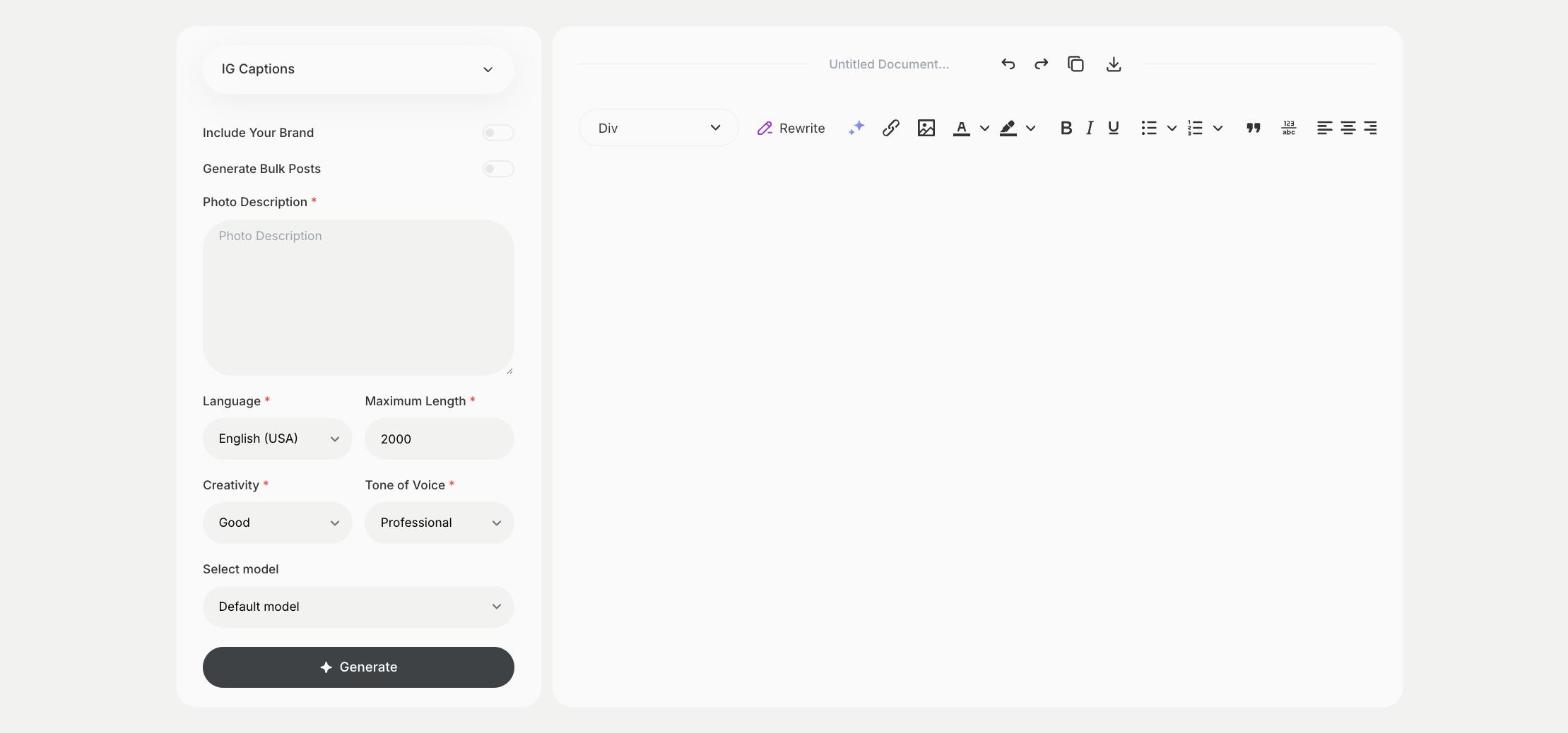
What is the IG Captions template?
The IG Captions template is a ready-made template in Qyx for posts where the picture comes first. You describe what is in the photo, and Qyx writes captions that fit it. Add the context too, such as the occasion or the product, so the caption says more than the picture already shows. For posts built around a topic rather than one photo, the Instagram Captions template fits better. Put the key line at the start, because Instagram cuts longer captions after the first lines.
-
Start from the photo
Describe the picture in Photo Description and get captions that match it.
-
Several captions per photo
Turn on Generate Bulk Posts and pick the caption you like.
-
A tone for your feed
Pick Witty, Casual or Professional to match how your profile sounds.
How does it work?
- Open the IG Captions template in Qyx.
- Fill in what is in the picture and its context in Photo Description, then choose the language, tone of voice, creativity and maximum length.
- Click Generate, pick the best result and edit it right in the editor.
Who is it for?
-
Instagram creators
Write captions for photos from a shoot or a trip.
-
Online stores
Caption product photos and flat lays.
-
Restaurants and cafes
Caption photos of dishes and the place.
-
Photographers
Add captions to portfolio posts.
Practical example
What you enter
Photo Description: what the photo shows, such as the subject, the place and the occasion, and what you want to say with it.
What you get
Captions that match your photo. Pick one, add your hashtags and post it with the picture.
Conclusion
The IG Captions template gives you captions for a specific photo. Find hashtags for the post with the Instagram Hashtags template in Qyx.